If I'm late at connecting accounting, can I send it all at once?
 3:17
"If I'm late at connecting accounting, can I send it all at once?"
Sometimes you can be so busy starting your business, that it feels like there's not enough time to select an accounting package.
To send a few months of payday debits and credits all at once, after finally connecting your accounting package:
- First, select the payroll group on: "Menu", then "Payroll groups"
- Then tap: "Settings", then "Payroll group settings"
- Then on the "Settings" tab, scroll down to the "Accounting" heading.
- By default, if you've never had time to connect an "Accounting package", you'll find it still set to: "Copy/paste debits and credits"
- Which means that the debits and credits of all your paid paydays are still queued and waiting.
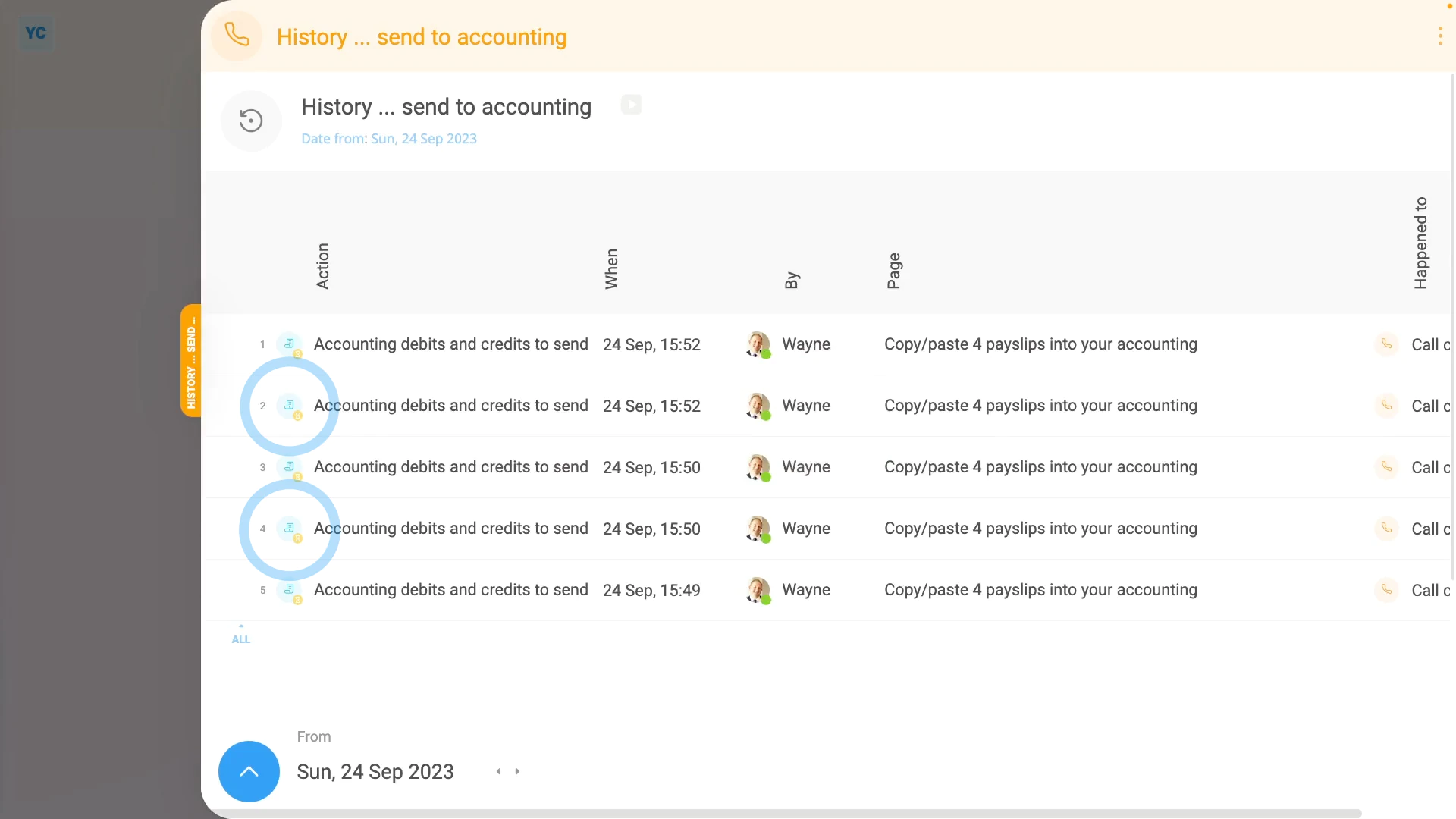
- To see the queued debits and credits, tap: "Pay", then "Send to accounting"
- And you'll now see the payroll group's queued debits and credits slide out from the right.
- Near the beginning of each row, you'll notice that all the rows have a yellow status circle.
- The yellow status circle means that the payday debits and credits of that row are still waiting to be sent to an accounting package.
- When you tap into a row, your only option is to copy/paste the debits and credits, because no accounting package is connected yet.
- Now tap back to the "Accounting package" setting on: "Settings", then "Payroll group settings"
- And connect your accounting package, to see how it changes.
- In the example, QuickBooks has been connected, but the steps work the same for any accounting package.
- Now return back to your queued debits and credits at: "Pay", then "Send to accounting"
- You'll see that all the rows still have a yellow status circle.
- Meaning the rows are still waiting to be sent to an accounting package.
- But now, when you tap into a row, you'll see that there's a note saying: "paystubs queued to automatically send at midnight."
- Which means that if you come back tomorrow, all the rows would've automatically been sent.
- Alternatively, if you want to send them now, tap Send now, then: Yes ... send now
- And finally, you'll see a green status circle, showing that even though the paystubs are from months ago, your new accounting package has correctly received them.

Keep in mind that:
- If it's your accountant or bookkeeper who's selected your accounting package, you may find it helpful to have them help do the connection.
- Also remember that in the UK, a company must deliver its annual accounts to Companies House within 9 months after the end of its financial year.
To learn more:
- About connecting an accounting package such as QuickBooks, watch the video on: Connect to QuickBooks
- To learn about how to resend debits and credits to a different accounting package, watch the video on: Re-sending to a different accounting
 Connect to QuickBooks
And that's it! That's everything you need to know about sending a few months of debits and credits all at once, after finally connecting your accounting package!
www.1st.money/help/Accounting/If_I'm_late_at_connecting_accounting,_can_I_send_it_all_at_once