1. How do I add a CIS subcontractor who's got a reference number?

 2:32
"How do I add a CIS subcontractor who's got a reference number?"
When you're adding a pre-verified CIS subcontractor, it's likely that you'll already have a copy of their 11-13 digit CIS verification reference number. Usually it's for when you're moving a CIS subcontractor over from a previous payroll system.
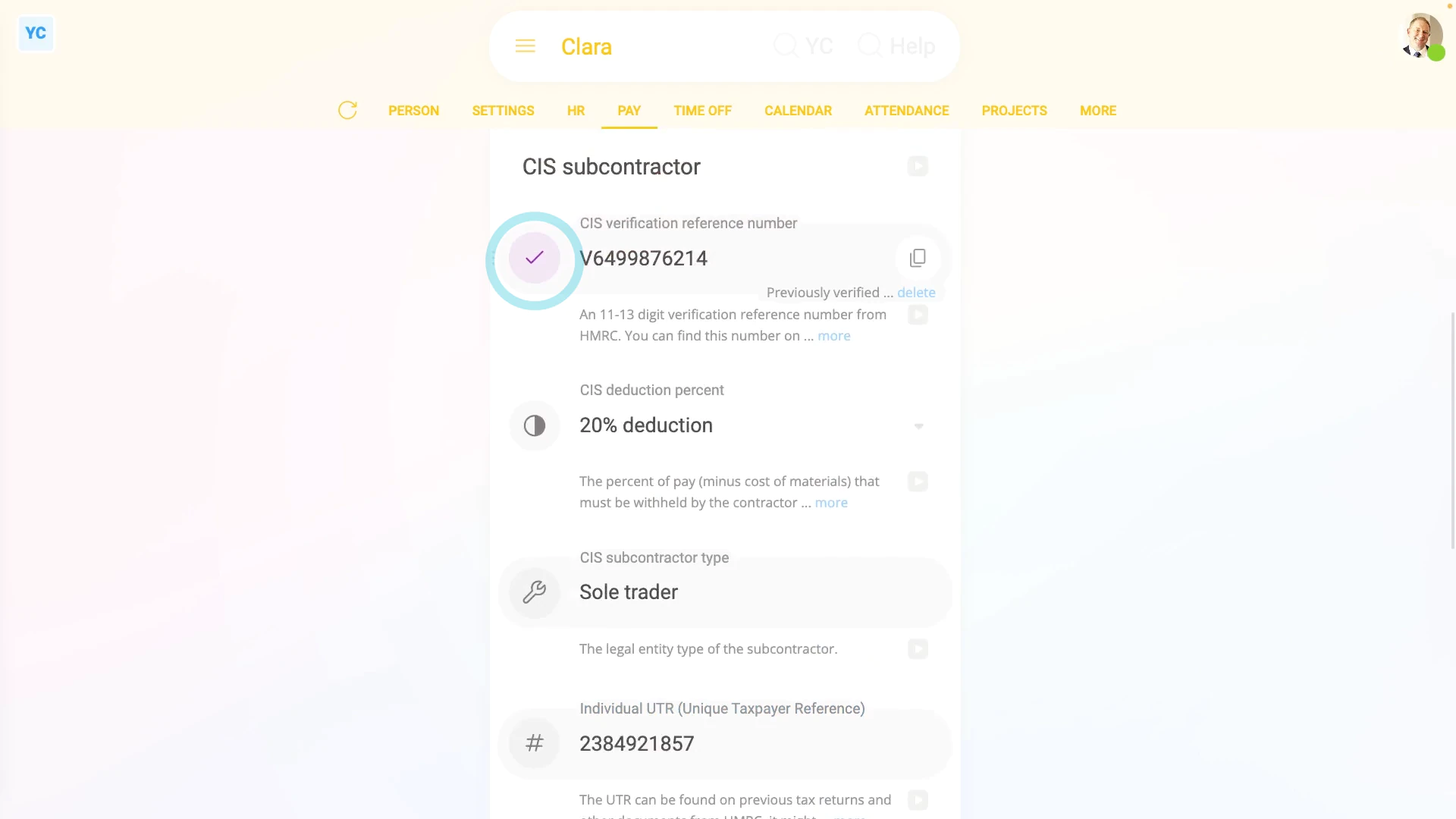
To add a pre-verified CIS subcontractor:
- First, select the CIS subcontractor on: "Menu", then "People"
- Then tap: "Pay", "Pay settings", then "Employment type"
- Set them as a: "CIS subcontractor"
- Next, tap: "Tax", "Tax settings", then "CIS subcontractor type"
- Select the subcontractor type that applies. Sole trader is the most common.
- For subcontractors that your company's previously verified with HMRC, you'll find their 11-13 digit verification reference number on their past CIS monthlies.
- So next, tap: "Previously verified", and select: Yes
- Next, enter their: "CIS verification reference number"
- After that, tap: "CIS deduction percent", and select the rate that HMRC gave you. 20% is the most common.
- Then tap: "UTR (Unique Taxpayer Reference)", and enter the subcontractor's UTR.
- Then tap: Save
- And finally, you'll see a purple check showing that your new CIS subcontractor has been successfully added.
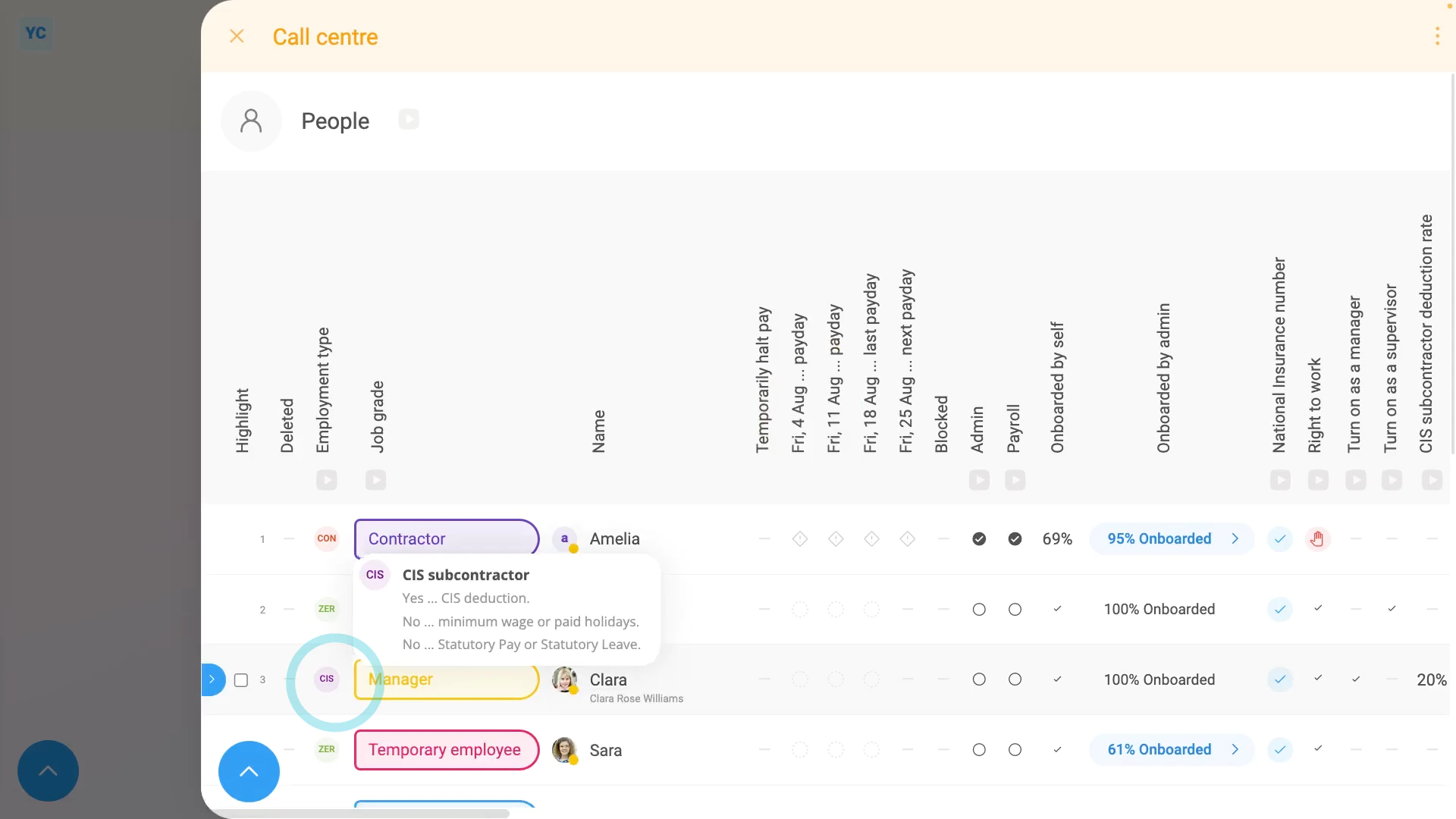
To open a payroll group's "People" report, to see CIS subcontractor status for many subcontractors:
- First, select the payroll group on: "Menu", then "Payroll groups"
- Then tap: "Pay", then "People"
- Near the beginning of the row, you'll see the letters "CIS" marking each of your subcontractors.
- And finally, when you scroll across, you'll see their percentage value in the CIS column.

To learn more:
- About adding a subcontractor that's never been verified by you before, watch the video on: Adding an un-verified CIS subcontractor
 Adding an un-verified CIS subcontractor
And that's it! That's everything you need to know about adding pre-verified CIS subcontractors!
www.1st.money/help/CIS_Construction_Industry_Scheme/1._How_do_I_add_a_CIS_subcontractor_who's_got_a_reference_number