2. How do I find a company vehicle benefit so I can make changes?

 1:23
"How do I find a company vehicle benefit so I can make changes?"
Sometimes you may want to make changes to an existing company vehicle benefit.
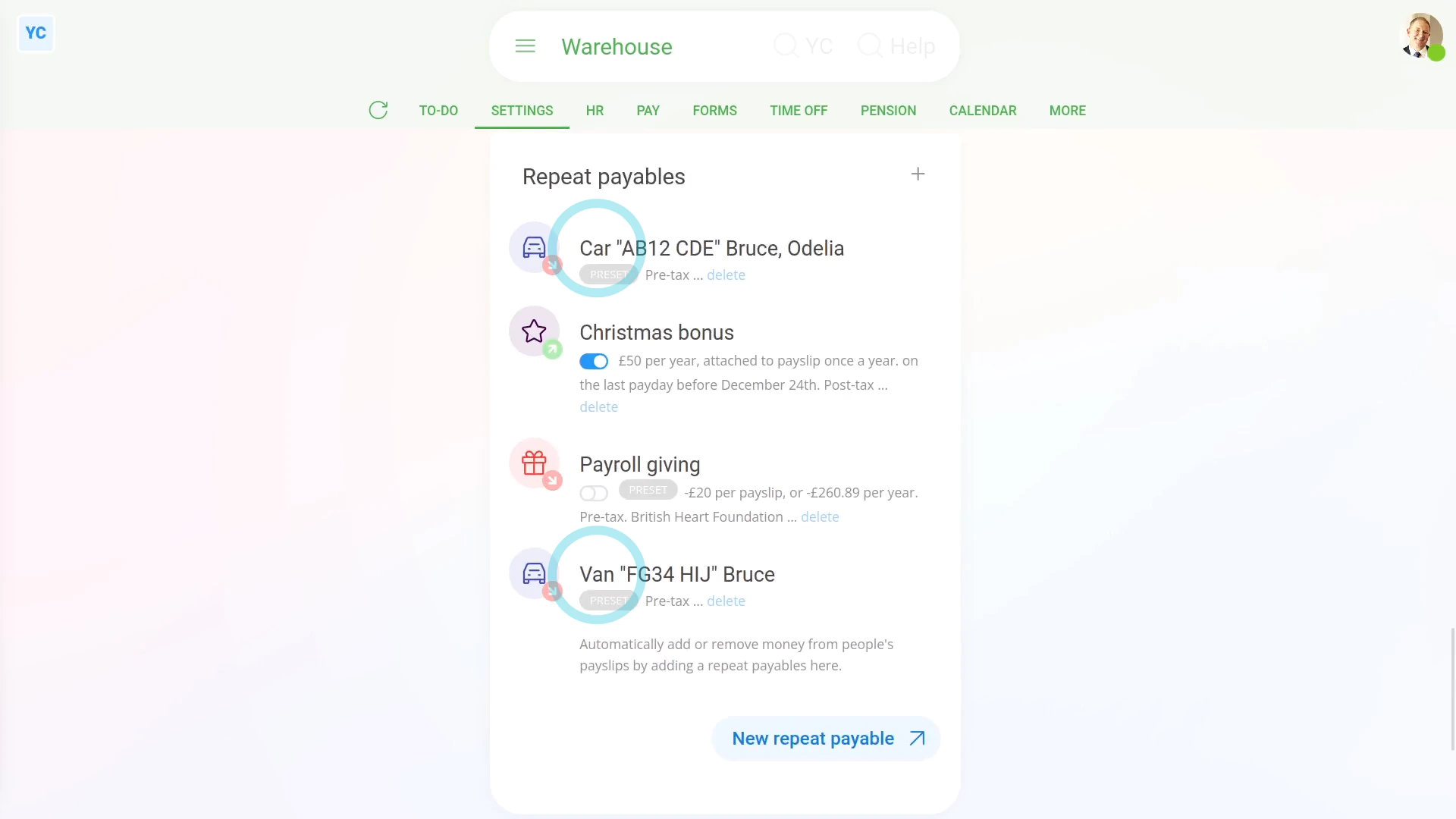
To find a vehicle benefit in a payroll group:
- First, select the payroll group on: "Menu", then "Payroll groups"
- Then tap: "Settings", then "Payroll group settings"
- Then scroll to the bottom and look for the "Repeat payables" heading.
- And all the payroll group's repeat payables, including vehicle benefits, are listed.
- And finally, when you tap one, you'll see all the vehicle benefit settings.
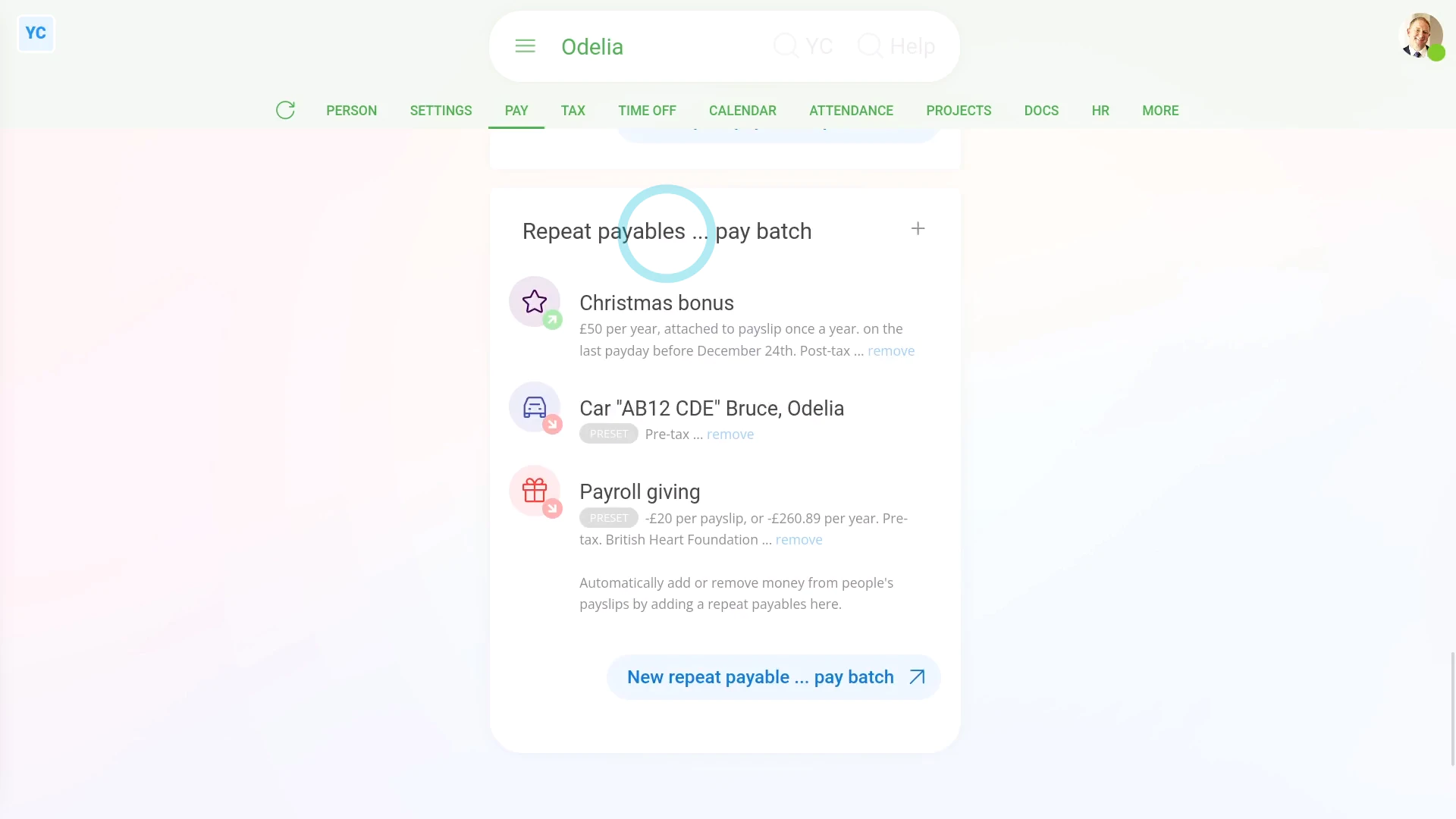
To find a person's vehicle benefit:
- First, select the person using the vehicle on: "Menu", then "People"
- Then tap: "Pay", then "Pay settings"
- And scroll down to the bottom, and look for the "repeat payables ... payroll group" heading.
- And all the person's repeat payables, including vehicle benefits, are listed.
- And finally, when you tap one, you'll see all the vehicle benefit settings.
And that's it! That's everything you need to know about finding a vehicle benefit to make changes!
1. How do I set up a company vehicle benefit for private use3. How do I add or remove people from a company vehicle benefit
www.1st.money/help/Expenses/Cat._F-G._Cars_and_vans,_and_car_and_van_fuel/2._How_do_I_find_a_company_vehicle_benefit_so_I_can_make_changes