6. How can an employee part-pay a company car's cost?

 2:03
"How can an employee part-pay a company car's cost?"
When a person's agreed to pay for part of the purchase cost of a company car, you'll need to update the company vehicle benefit.
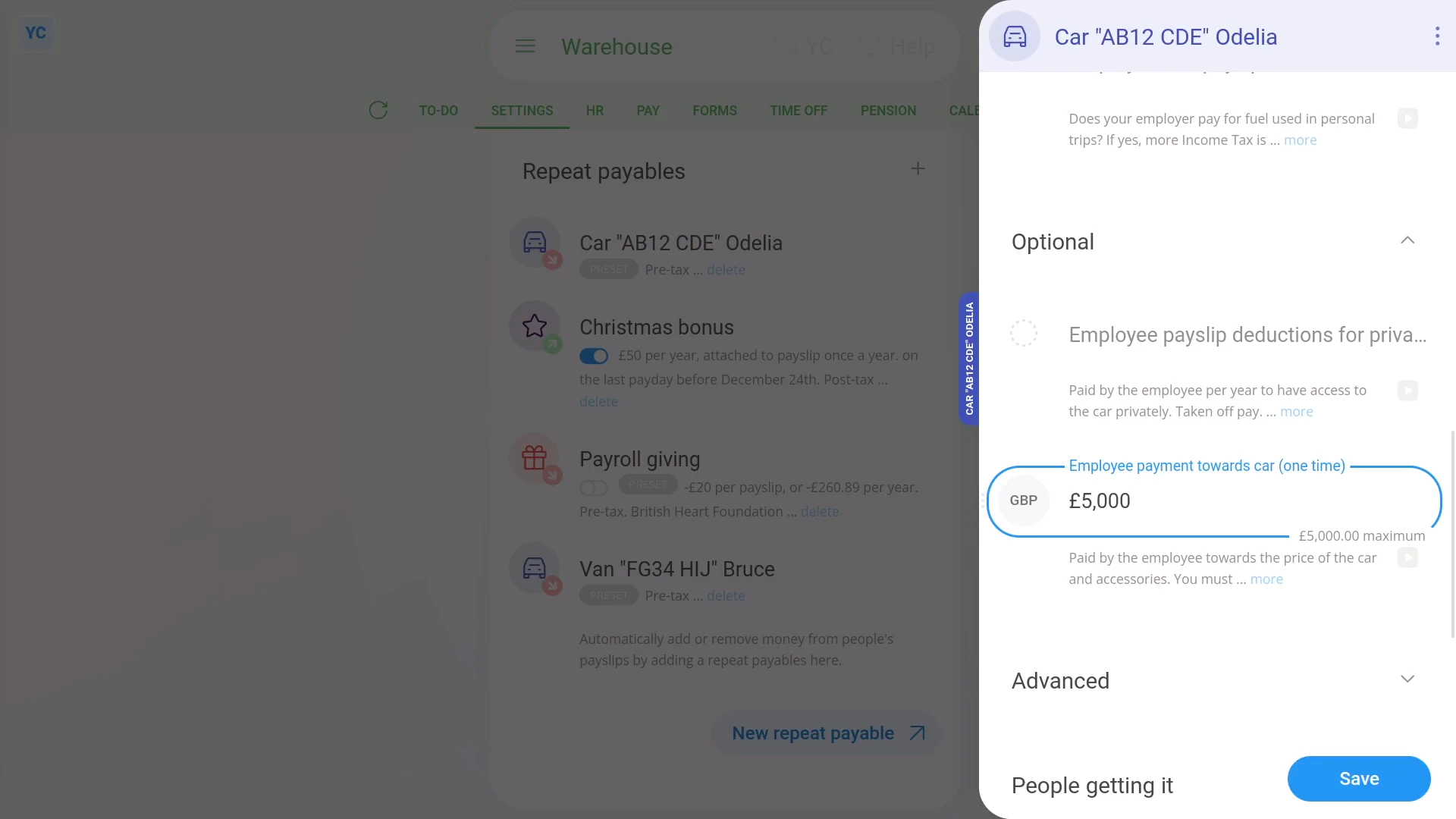
To update a vehicle benefit if a person's agreed to pay for part of a company car's purchase cost:
- First, select the payroll group on: "Menu", then "Payroll groups"
- Then tap: "Settings", then "Payroll group settings"
- Then scroll to the bottom and look for the "Repeat payables" heading.
- And tap the company vehicle benefit you'd like to store an "Employee payment towards car" for.
- Then scroll down and expand the "Optional" heading.
- Then in "Employee payment towards car", enter how much the employee is paying, one-time.
- The amount of the one-time payment isn't automatically deducted by 1st Money from any paystub.
- Read the note which explains how you must separately arrange the payment.
- Next, tap: Save
- To see how the "Employee payment towards car" affects people's paystubs, tap the company vehicle benefit again.
- Next, scroll down, then tap the person.
- Then hover your mouse over the vehicle benefit, and tap the "See on paystub" link.
- And you'll see the vehicle benefit showing under: "Fringe benefits ... company arranged"
- And finally, when you hover your mouse over the benefit amount, you'll see the breakdown. In the breakdown the "per year" amount is now lower because of the: "Employee payment towards car"

Keep in mind that:
- The "Employee payment towards car" option doesn't show if the "Vehicle type" is set to: "Van"
- Also, the money deducted, to pay for part of the purchase cost of a company car is sometimes also known as: "capital contributions"
And that's it! That's all you need to do, if a person's agreed to pay for part of a company car's purchase cost!
www.1st.money/help/Expenses/Cat._F-G._Cars_and_vans,_and_car_and_van_fuel/6._How_can_an_employee_part-pay_a_company_car's_cost