2. How do I resubmit an expense claim if it's declined?

 1:11
"How do I resubmit a reimbursement request if it's declined?"
If your payday person declined one of your expense claims, you'll get an email letting you resubmit it.
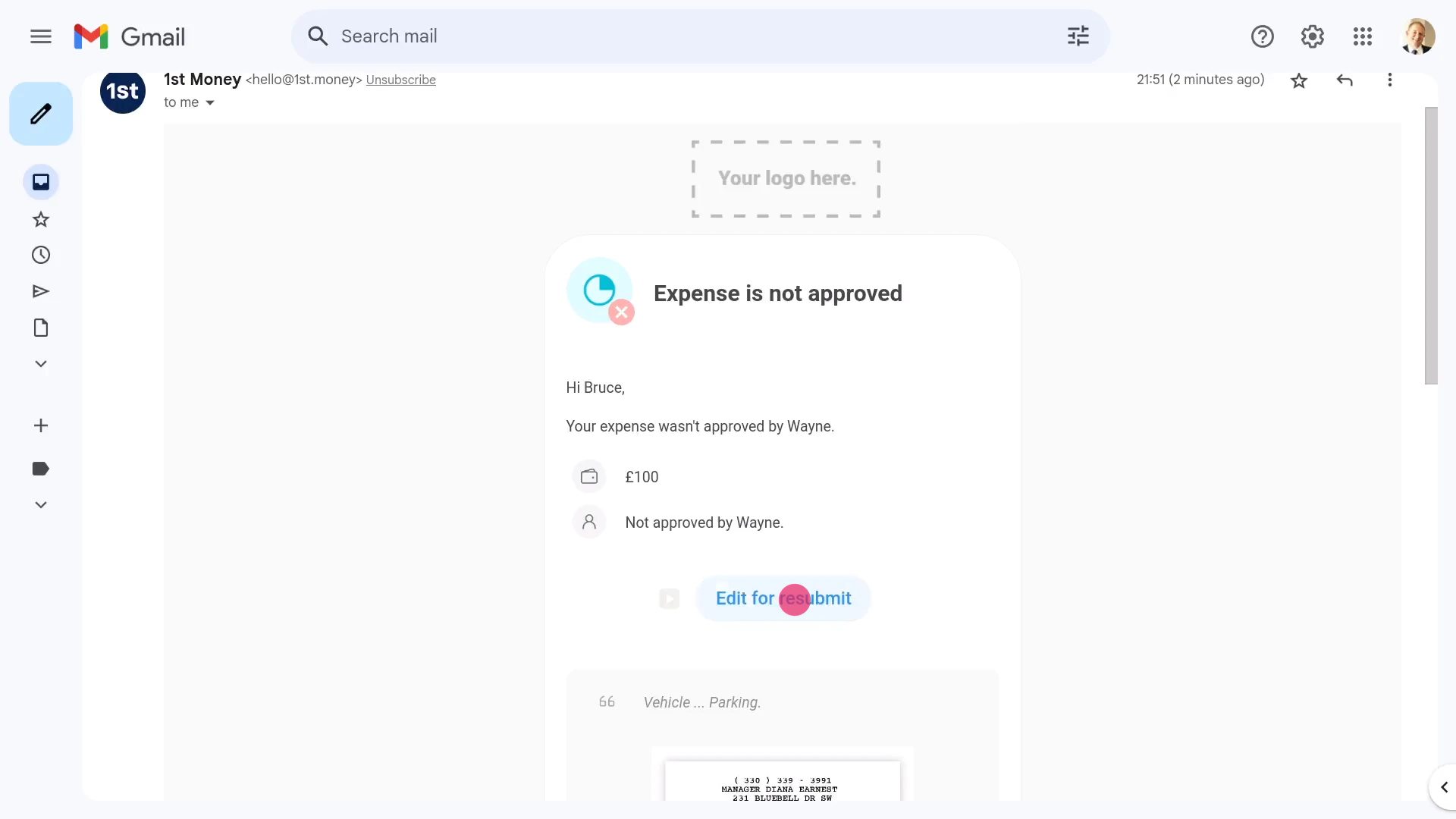
To resubmit a declined reimbursement request:
- First, tap: Edit for resubmit
- Then type more notes in the box explaining why your payday person might reconsider approving your reimbursement request.
- And when you're finished, tap: Save
- Then in the background, another email's now sent to your payday person, again asking them to approve your reimbursement request.
- Once your payday person's approved your resubmitted expense, you'll get an email.
- From the email, tap: See expense
- And you'll see the green check showing that it's now been approved.
- And finally, when you scroll down you'll see (at the bottom) the date of the paystub that it's to be paid with.
And that's it! That's everything you need to know about resubmitting a reimbursement request!
www.1st.money/help/Expenses/Expense_claims/2._How_do_I_resubmit_an_expense_claim_if_it's_declined