3. How do I approve or decline an expense claim?

 2:18
"How do I approve or decline a reimbursement request?"
When a person requests a reimbursement request, you'll get an email asking you to approve it, as their payday person.
To approve or decline a submitted reimbursement request:
- First, as their payday person, you'll be the one to receive reimbursement request emails.
- Approving from your email:
If you'd like to change the request, or you're not sure if you're ready to approve it, tap the "Edit request" link. - In some cases, if you don't approve of the expense, tap: Declined
- In most cases, however, to approve the expense, tap: Approved
- Which is all you need to do to see the "Expense approved" confirmation.
- Also, in the background, an approval email's sent to the person.
- What the requesting person sees:
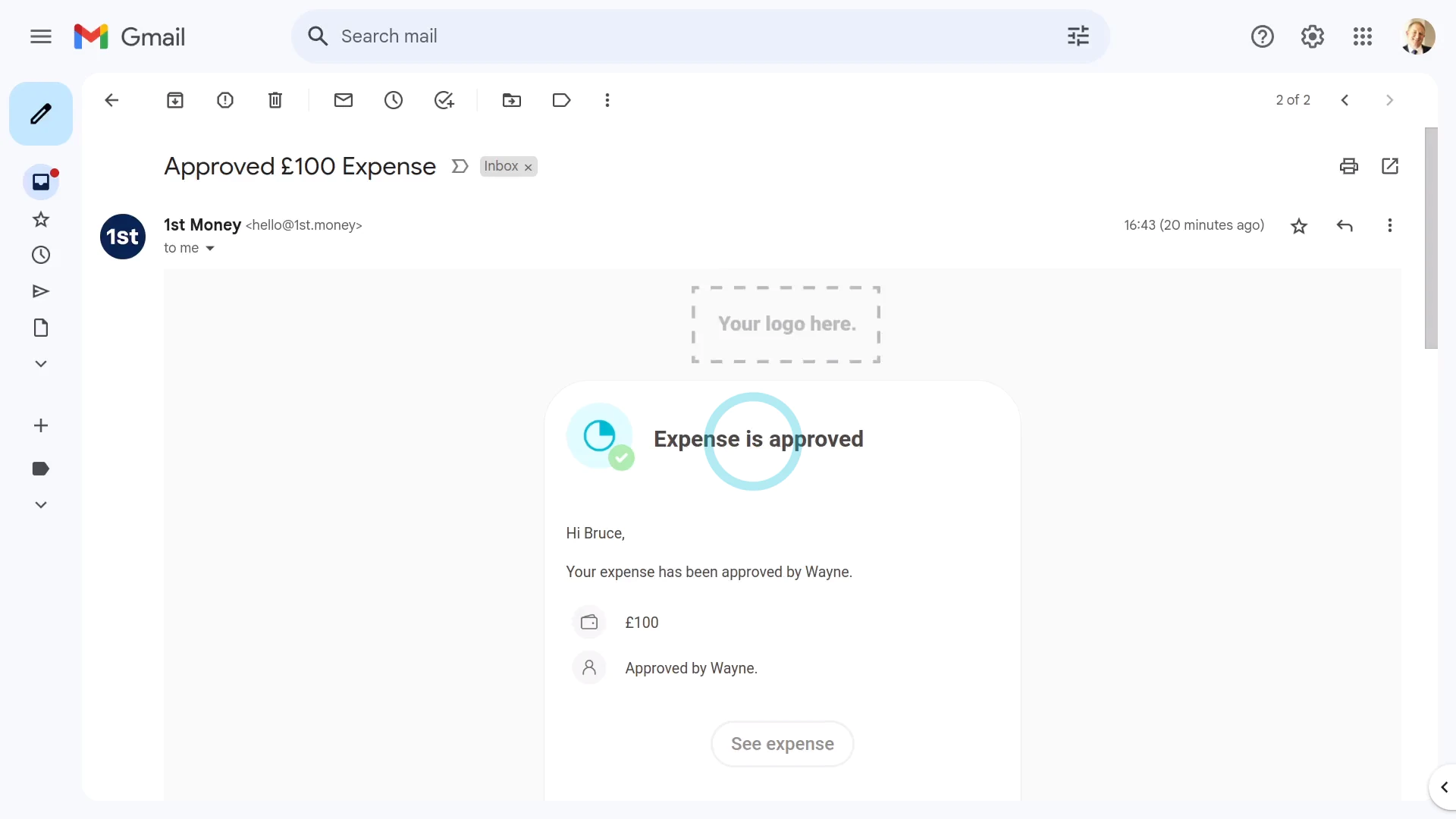
When the requesting person opens their email inbox, the person sees an email letting them know that their expense has been approved. - Then from the "Approved" email, the person can tap See expense to see more details.
- Alternatively, when it's been declined, the person sees an email letting them know that their expense hasn't been approved.
- Then from the declined email, the person can tap: Edit for resubmit
- Approving on payday:
Another place to approve expense claims is on payday, in: "Process payroll" - On payday, if there's any expense claims that have been missed, or haven't been approved, those expense claims are highlighted for you in orange. The expense claims are labeled as payables.
- To complete expense claims on the spot, while finishing the payday, tap the orange circle.
- Then tap: See expense
- And then tap Approved or: Declined
- Next, back on "Process payroll", to reload the page, tap the "Reload tab" button: (at the top)
- And finally, now that all the expense claims have been dealt with, you can tap Process payroll to complete the Payroll Payments.
And that's it! That's everything you need to know about approving expense claims!
2. How do I resubmit an expense claim if it's declined4. How do I set an expense claim to be paid on a specific date
www.1st.money/help/Expenses/Expense_claims/3._How_do_I_approve_or_decline_an_expense_claim