How do I turn off default docs for leave and disciplinary actions?
 2:47
"How do I turn off default docs for leave and disciplinary actions?"
When you finish processing a person's leave, disciplinary action, termination, or resignation, the last step is to send the person a doc. By default, the suggested doc is a template prepared by 1st Money. If you don't want to ever send the default doc, you can instead turn it off.
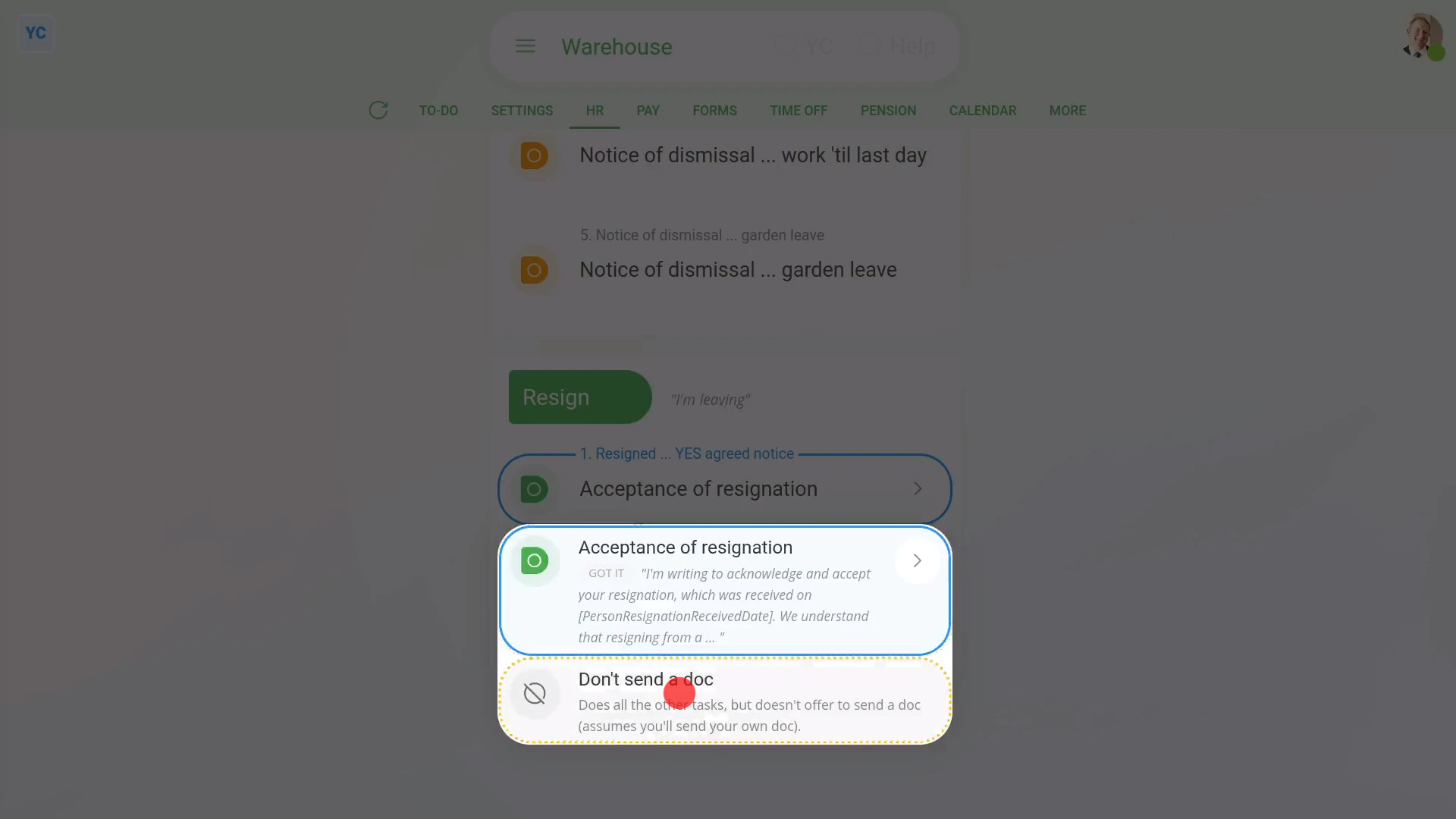
To turn off a default doc for a leave or disciplinary action in a payroll group:
- First, to turn off the default doc setting:
Select the payroll group on: "Menu", then "Payroll groups" - Then tap: "HR", then "Docs ... disciplinary action, terminate, resign"
- Scroll down and tap the disciplinary action type that you want to turn off the default doc for.
- To turn it off, select "Don't send a doc", and then tap: Save
- To see that the default doc is turned off for a person's disciplinary action:
Select the person who's getting the disciplinary action on: "Menu", then "People" - Then tap: "HR", then "Disciplinary action"
- And select the disciplinary action type.
- Then tap: "Yes" to all the above
- You'll now see that there's no mention of any: "doc for you to send"
- And finally, you can tap Continue, and then Yes ... do it, and you'll see that there also aren't any default docs opened for you to send.

Keep in mind that:
- Turning off the default doc works equally well for termination, resignation, and leave docs as well.
- And if you change your mind, you can always turn it back on.
You may notice:
- If you've got more than one payroll group, you'll need to turn off the default doc on each payroll group.
- If your newly turned off default doc still shows up when you're doing a person's leave or disciplinary action, check which payroll group the person's in.
- Then check that you've turned off the default doc for that payroll group.
To learn more:
- About cloning a doc, adding changes, and then setting a newly cloned doc as the new default doc, watch the video on: Changing a leave or disciplinary action doc
 Changing a leave or disciplinary action doc
If a feature's not showing:
- If the "HR" menu isn't showing, it means your org hasn't turned on the docs feature yet.
- To turn on the docs feature, watch the video on: Turning on HR Docs
And that's it! That's everything you need to know about turning off default docs for leave and disciplinary actions!
www.1st.money/help/Offboarding/How_do_I_turn_off_default_docs_for_leave_and_disciplinary_actions