3. What's the best way to ask for a new hire's info, before joining?

 2:07
"What's the best way to ask for a new hire's info, before joining?"
Before setting up a new hire in 1st Money, you'll first need to ask for some employment info off them. Including info like tax numbers and contact info.
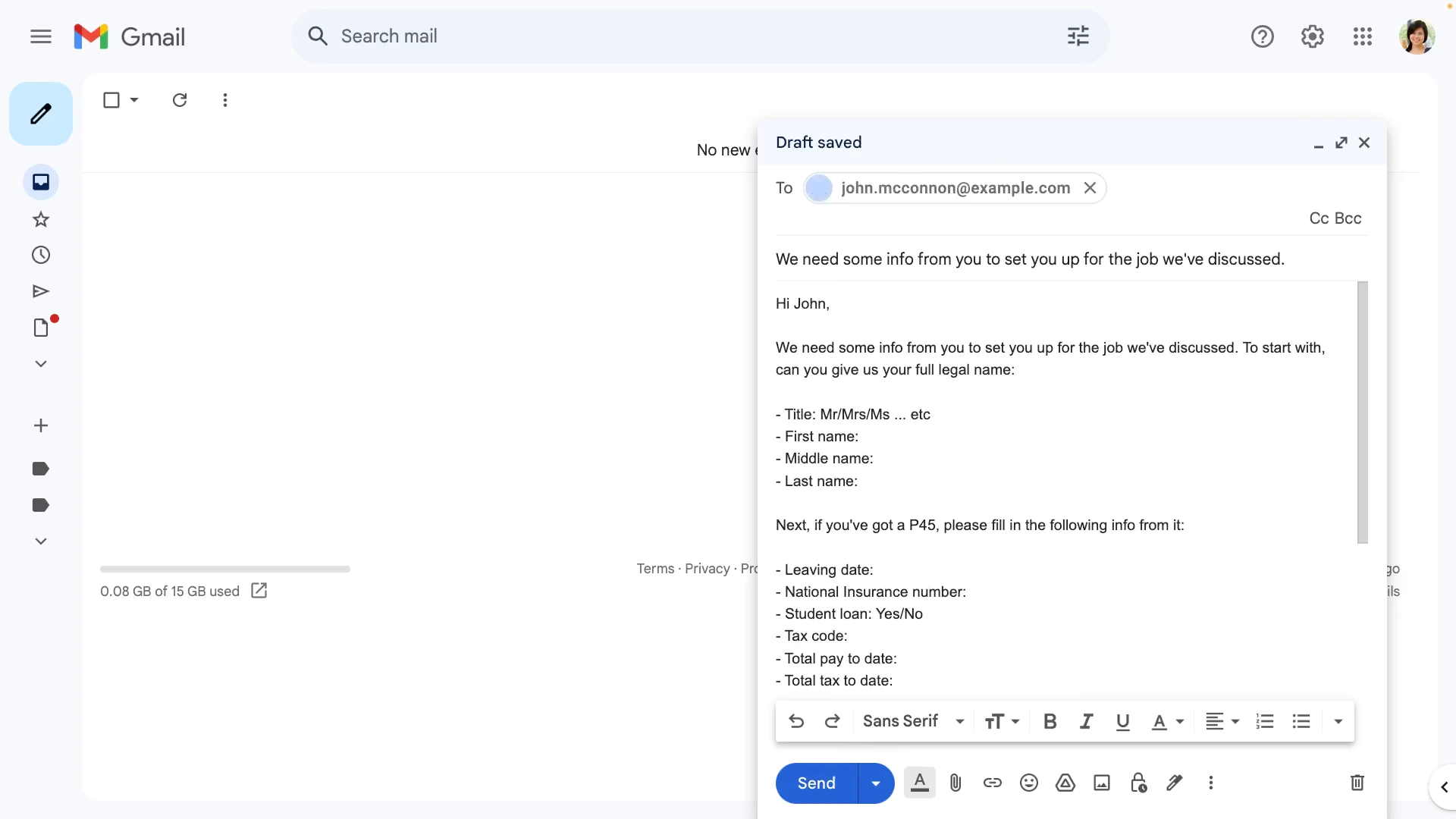
To email a new hire and get their employment info from them, before doing their set up:
- First, tap: "Menu", "People", then "Invite a person"
- Once it's open, tap: Request info
- Next, by default, it shows you the info request template for the payroll group with the most people.
- If it's not the payroll group that you're planning to add the new hire to, tap the "change" link.
- And select the payroll group that you're planning to add them to.
- And now that you've got the right payroll group, tap: Open in your email
- Next, go to your email inbox, and tap: Compose
- And paste in the text you copied earlier.
- Next, type in the new hire's name (at the top).
- And copy the first sentence from the email into the subject.
- All that's left is for you to type in the person's email, and tap: Send
- And finally, your new hire has an email that tells them exactly what info you need from them, to have them all set up.

Keep in mind that:
- It's important to select the correct payroll group before you tap: Open in your email
- By selecting the correct payroll group, you make sure that your new hire's asked for exactly the right employment info for that payroll group.
For advanced usage:
- Feel free to type more into the email, including details about their job, or when the new hire's set to start, etc.
And that's it! That's everything you need to know about how to email a new hire to ask for their employment info!
2. How do I add an employee to my org and get them fully set upHow do I manage signing all the agreement docs for a payroll group
www.1st.money/help/Onboarding/3._What's_the_best_way_to_ask_for_a_new_hire's_info,_before_joining