2. How do I tell HMRC I'm going payroll dormant for a few months?

 1:49
"How do I tell HMRC I'm going payroll dormant for a few months?"
Letting HMRC know that you've got no payroll payments for a few months helps you avoid penalties or owing extra taxes.
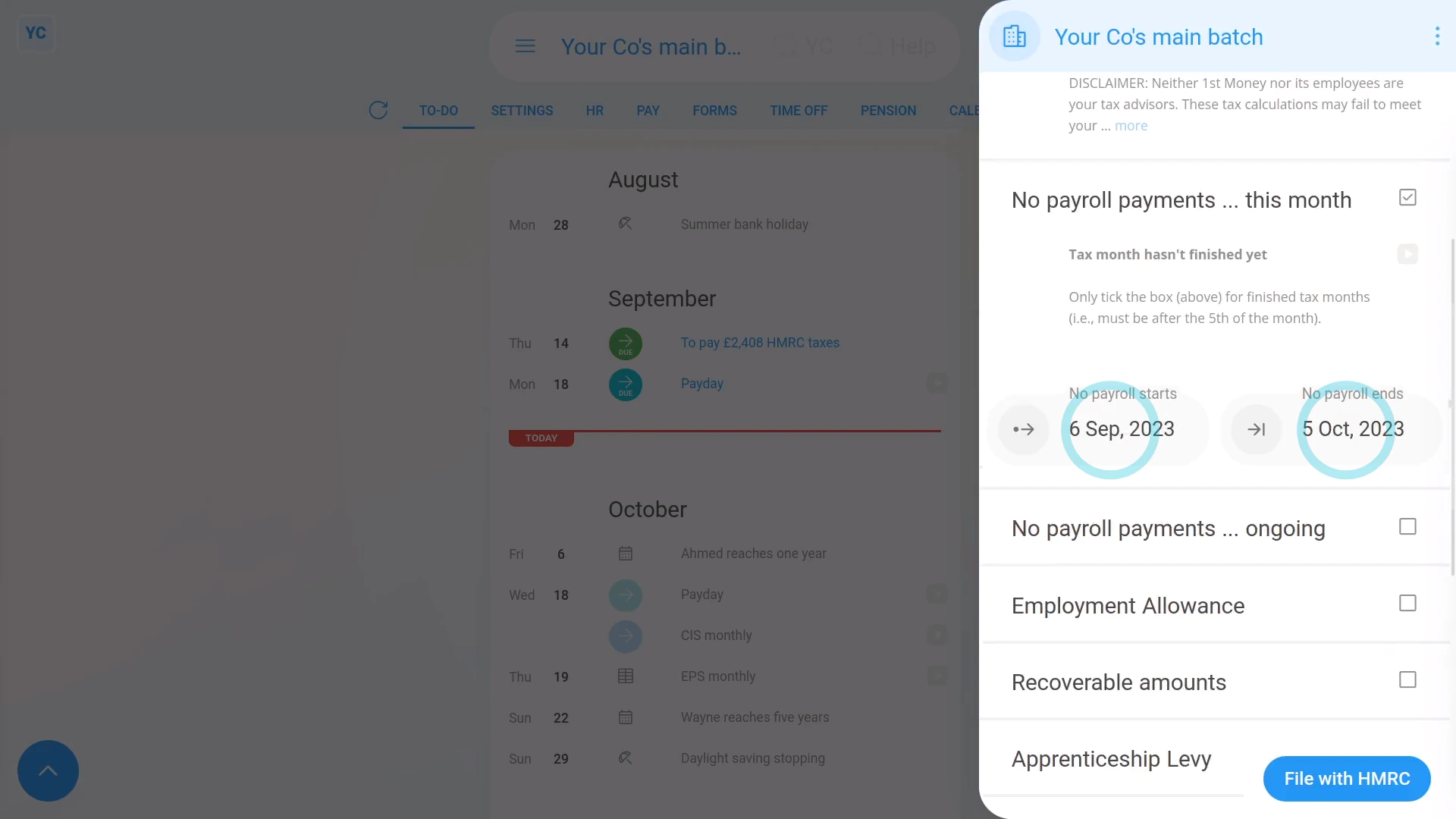
To tell HMRC that you don't expect to have any payroll payments for a few months:
- First, select the payroll group on: "Menu", then "Payroll groups"
- Then tap: "Forms", then "EPS monthly"
- Once the EPS monthly is open, check: "Payroll dormant ... current month"
- Check that the dates match the period that you don't expect to have any payroll payments.
- If you expect to not have any payroll payments for even longer than one month, also check: "Payroll dormant ... ongoing"
- Then select the month that matches the last date you don't expect to pay payroll until.
- And finally, if you're all ready to send it to HMRC, tap: File with HMRC (at the bottom)

You may notice:
- Sometimes you may open the EPS monthly and find some sections are already checked.
- The sections are checked because 1st Money automatically detects that you didn't have any payroll payments, and checkmarks the boxes for you.
- Sometimes it may be wrong. For example, if you actually did have payroll payments, but paid them elsewhere, not in 1st Money.
- If it's wrong, uncheck that section back to an empty check box and that section won't be sent to HMRC.
- If unchecking that section means that every section is now unchecked, then the EPS doesn't need to be sent for that tax month.
And that's it! That's everything you need to know about telling HMRC when you've got no payroll payments!
www.1st.money/help/Payroll/EPS_Employer_Payment_Summary/2._How_do_I_tell_HMRC_I'm_going_payroll_dormant_for_a_few_months