| | | | | |
Payroll & HR | FREE | FREE+ | PRO |
 FREE  FREE | . Instant verification of NI numbersOnce HMRC's verified a person's National Insurance number, you'll see a confirmation message, and a blue tick. |   2:38 | | | |
FREE FREE | . Automatic handling of all HMRC noticesWhenever there's a change that HMRC wants you to know about, you'll get a forwarded message called an "HMRC notice". These are automatically handled for you. |  2:47 | | | |
FREE FREE | . Supports all 20+ NI category lettersFully supports all 20+ National Insurance category letters, each with their own discounts and notes. |  1:48 | | | |
FREE FREE | . Employees can see a visual explanation of their payThe pay summary gives you a one page snapshot of a person's pay (both on screen and printable). |  2:01 | | | |
FREE FREE | . Scheduled reminders of important payroll datesEach payroll group has a built-in reminder calendar with upcoming tasks marked as bold blue circles. |  3:04 | | | |
FREE FREE | . Automatic reminder email for your monthly EPSYou'll get an email reminder on the 17th of the month to send your EPS monthly. |  2:56 | | | |
FREE FREE | . Fully online submission of all seven sections of your EPSIncluding: Payroll dormant (current and ongoing), Employment Allowance, Recoverable amounts, Apprenticeship Levy, Bank account changes, and Stop being an employer. | 2:56 | | | |
FREE+ FREE+ | . Schedule a pay rise to start on a future dateSet a pay rate to only start to be paid from an agreed future date. |  2:40 | | | |
FREE+ FREE+ | . Pro rata salary for employees who join or leave mid-monthEarnings are correctly reduced, when a person's joins or leaves part way into the month. |  6:41 | | | |
FREE+ FREE+ | . Payday frequencies, incl.: monthly & four-weeklyChoose your own payday schedules. Set when, and how often your people get paid. |  3:15 | | | |
FREE+ FREE+ | . View and filter all filed payslipsFilter your filed payslips by date, person, month, tax year, and more. |  3:24 | | | |
FREE+ FREE+ | . Re-download payslip PDFs, even months laterAll your paid payslips are stored and can be re-downloaded at any time. |  1:34 | | | |
FREE+ FREE+ | . Pay employees, contractors, zero-hour, off-payroll, & morePay your people as: employees, zero-hour workers, off-payroll workers, and independent contractors. |  6:31 | | | |
FREE+ FREE+ | . Beautiful payslip & PDF emailed to each personEach person gets a nice email of their pay, including an attached PDF of their payslip. |  3:38 | | | |
FREE+ FREE+ | . Employees can download PDFs from their payslip historySometimes, your people may need to re-download a copy of past payslips for printing. For example to prove earnings when applying for a loan. |  3:05 | | | |
FREE+ FREE+ | . See detailed explanations on payslip calculationsFor some payslip amounts, you can mouse over the amount, and see an explanation of how it's calculated. | 3:24 | | | |
FREE+ FREE+ | . Automatic PDF emailing of a leaver's P45As part of their final pay, a P45's automatically emailed as a PDF attachment. |  3:45 | | | |
FREE+ FREE+ | . Automatic P60 PDF emailing on the last payday of the yearAs part of their last payslip for the tax year, a P60's automatically emailed as a PDF attachment. |  2:45 | | | |
|
FREE | . Option for daily or weekly overtime payWeekly overtime may be better when people who work variable hours. Daily overtime may be better when people sometimes work a six-day week. |  5:13 | | | |
FREE | . Payslip breakdown of overtime hoursSee the overtime hours worked, including "Normal" and "Overtime", separated into two columns. | 5:13 | | | |
FREE | . Payslip breakdown of night pay hoursSee the night hours worked, including "Normal" and "Night", separated into two columns. |  3:35 | | | |
FREE | . Option to one-time remove a repeating payable on paydayTo remove a repeat payable from only a single payslip, but have it still show up on all future payslips, untick the repeat payable. |  3:59 | | | |
FREE | . Stores your org's HMRC government gateway connectionBefore sending filed payslips to HMRC, your org first need an "HMRC Tax Filing" connection. |  2:43 | | | |
FREE | . Store each person's tax codeA person's tax code affects how much income tax is deducted fromtheir pay. |  2:08 | | | |
FREE | . Employees can download their tax form PDFs historyThe "Tax forms history" shows a list of all tax forms that've ever been prepared on behalf of a person. |  2:30 | | | |
FREE | . Stores each employee's payday bank detailsTo receive wages or salary, each person needs to set their bank account details for Payroll Payments to be paid in to. |  2:30 | | | |
FREE | . Supports employee split Payroll PaymentsSplit Payroll Payments, by amount or by percentage, to two different bank accounts. |  2:50 | | | |
FREE | . Option to selectively skip some people's Payday PaymentTo skip paying a payslip for now, turn off the row, then turn it back on later. |  4:40 | | | |
FREE | . Edit timesheet hours on paydayIf you need to change a day's "times done" on a payslip, tap it to make changes. | 3:59 | | | |
FREE | . Add payslip "Hours worked" adjustmentsMake one-time manual adjustments to a person's hours before paying their payslip. |  1:16 | | | |
FREE | . Designate the person to be in charge of paydayThe payday person is the person in charge of any of the payroll group's payday reminders, including: payslips, expense claims, and Tax Filing. |  2:16 | | | |
FREE | . Every EPS stores HMRC's confirmation as proof you've submittedThe confirmation receipt can be used at any time if you ever need to prove to HMRC that you did send the EPS. |  2:09 | | | |
FREE | . Supports unlimited EPS changes and refilesYou're free to resend as many EPS changes as you like (during the 14 day change window). |  2:36 | | | |
FREE | . Submit Employment Allowance claimsLetting HMRC know you're claiming Employment Allowance helps you pay less employer National Insurance. |  2:37 | | | |
FREE | . Submit auto-calculated recoverable amountsLetting HMRC know about your "Recoverable amounts" from Statutory Pay helps you pay less National Insurance. |  1:49 | | | |
FREE | . Submit auto-calculated apprenticeship levyThe Apprenticeship Levy setting is something you need to turn on once your annual wage bill reaches £3 million per year. |  3:20 | | | |
FREE | . Submit a "Stop being an employer" noticeWhen you've stopped being an employer, HMRC needs to know that it's your final EPS submission. |  2:51 | | | |
FREE | . Subscribe to auto-updates for all your minimum wage employeesGet auto-updates to each of your minimum wage earner's hourly pay rates, whenever the government releases new minimum wage rules. |  2:56 | | | |
FREE | . Also supports apprentice minimum wage rate auto-updatesGet auto-updates to each of your apprentice rate earner's hourly pay rates, whenever the government releases new minimum wage rules. |  4:06 | | | |
FREE | . Warning if you go below minimum wage (with override)You'll see a minimum wage warning that stops a person's pay rate from being too low (you can still override it). |  2:43 | | | |
FREE | . Submit a "Payroll on hold notice" to HMRCLetting HMRC know that you've got no payroll payments for a few months helps you avoid penalties or owing extra taxes. |  1:49 | | | |
FREE+ | . Store each person's weekly target hoursTarget hours are used to calculate time off and estimate the person's pay. |  2:10 | | | |
FREE+ | . Option for additional night paySet a night pay multiplier, and choose the start and stop "night hour" times it applies to. | 3:35 | | | |
FREE+ | . Set annual or monthly pay ratesSet a pay rate as an annual or monthly amount. | 6:41 | | | |
FREE+ | . Supports bridging the pay gap (as you change payday schedules)Bridging closes the pay period gap that's sometimes formed when your org's switching from one pay period type to another. |  5:06 | | | |
FREE+ | . Supports all of HMRC's advanced payroll settingsSupports: "RTI Payroll ID", irregular employment payment patterns, earnings for more than one job, and payments to a non individual. |  2:06 | | | |
FREE+ | . Supports veteran employer tax reliefIf you employ a veteran, you may get tax relief from the government for the first 12 months after the veteran starts their first job. |  2:51 | | | |
FREE+ | . Supports HMRC's secondments, EEA citizens, & expat schemesSupports HMRC's expat secondments, European Economic Area citizens, and EPM6 (Employment Procedures Modified, Appendix 6) schemes. |  1:47 | | | |
FREE+ | . Supports the new benefits in kind payrolling benefits approachPayrolling benefits is HMRC's new, and recommended approach to simplifying the tax administration of benefits-in-kind. |  4:45 | | | |
FREE+ | . Get confirmation of HMRC tax filingA confirmation code's stored for each "Tax Filing" (Full Payment Submission) to HMRC. | 4:40 | | | |
FREE+ | . Stores each tax agent's HMRC government gateway connectionAs an external tax agent, you can send filed payslips to HMRC on behalf of any of your client companies. |  3:02 | | | |
FREE+ | . Summarise payroll per person for the entire tax yearCollate and sum a payroll group's filed payslips, per person, for a single tax year. | 3:24 | | | |
FREE+ | . Download payroll numbers to XLSDownload your payroll numbers to an XLS file so you can work on it offline. | 3:24 | | | |
FREE+ | . Full breakdown of hours worked per payslipFor anyone who's paid hourly, the pay period's hours worked can be viewed and downloaded to an XLS file. |  1:20 | | | |
FREE+ | . HMRC receipt confirmation printed on every payslipWith the "HMRC receipt", you can be confident that all pay and taxes have been correctly filed with HMRC. |  1:32 | | | |
FREE+ | . Option for a printable PDF of all paid payslipsA printable PDF of everyone's payslips can be automatically emailed to a payroll admin. | 3:38 | | | |
FREE+ | . Auto calculates all your P11D employee numbersThe "P11D yearly totals" gives you all the numbers you'll need to fill in each person's P11D. | 4:45 | | | |
FREE+ | . Auto calculates all your P11D(b) yearly numbersYou'll have to submit a P11D(b) for each payroll group, at the end of each tax year. To make it easier, you can use the auto-prepared yearly totals. | 4:45 | | | |
| . Set hourly pay ratesSet a pay rate as an hourly amount (by timesheets, or by targets). | 6:41 | | | |
| . Payday frequencies, incl.: weekly & fortnightlyChoose your own payday schedules. Set when, and how often your people get paid. | 3:15 | | | |
| . Supports all forms of director NICs and payrollFully supports National Insurance calculations for directors. |  1:42 | | | |
| | | | | |
Onboarding | FREE | FREE+ | PRO |
FREE FREE | . Add new hires based on their P45 infoEnter a new hire's details from their P45, and they'll be all set up in no time. |  10:21 | | | |
FREE FREE | . Verify new hire's NI numbers on the spotGet immediate online confirmation, from HMRC, that the person's National Insurance number is verified. | 10:21 | | | |
FREE FREE | . Onboard with right to work, tax codes, and moreEnter info about their right to work, tax codes, pensions, time off, and much more, all in one place. | 10:21 | | | |
FREE FREE | . Use passport to confirm right-to-workEnter their passport number, and upload a passport photo to confirm their right-to-work. |  5:59 | | | |
FREE FREE | . Speed up onboarding docs with auto-sign, and auto-sendThe combination of doc auto-signing and doc auto-sending gets you quickly through the onboarding docs. |  6:45 | | | |
FREE FREE | . Track onboarding completion by admin vs new hireSee which stage of onboarding's stalled, and know who's responsible to get things moving. | 10:21 | | | |
FREE FREE | . Self onboarding lets new hires enter their own detailsNew hires can correct the spelling on their name, contact details, home address, and more. |  5:49 | | | |
FREE FREE | . New hires automatically get a login invite emailNew hires can start their onboarding from home ... well before they come in for their first day. | 5:49 | | | |
FREE FREE | . Queue, sign, and send unlimited onboarding docsAll onboarding docs are queued into a single place so signing and sending only has to be done once. | 10:21 | | | |
|
FREE | . Use birth certificate to confirm right-to-workUpload a birth certificate photo to confirm their right-to-work. | 5:59 | | | |
FREE | . Use GOV.UK share code to confirm right-to-workStep-by-step instructions on how to match their share code with GOV.UK to confirm their right-to-work. | 5:59 | | | |
FREE | . Track your entire org's onboarding completionTap on any person that's under 100% and it takes you directly to that person's next onboarding task. | 10:21 | | | |
FREE | . Track your entire org's agreement completionSee a view of your entire org's agreement completion, all tracked in a single place. |  3:10 | | | |
FREE | . Put a face to the name. New hires can add their portrait photoNew hires can take a photo of their portrait, helping everyone in your org to meet them. | 6:45 | | | |
FREE | . New hires are auto-shown their docs when they first sign inDoc completion is ensured by making confirmation a mandatory step before they can log in. | 6:45 | | | |
FREE | . New hires can enter their own payday banking detailsNew hires are responsible for entering their own banking details. | 5:49 | | | |
FREE | . New hires can see their own unfinished onboarding tasksNew hires have full visibility of all their unfinished onboarding tasks. | 5:49 | | | |
FREE | . Use the template to collect a new hire's employment infoThe employment email template is auto-generated to ask for exactly the info that's required for their specific payroll group. |  2:08 | | | |
FREE FREE | . Select from 10+ UK specific onboarding templatesStart with a full range of UK specific onboarding templates ... so you can follow best-practice. |  3:50 | | | |
FREE FREE | . Both employer and employee sign the contractCollect online signatures for employment agreements from both employer and employee. |  3:52 | | | |
FREE | . Track status of each new hire's employment agreementTrack each employment agreement's status, including: Declined, Never sent, Awaiting response, Expired, New hire, and Accepted. | 3:10 | | | |
FREE | . Agreements auto-include the new hire's pay and hours, etcEach person's terms of work, for example, their pay, work hours, job title, etc, are fully embedded into their docs. | 3:52 | | | |
FREE | . Queue docs based on the new hire's job gradeDesign and automate which docs are queued for which new hires, based on their job grade. | 3:50 | | | |
FREE | . Queue docs based on the new hire's payroll groupDesign and automate which docs are queued for which new hires, based on their payroll group. |  4:34 | | | |
| | | | | |
Time Off | FREE | FREE+ | PRO |
FREE FREE | . One-tap approvals and declinesTap "Approved" and, in the background, an approval email's sent to the person. |  3:42 | | | |
FREE FREE | . Request multiple days of time offSet both the first and last day to request a block of time off. |  5:39 | | | |
FREE FREE | . Request only a few hours of time offSet the exact start and end times you'd like to request off. To the nearest 30 minutes. | 5:39 | | | |
FREE FREE | . Requests are auto-emailed to the managerIn the background, an email's auto-sent to the manager, asking them to approve the time off. | 5:39 | | | |
FREE FREE | . Approval notice is auto-emailed to the employeeAn email's auto-sent to the employee, letting them know that their time off's been approved. | 3:42 | | | |
FREE FREE | . Schedule future PTO increasesAdd as many scheduled "PTO top up" hours as you need, up to 24 months into the future. |  3:49 | | | |
FREE FREE | . Edit observed holidaysAdd or remove holidays to match your company's days off. |  3:40 | | | |
FREE FREE | . Get warnings of conflicts with scheduled shiftsGet warnings of planned time conflicts, then assign that shift to a different person. | 3:42 | | | |
FREE FREE | . Single page summary of all your people's time offHave a single page view including PTO allowances, and approvals this year, so far. |  1:50 | | | |
|
FREE | . Always know your PTO balanceSee notes on your available hours, both before, and after your request. | 5:39 | | | |
FREE | . Choose between paid and unpaid requestsIf you're low on PTO, switch to an unpaid time off request. | 5:39 | | | |
FREE | . See the reason for each time offType the reason for your time off, or select from the list. | 5:39 | | | |
FREE | . Resubmit declined requestsHave the option to add more notes, so your manager can reconsider approval. |  1:05 | | | |
FREE | . Adjust each person's PTO amountEither drag the slider, or type in the number of hours directly. | 3:49 | | | |
FREE | . Adjust a person's starting PTO balanceGrant additional hours of paid time off to a person, for the current year. |  4:20 | | | |
FREE | . Requests auto-ignore non-working daysSet the first and last day, then 1st Money auto-detects which days are working days. | 5:39 | | | |
FREE | . Switch to different observed holidaysHave alternative sets of holidays to choose from. |  2:59 | | | |
FREE | . Time off edits locked, once payslip's paidOnce a payslip's filed, all of the time offs covered by the payslip are locked. |  4:04 | | | |
FREE | . Incompatible employment types auto-disabledTime off's limited to the "Employee" and "Zero-hour worker" employment types. | 3:49 | | | |
FREE | . See the status of all time off requestsRed, amber, green, colour coding, for fast status recognition. | 5:39 | | | |
FREE | . Line-by-line summary of a whole year's time offHave a detailed listing of a person's time off this year, so far. |  4:01 | | | |
FREE | . Chart summary of a whole year's time offHave a Jan-Dec chart of the year's allowances and approvals. | 4:01 | | | |
FREE | . Warning if a request exceeds your PTO balanceIf your request's overbalance, you'll be warned that you're over, and by how much. | 5:39 | | | |
FREE FREE | . PTO settlement auto-included on final payslipThe "PTO settlement" amount is automatically added to each final payslip. |  5:59 | | | |
FREE FREE | . PTO auto-calculated & notified to terminated employeesA detailed "PTO settlement" note's auto-included on each leaving employees termination doc. | 5:59 | | | |
FREE | . Year-to-date totals for paid and unpaid time offSee your balances of total paid and unpaid time off (that's been approved, so far). | 4:01 | | | |
FREE | . Approvals/declines restricted to admins & managersImproved accountability by restricting approvals to only admins and managers . | 3:42 | | | |
FREE FREE | . Option for unlimited PTOWith "Unlimited PTO", employees still request time off, and have it approved by their manager. |  7:33 | | | |
FREE FREE | . Option to carry over unused PTO over to the next yearChoose how many "Unused PTO" days each employee can hold on to, at year-end. | 7:33 | | | |
FREE | . Option to edit requests before approvingWant to change the request? Not sure if you're ready to approve? Edit the request instead. | 3:42 | | | |
FREE FREE | . Option to auto-approve observed holidaysCut admin overhead by auto-approving PTO on listed holidays. |  3:59 | | | |
FREE | . Option to set a default PTO for all new hiresSet the default PTO that's going to be auto-added to new employees. | 7:33 | | | |
FREE FREE | . Option to grant PTO monthly, then yearly after 12 monthsThe "Goldilocks" PTO option. Not too generous, and not too strict. |  3:42 | | | |
FREE | . Option to immediately grant the full year's PTOThe most generous PTO option. 12 Months of "PTO top ups" are added every January 1st. | 3:42 | | | |
FREE | . Option to only grant PTO one month at a timeThe strictest PTO option. Only one-month at-a-time "PTO top ups" are added. | 3:42 | | | |
FREE | . Option to enable unpaid time off for salaried employeesAllow your salaried people to request both paid and unpaid time off (the same as hourly paid workers). |  2:41 | | | |
FREE | . Option to switch time-off platforms mid-yearDetailed guidance on how to migrate "Unused PTO" when switching from a previous payroll platform. | 4:20 | | | |
FREE | . Request part-day time off (nearest 30 minutes)Drag the sliders to the exact start and end times of the day you'd like to request off. | 5:39 | | | |
| | | | | |
Expenses | FREE | FREE+ | PRO |
FREE FREE | . Expense claims automatically connect with payrollPreview any expense with the "See on payslip" button. |  1:49 | | | |
FREE FREE | . Auto-add repeat payables to every new hireAutomate your onboarding. For each new hire, have selected repeat payable's auto-included on their pay. |  2:13 | | | |
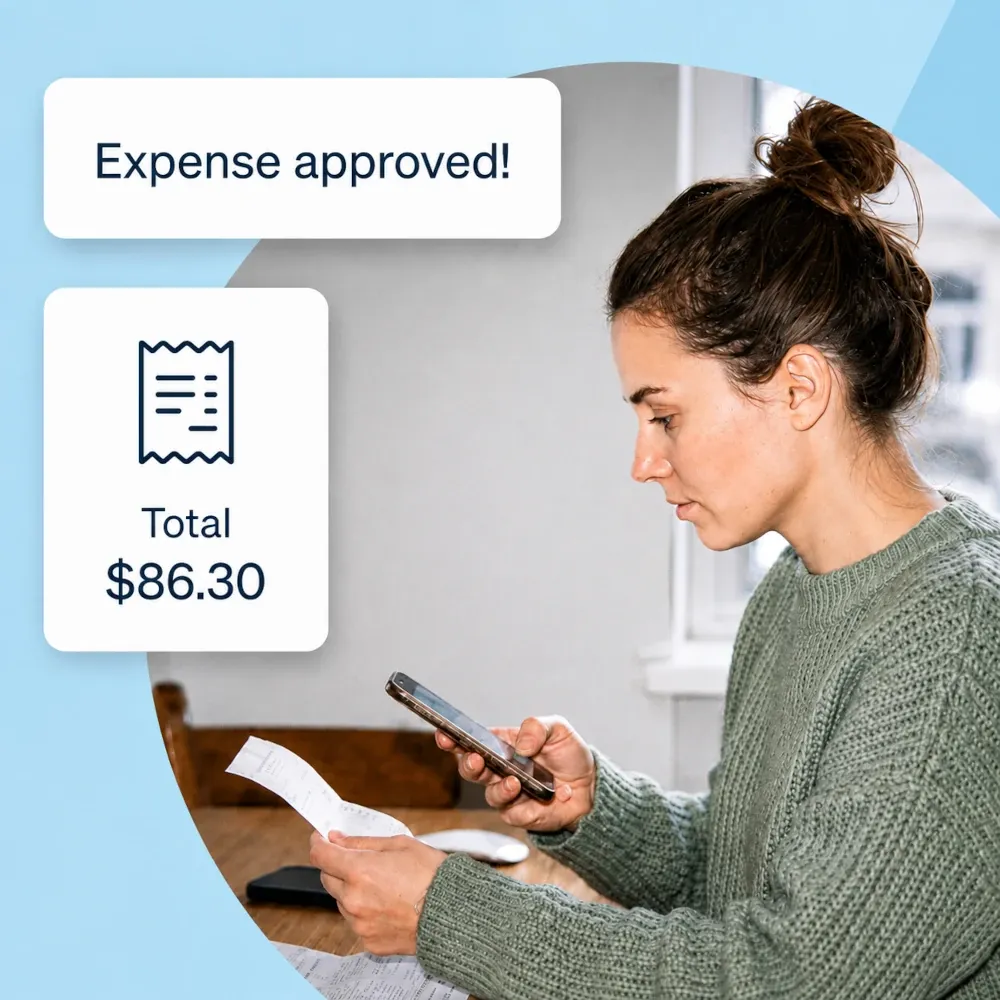
FREE FREE | . Upload an image, or attach a photo to each expenseUpload a receipt, or other proof of purchase, to make things easier for your accountant. | 1:49 | | | |
FREE FREE | . Submit expense claims for admin approvalClick "Ask to approve", and your expense's emailed to your payday person for approval. | 1:49 | | | |
FREE FREE | . Integrated payee banking setup & payroll givingAdding a payee to a repeat payable allows the deducted amount to be onward paid into the payee's bank account. |  2:58 | | | |
FREE FREE | . All HMRC expense or benefit types fully supportedAll of HMRC's expense types are fully supported. Including HMRC expense letters: A, B, C, D, E, F, G, H, I, J, K, L, M, N. |  2:45 | | | |
FREE FREE | . Deduct for CCJs or other monthly amountsSchedule monthly repeat payables, like CCJs, where a deduction's automatically deducted from a person's pay every payday, and then marked for onward payment. |  4:40 | | | |
FREE FREE | . Deduct an agreed employee contribution amount from an employee's payOptionally, in the "Employee contribution" field, enter how much the employee's agreed will be deducted from their pay. |  1:51 | | | |
FREE FREE | . Company vehicle "private use" expensesAdd a "private use" vehicle "benefit-in-kind" for your people who use a company car outside of work. |  4:19 | | | |
|
FREE | . Hover for detailed calculation notesTo see how an expense deduction's calculated, hover your mouse over that row on the payslip. |  3:05 | | | |
FREE | . Auto-review pending expenses on paydayWe'll remind you of any unresolved expense claims on payday, so nothing falls through the cracks. |  2:17 | | | |
FREE | . Add notes to expense claimsAdd notes to help your payday person know why you're requesting this expense. Choose one from the list, or type one yourself. | 1:49 | | | |
FREE | . Approvals and declines directly from your inboxHappy to approve an expense claim? Tap the "Approved" button from your email. | 2:17 | | | |
FREE | . Yearly repeating bonuses, e.g. holiday bonusYearly repeat payables, or holiday bonuses, can be automatically added to a person's pay once a year. |  2:33 | | | |
FREE | . Class 1A "company arranged" benefitsSet "Arranged by" to "Company" to convert the entry into an HMRC "Class 1A" benefit. | 2:45 | | | |
FREE | . Non-class 1A "employee arranged" benefitsSet "Arranged by" to "Employee" to convert the entry into an HMRC "Class 1" benefit. |  2:44 | | | |
FREE | . Employer private fuel paymentsRecord your employer subsidised private fuel costs as a "benefit-in-kind". |  2:12 | | | |
FREE FREE | . Multi-person company vehicle sharingShare vehicle "benefit-in-kind" amounts between as many people as you like. |  2:32 | | | |
FREE | . Look-up vehicle CO2 emissionsIf you don't know your vehicle's CO2 emissions, look it up using your vehicle's number plate. | 4:19 | | | |
FREE | . Deduct for the private use of a company vehicleEnter how much is to be deducted every year to use a vehicle privately. |  1:54 | | | |
FREE FREE | . Mileage allowance managementManage repeating car and van mileage allowance payments to any of your people. |  1:55 | | | |
| . Student & postgraduate loans managementAutomate your student and postgraduate loans as a deduction that's automatically deducted from a person's pay, and then marked for onward payment to HMRC. |  6:22 | | | |
| | | | | |
Timesheets | FREE | FREE+ | PRO |
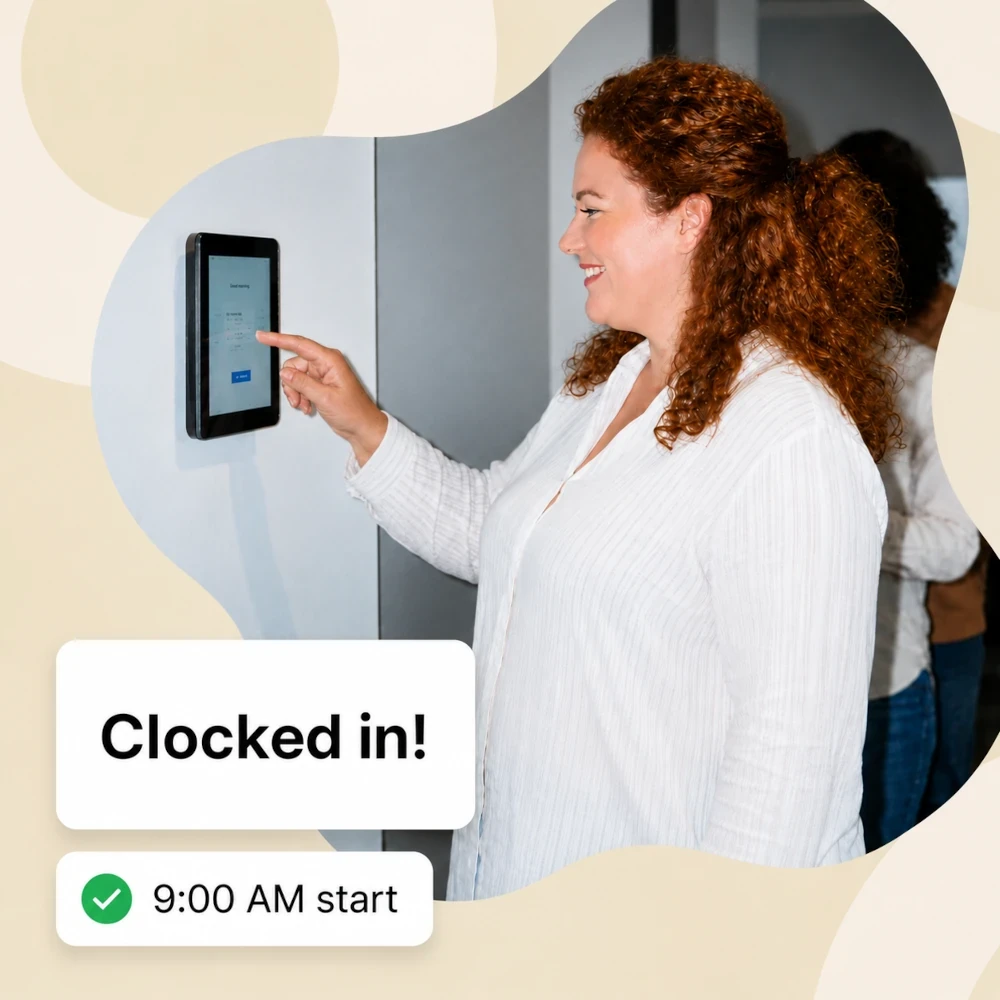
FREE FREE | . Real-time clock-insWith "clock-ins" record starts and stops throughout your working day. Record your exact start and stop times to the second. |  2:48 | | | |
FREE FREE | . Supports working past 12 midnightEverything works perfectly, even for shifts beyond midnight. |  2:58 | | | |
FREE FREE | . Supports overtime, holiday, and night payEnter your own custom higher pay rates for overtime, holidays, or night pay. | 5:13 | | | |
FREE FREE | . "In advance" shift schedulingSchedule planned shift times for as many people as you like. |  2:38 | | | |
FREE FREE | . Upcoming shifts at-a-glanceWith one tap, your people can see their upcoming planned shift times. |  4:25 | | | |
FREE FREE | . Compare done vs. planned timesSee a clear day-by-day breakdown of which days are below target, and by how much. |  4:53 | | | |
FREE FREE | . Daily, weekly, and monthly reportsFind patterns in employee time worked with the advanced attendance reporting. | 4:53 | | | |
FREE FREE | . Advanced absence reportingList of every absence of every person in a project, then filter and zoom in on times and people. |  3:49 | | | |
|
FREE | . "Break time so far" displayThe "on break" pop-up shows and counts how long you've been on break. | 2:48 | | | |
FREE | . Keyboard shortcuts to start and stopSave yourself time. Use keyboard shortcuts for starts and stops. |  2:47 | | | |
FREE | . Admin-only timesheet edit controlIf you're an admin, adjust existing timesheet hours, or click "Add time" to enter a time manually. |  3:27 | | | |
FREE | . Measure attendance targets per projectSee the average and total planned versus done time for all your people, over any date range selected. | 4:53 | | | |
FREE | . Report hours per projectSee a clear day-by-day breakdown of how much work was done for each of your projects. | 4:53 | | | |
FREE | . Individual weekly summariesSee a summary of all hours worked, including the person's average start time, average finish time, and average continuous done time. |  2:51 | | | |
FREE | . Manage who's on which projectsGroup and manage who's in which projects. |  3:23 | | | |
FREE | . Bulk copy planned timesCopy planned shift times to all the people, or dates, you want. | 4:25 | | | |
FREE | . Excuse absencesExcuse selected no-shows or absences if a suitable reason's given. |  2:49 | | | |
FREE | . Excused absence managementHover your mouse over an excused absence and see the explanation added by the manager who excused it. |  3:41 | | | |
FREE | . Visual attendance reportingSee charts of everyone's time worked in a project. Hover your mouse to see additional details. |  3:13 | | | |
FREE | . Detailed absence listsList every absence of every person in a project. Hover your mouse to see even more details. | 3:41 | | | |
FREE | . Daily real-time project reportingHave a single page view of each project's total hours, end-of-day feelings, and other notes. |  2:46 | | | |
| . Hourly paid employeesPay your people hourly. Either by timesheet hours worked, or by their assigned target hours. | 6:41 | | | |
| | | | | |
TimeSpot | FREE | FREE+ | PRO |
FREE FREE | . Scaleable. Supports 1,000+ person orgsIf there's more than 30 people, find your name with the on-screen keyboard. |  3:35 | | | |
FREE FREE | . High throughput. It's instantly ready for the next clock-inAs soon as one person's finished, it's instantly ready for the next. | 3:35 | | | |
FREE FREE | . Fraud protection. No clock-in if no face detectedIf no complete face is found, the clock-in's automatically cancelled. | 3:35 | | | |
FREE FREE | . Verifiable. A photo's taken on every clock-inStop people clocking-in for others. The photo proves they're present. | 3:35 | | | |
FREE FREE | . Up-to-date. Auto-removes deleted or terminated peopleDeleted, blocked, or ended a person's employment? They're auto-removed from all your TimeSpots. |  2:33 | | | |
FREE FREE | . Connect as many as you want ... like one on each entranceNo matter how they enter the building, your people can always use a TimeSpot device. |  2:50 | | | |
FREE FREE | . Install on any iOS or Android tablet or phoneAll it needs is Wi-Fi, a camera, and a charging cable. | 2:50 | | | |
FREE FREE | . One tap clock-ins!Clock-in a timesheet time with only one tap. | 3:35 | | | |
FREE FREE | . Protected from device time manipulationBecause it's using server time, it'll still correctly record clock-ins, even if your device's time is incorrect. | 3:35 | | | |
|
FREE | . Connect multiple orgs or locationsOne TimeSpot can clock-in people from many orgs or locations. |  3:22 | | | |
FREE | . Lists each connected location's org and logoPerfect for shared offices, without losing track of who's who. | 3:22 | | | |
FREE | . Organise your people by locationAdd or remove groups of people by location. Add all the locations as you want. | 2:33 | | | |
FREE | . Verify clock-in photos on paydayPayroll admins can scan an entire payday's face photos, to verify for the expected face. | 3:35 | | | |
FREE | . Password protection on all connectionsSet and manage passwords on all TimeSpot devices. |  3:04 | | | |
FREE | . Runs fine, even on 4-5 year old devicesGrab an old phone, and give it a try. TimeSpot runs well, even on older devices. | 2:50 | | | |
FREE | . Install the app from the download QR codes and linksDownload the TimeSpot app to your smartphone or tablet using the QR codes. | 3:04 | | | |
FREE | . Low data usage. Runs fine on Wi-Fi or a data connectionWhen there's no Wi-Fi, TimeSpot also runs fine over a data connection. | 2:50 | | | |
FREE | . Capture clock-ins from anywhereThere's no limit to how many TimeSpots you can mount in your workplace. | 2:50 | | | |
FREE | . Automatically starts with "Screen always on" modeOnce it's opened to the welcome screen, TimeSpot switches to "Screen always on" mode. | 2:50 | | | |
FREE | . Hourly auto-refresh of people listingChanges to your people in 1st Money are automatically synchronised every hour. | 2:33 | | | |
FREE | . Cancel incorrect clock-insTimeSpot automatically guesses if you're clocking-in or clocking-out. If it guesses wrong, tap cancel. | 3:35 | | | |
FREE | . Incorrect times can be fixed by any org adminClock-in times can be edited in 1st Money by any org admin. | 3:35 | | | |
FREE | . TimeSpot setting changes are trackedLike everything else in 1st Money, TimeSpot's setting changes are fully tracked. |  2:32 | | | |
FREE | . Works in any country or timezoneAlways correctly records clock-ins, no matter which country or timezone you're clocking-in from. | 3:35 | | | |
FREE FREE | . Restrict some people to TimeSpot onlyLimit any of your employees to only doing their clock-ins and clock-outs through a TimeSpot. |  4:04 | | | |
| | | | | |
HR Docs | FREE | FREE+ | PRO |
FREE FREE | . 80+ free HR templatesChoose from our library of 80+ doc and letter templates. |  2:01 | | | |
FREE FREE | . 200+ Reusable inserts. Auto-inserts HR dataCraft your own perfect doc templates using the library of 200+ employee info inserts, like name, job title, manager, and much more. |  2:47 | | | |
FREE FREE | . Choose between 8 different advanced sending modesChoose between 8 different advanced editing, signing, and sending workflows, covering every kind of workplace document process. |  1:52 | | | |
FREE FREE | . Have docs signed by both manager and employeeUse existing templates (or add your own) so that managers and employees both sign a doc. Perfect for asset tracking, spending limit records, agreements, and much more. |  5:39 | | | |
FREE FREE | . Confirmation tracking on received leave docsSometimes you need to prove a doc was received. All leave docs require the recipient to confirm they got it. |  4:23 | | | |
FREE FREE | . Send tamper-proof docs to your people for signingEnsure agreements aren't tampered with. Disable the employees ability to edit the doc. They either sign it, or they don't. |  5:10 | | | |
FREE FREE | . Fully private templatesSet to "Me only" to keep your doc templates so only you can see or send them. |  2:54 | | | |
FREE FREE | . Privacy & pay info protections on all docsAll inserts track who's reading the doc, what info their permissions let them see, and then automatically hides any info (like pay info) that shouldn't be shown. | 2:47 | | | |
FREE FREE | . Prove, even months later, that a doc was received or signedUse history tracking to prove that a doc or letter was marked as received by the recipient. |  2:18 | | | |
|
FREE | . Customise your letterheadBuild your perfect letterhead with your company's own logo, slogan, address, phone numbers, and website. |  4:03 | | | |
FREE | . Format your docs, including Markdown supportFormat your docs and letters with headings, bullet lists, bold, and italic, etc, with Markdown formatting included. |  2:32 | | | |
FREE | . Fast doc completion with pick-listsUse pick lists (small drop-down lists of text that can be used on any doc) to make filling in any doc faster and easier. |  2:49 | | | |
FREE | . Window envelope compatible printingThe letter address is perfectly positioned for windowed envelope posting. |  3:56 | | | |
FREE | . Download signed printable PDFsDownload a PDF of any doc or letter. It's already perfectly formatted for printing. |  1:58 | | | |
FREE | . Request employees to fill in, sign, and return a doc to youAutomate your consent forms, self assessments, and much more. Use existing templates (or add your own) to get an employee to fill in a doc, sign it, and return it completed. |  4:58 | | | |
FREE | . Clone and customise your own copyClone an existing doc, then add your changes to make it exactly what you want. |  3:17 | | | |
FREE | . Set permissions on your docs to limit who can send themHide your new doc from everyone, share it only with the payroll team, share it with all admins, or make it reusable by everyone in your org. The choice is yours. | 2:54 | | | |
FREE | . Print unsaved private docs to PDF in untraceable modeFor privacy, unsaved docs or letters aren't retained. Once you've downloaded your PDF, your unsaved private doc or letter's gone from 1st Money's servers forever. | 3:56 | | | |
FREE | . See all your received or signed docs in one placeEach person's "Docs history" gives you a unified view of every doc or letter they've received or signed. | 2:18 | | | |
FREE FREE | . Legally binding signaturesSignature storage complies with local laws and regulations. |  1:58 | | | |
FREE | . One-tap signingOnce you've saved your sig, turn on one-tap signing for faster doc approvals. | 1:58 | | | |
FREE | . Password protected PDFsPDF password protection can be turned on to protect any PDFs sent to you by email. A password-free PDF can still be downloaded (from inside the software). |  2:13 | | | |
| | | | | |
Leave | FREE | FREE+ | PRO |
FREE FREE | . Set exact leave start and end datesSet dates, so the dates exactly match those requested by the person taking leave. |  10:16 | | | |
FREE FREE | . Change leave dates (as much as you need.)Each time there's a change to the leave dates, strike the previous leave from the record, and create a new one. | 10:16 | | | |
FREE FREE | . Detailed leave doc auto-prepared for you to sendThe doc includes a calculation of forgone earnings, and also notes about paid or unpaid leave. | 10:16 | | | |
FREE FREE | . Leave pay auto-reclaimed from HMRC (in your EPS)If there's "Recoverable amounts" to claim, they're automatically included in your monthly EPS. | 1:49 | | | |
FREE FREE | . See details of all automated tasksSee a detailed explanation of every automated task, including a full copy of each email or doc sent. |  10:02 | | | |
FREE FREE | . Detailed calculations on leave deductions to payAll leave deductions are explained with detailed calculations so no one's unclear about how the numbers were calculated. | 10:16 | | | |
FREE FREE | . Detailed calculations on added leave payAdditions to pay are also explained with detailed calculations. | 10:16 | | | |
FREE FREE | . SMP1: Unpaid maternity form is auto-$LC->FILLED_OUT for youIf a maternity leave's unpaid, you're required to fill in the SMP1 form. We do this for you. | 10:16 | | | |
FREE FREE | . SMP1: Form is auto-emailed to the expecting motherWe automatically email the expecting mother a PDF of their SMP1 form. | 10:16 | | | |
|
FREE | . Assisted selection of paid and unpaid leaveWe'll guide you through the listing of reasons why the person may not be eligible for paid leave. | 10:16 | | | |
FREE | . All leave types can be cancelledAny leave type can be struck from the leave record. | 10:02 | | | |
FREE | . All admins can process leave (payments remain confidential.)When a non-payroll admin grants leave, confidential payment info remains hidden from your non-payroll admin. | 10:16 | | | |
FREE | . Employees can set date of birth & upload maternity certificateExpecting mothers, themselves, can set their expected childbirth date and upload their own maternity certificate. |  1:19 | | | |
FREE | . See previews of automated emails and docs sentA full copy of each email or doc to be sent is available as a preview. | 10:16 | | | |
FREE | . Long-term storage of sent leave docsAll sent leave docs are stored in "Docs history". Come back and see them, even years later. | 10:16 | | | |
FREE | . Cancelled leave still retains a read-only copyEven when a leave's cancelled, a full read-only copy is still retained in storage. | 10:02 | | | |
FREE | . Maternity certificate storeageOnline storage of each expecting mother's maternity certificate. | 10:16 | | | |
FREE | . SMP1: Long-term storage of sent maternity formThe expecting mother's SMP1 form is stored in "Forms history". Come back and see it, even years later. | 10:16 | | | |
FREE | . Paternity leave requests follow HMRC's date restrictionsExpecting fathers are correctly limited to HMRC's one-week, or two-week paternity leave. | 10:02 | | | |
FREE FREE | . SPP1: Unpaid paternity form is auto-$LC->FILLED_OUT for youIf a paternity leave's unpaid, you're required to fill in the SPP1 form. We do this for you. | 10:02 | | | |
FREE FREE | . SPP1: Form is auto-emailed to the expecting fatherWe automatically email the expecting father a PDF of their SPP1 form | 10:02 | | | |
FREE | . SPP1: Long-term storage of sent paternity formThe expecting father's SPP1 form is stored in "Forms history". Come back and see it, even years later. | 10:02 | | | |
| | | | | |
Offboarding | FREE | FREE+ | PRO |
FREE FREE | . Auto written disciplinary action docsSelect between 18 of the most common disciplinary action causes, each with their own doc template. |  4:41 | | | |
FREE FREE | . Record of events for each personHave a month-by-month record of "Verbal warnings", and "Written warnings". |  2:42 | | | |
FREE FREE | . Month-by-month disciplinary actions tallySee a count of how many disciplinary actions happened in each category, for each of the last 12 months. |  2:22 | | | |
FREE FREE | . Record accepted resignationsWhen you both agree on their last working day, set it as the resignation period. |  6:40 | | | |
FREE FREE | . Archive resignation lettersUpload their resignation letter, so you'll always have a copy. |  4:42 | | | |
FREE FREE | . See notes & adjust settings on all automated tasksEvery automated task's fully described and adjustable to exactly what's happening with that person. |  6:37 | | | |
FREE FREE | . Use pick-lists to speed up doc draftingTap the pick lists, one-by-one, and you'll be finished drafting your doc changes in no time. | 4:41 | | | |
FREE FREE | . Clearly see how each doc will lookTap "Preview" to see how each doc looks, including the changes you've typed in. |  4:04 | | | |
FREE FREE | . Auto written termination docsTermination docs are prepared, and all ready for you to complete and send. | 6:37 | | | |
|
FREE | . Auto recommendation of best matching disciplinary actionTalk into the microphone and explain the issue. You'll get an auto-recommendation of the best matching disciplinary action. | 4:41 | | | |
FREE | . Issue minor disciplinary actions as a verbal warningSelect verbal warnings for minor disciplinaries. Select written warnings for a formal record of misconduct. | 4:41 | | | |
FREE | . Record disputed resignationsKeep a record of cases where you can't agree on the person's offered resignation date. | 4:42 | | | |
FREE | . Calculates minimum resignation periodsKnow the person's minimum resignation period, based on how long they've worked for you. | 4:42 | | | |
FREE | . Adjust resignation period durationSet the resignation period to exactly the date you've agreed on. | 6:40 | | | |
FREE | . Issue disciplinary actions that include a hearingOption to auto-include a hearing request as part of the written warning doc. |  4:03 | | | |
FREE | . Clone and customise your own default docsGet an exact duplicate of any doc by tapping "Clone". Then make all the changes you want. | 4:04 | | | |
FREE FREE | . Calculates minimum notice periodsYou'll see the person's default notice period, based on how long they've worked for you. | 6:37 | | | |
FREE FREE | . Termination for cause (willful misconduct)Automate your paper-work on terminations for cause, including instant termination of their employment. |  6:13 | | | |
FREE | . Termination with working paid noticeAutomate your paper-work on terminations with working paid notice, including full pay up until their last day. |  6:23 | | | |
FREE | . Termination during probationAutomate your paper-work on terminations during probation. |  5:01 | | | |
FREE | . Termination with non-working paid noticeAutomate your paper-work on terminations with non-working paid notice, including full pay up until their last day. | 6:37 | | | |
FREE | . Non-working paid notice auto-added to payDuring the "Non-working paid notice" period, the person's not expected to do any work, but still gets paid as usual. | 6:37 | | | |
FREE | . Termination with pay in lieuAutomate your paper-work on terminations with pay in lieu, including a lump-sum payment on their final pay. |  6:20 | | | |
FREE FREE | . Track paid & unpaid suspension periodsIssue paid and unpaid suspensions and instantly see the pay adjustments on their upcoming payslip. |  5:52 | | | |
| | | | | |
CIS Construction Industry Scheme | FREE | FREE+ | PRO |
| . Supports 11-13 digit verification referencesSupport all current and historical 11-13 digit verification reference numbers. |  2:32 | | | |
| . Modifiable CIS deduction percentDefaults to the recommended CIS subcontractor's deduction percent, but you're always free to change it. |  2:04 | | | |
| . Instant verification of CIS statusClick "Verify", and the CIS subcontractor's info is sent to HMRC. You'll see a purple tick once the verification's completed and the confirmation's saved. |  3:53 | | | |
| . Supports sole traders, partnerships, companies, etcSelect between all CIS subcontractor types, including: sole trader, partnerships, companies, and trusts. | 2:32 | | | |
| . PDS auto-sent by emailAll CIS subcontractors are automatically emailed their updated Payment and deduction statement (PDS) every time they're paid, attached as a PDF. |  2:30 | | | |
| . PDS attached as a PDFScroll down to the bottom of the email to open the attached PDF. In the PDF you'll see the CIS deduction for the current payday. | 2:30 | | | |
| . Historical download of all PDSsYour Payment and deduction statements (PDSs) are all stored. Re-download them anytime ... even years later. | 2:30 | | | |
| . Reminder for CIS monthly submissionThe CIS monthly return's deadline is the 19th of every month. We'll add this to your reminder calendar. |  4:13 | | | |
| . Supports CIS monthly re-submissionNeed to make amendments to your CIS monthly return? Hover your mouse over the row and click: "Redo" | 4:13 | | | |
|
| . Existing CIS sole trader can switch to being a companySupports switching one of your existing CIS sole traders over to a CIS company, with verification. |  2:06 | | | |
| . Unregistered CIS subcontractor handlingIf a CIS subcontractor isn't found in HMRC's database, HMRC requires their deductions to be set to 30% (the highest rate). We'll auto-suggest this for you. | 3:53 | | | |
| . HMRC confirmation receipt storageOnce you've finished your CIS monthly return, you'll see two ticks. One to show it's been sent, and the other to show HMRC's confirmed receipt. We store all your confirmation receipts for you. | 4:13 | | | |
| . Nil return handlingSubmit nil CIS monthly returns, when there's no CIS activity this month. | 4:13 | | | |
| . Pause CIS reminders for 6 monthsSupports HMRC's option to do a six-month CIS pause on submissions. After six months, the reminders automatically resume. |  2:04 | | | |
| . Convert existing employees to CIS subcontractorsFlip a single switch to convert any employee into a CIS subcontractor. Fill in the four fields and they're instantly verified for CIS by HMRC. | 2:32 | | | |
| . List overview of all CIS subcontractorsGot multiple CIS subcontractors? See a listing of all your CIS subcontractors on the "People" report. | 2:32 | | | |
| . Change details and re-verify existing CIS subcontractorsGot a CIS subcontractor who's details have changed? Delete their previous verification, then reverify them as a CIS subcontractor again. |  1:49 | | | |
| . Auto re-verification of CIS subcontractorsHMRC requires any CIS subcontractor that hasn't been verified for two years to be re-verified again. Re-verify in only a few clicks. | 1:49 | | | |
| . Pay hourly, with built-in timesheetsNo external timesheet system's needed. Use the free built-in timesheets to track all your CIS contractor's hours. |  5:28 | | | |
| . Pay hourly, with your external timesheet systemUse your existing timesheet system to track all your CIS contractor's hours worked. Enter their hours for payment with target hour adjustments. |  5:14 | | | |
| . Pay by invoiced CIS labourPay your CIS subcontractors based on their invoiced CIS labour, rather than their hours worked. |  3:48 | | | |
| . Bundle CIS material payments, as invoicedInclude payments for invoiced CIS materials, together with your CIS subcontractor payments. Includes receipt storage. |  4:50 | | | |
| | | | | |
1st Money for Windows | FREE | FREE+ | PRO |
FREE FREE | . Runs on iOS, Android, Windows, Mac, and LinuxInstall and run 1st Money on each of your devices. Have them all logged in at the same time. |  3:58 | | | |
FREE FREE | . Supports: "Open at login"Turn on "Open at login" so it's all ready when you're ready. | 3:58 | | | |
FREE FREE | . Power-user keyboard shortcutsThere's keyboard shortcuts for almost everything. Start and stop your work-time status from anywhere, with a global keyboard shortcut. | 2:47 | | | |
FREE FREE | . "Spotlight" like global searchOpen "Global search" from anywhere with a global keyboard shortcut. Search and hit enter, and you're taken straight there. | 3:58 | | | |
FREE FREE | . 100% feature support across every OSEvery feature's immediately released for every platform. No more waiting for a feature on your iPhone. | 3:58 | | | |
FREE FREE | . Trusted App Store installs for every OSFor your peace of mind, all installs come direct for the App Stores, including: iOS, Android, Windows, Mac, and Linux. | 3:58 | | | |
FREE FREE | . Auto-updates to the latest releaseSoftware updates are automatically installed in the background ... usually in 24 hours of release. | 3:58 | | | |
FREE
FREE | . Customizable notificationsChoose how you want notifications to show. Turn them on or off, or mute the sounds, depending on what you prefer. | | | | |
FREE FREE | . Respects light/dark theme settingBy default you'll see your light or dark theme choice (that you've set for your system). But you can always override it. |  1:10 | | | |
|
FREE FREE | . Respects high-contrast settingAccessibility friendly. If you've set your system to show in high-contrast, 1st Money also shows in high-contrast too. | 3:58 | | | |
FREE FREE | . Respects reduced motion settingAccessibility friendly. If you've set your system to show with reduced motion, 1st Money also shows with reduced motion too. | 3:58 | | | |
FREE FREE | . Shared team activity statusBring your team closer, no matter where they work with shared team activity status. |  2:43 | | | |















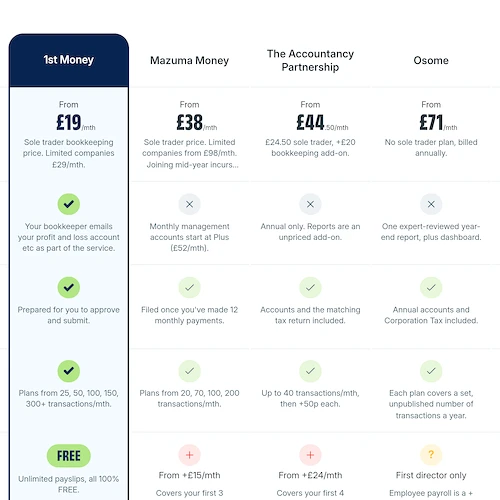







 Pricing