3b. How do I change the details of an existing CIS subcontractor?
 2:06
"How do I change the details of an existing CIS subcontractor?"
The most common reason to remove a CIS verification is changing a person from a sole-trader to a company.
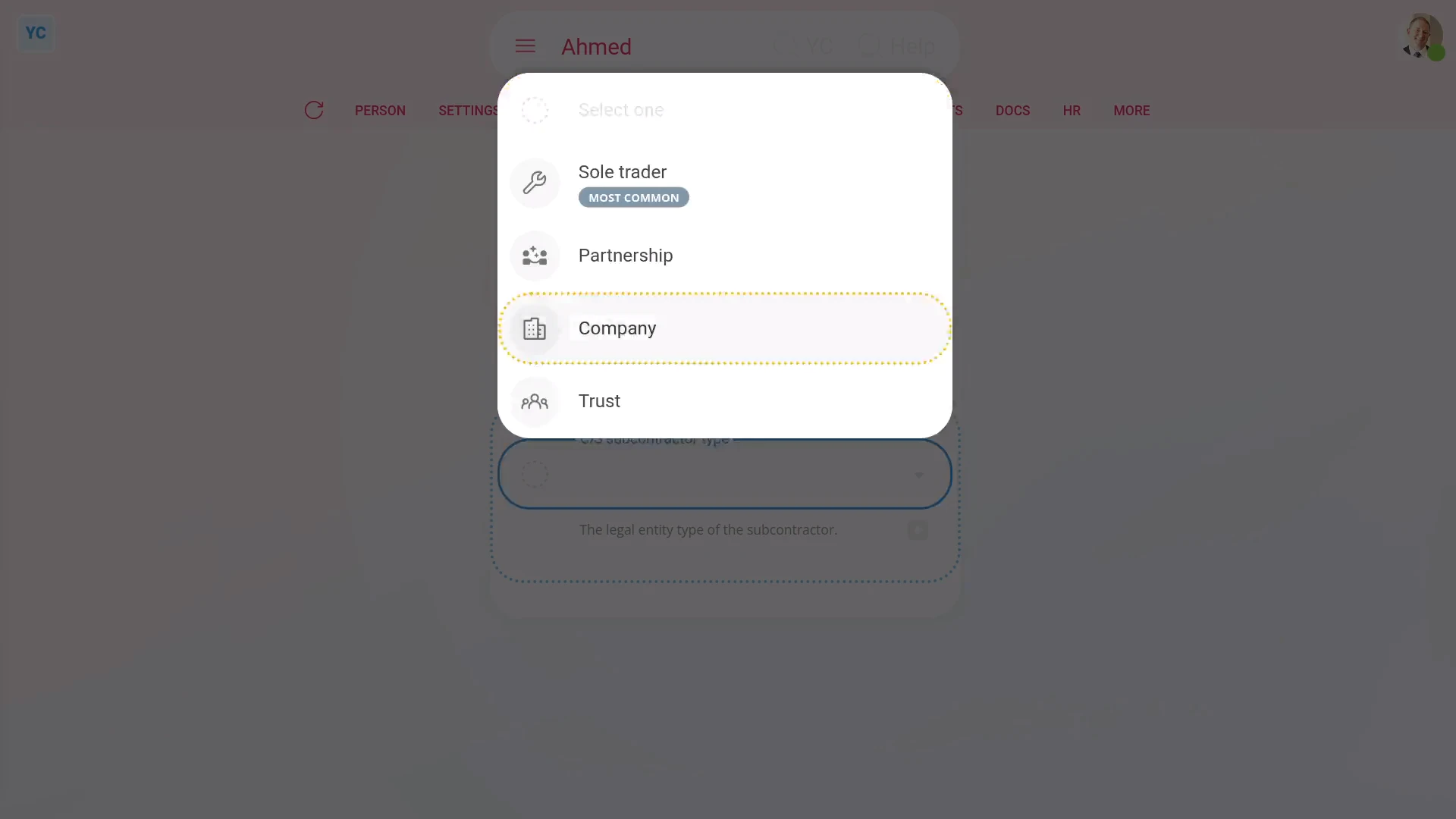
To remove a person's existing CIS verification, and then re-verify them with some of their details changed. For example, changing them to a company:
- First, select the person on: "Menu", then "People"
- Then tap: "Tax", then "Tax settings"
- And scroll down to the purple tick.
- Next, hover your mouse over the purple tick, and tap the rubbish bin image, and then tap: Yes ... remove
- Once it's removed, all their previous verification details are temporarily hidden. You can now select the CIS subcontractor type again.
- Next, set "Previously verified". In the example, you can set it to: "No"
- And enter the person's company UTR, company name, and registration number.
- Then tap Save to re-verify them with HMRC.
- It usually takes about 10 seconds for HMRC to finish processing your verification request.
- Included in the result from HMRC is their new: "CIS verification reference number"
- Their new number can be used by them while working with your company. It can also be used by them while working as a CIS subcontractor for any other company.
- Verifying a CIS subcontractor sets the deduction rate to 20% if the person (or company) is registered with HMRC, or 30% if not registered.
- And finally, once finished, you'll see the purple tick. You'll also see a blue highlight around their new CIS verification reference number, showing that their verification has been completed.
And that's it! That's all you need to do to change a CIS subcontractor's details!
3a. How do I reverify an existing CIS subcontractor3c. How do I change my subcontractor's CIS deduction percentage
www.1st.money/uk/help/CIS_Construction_Industry_Scheme/3b._How_do_I_change_the_details_of_an_existing_CIS_subcontractor