4. How do I update a vehicle benefit payslip deduction?
 1:54
"How do I update a vehicle benefit payslip deduction?"
When a company vehicle is used for personal purposes, and the person's agreed to have money automatically deducted, you'll need to update the company vehicle benefit.
To set up a payslip deduction for a person's private use of a company vehicle:
- First, select the payroll group on: "Menu", then "Payroll groups"
- Then tap: "Settings", then "Payroll group settings"
- Then scroll to the bottom and look for the "Repeat payables" heading.
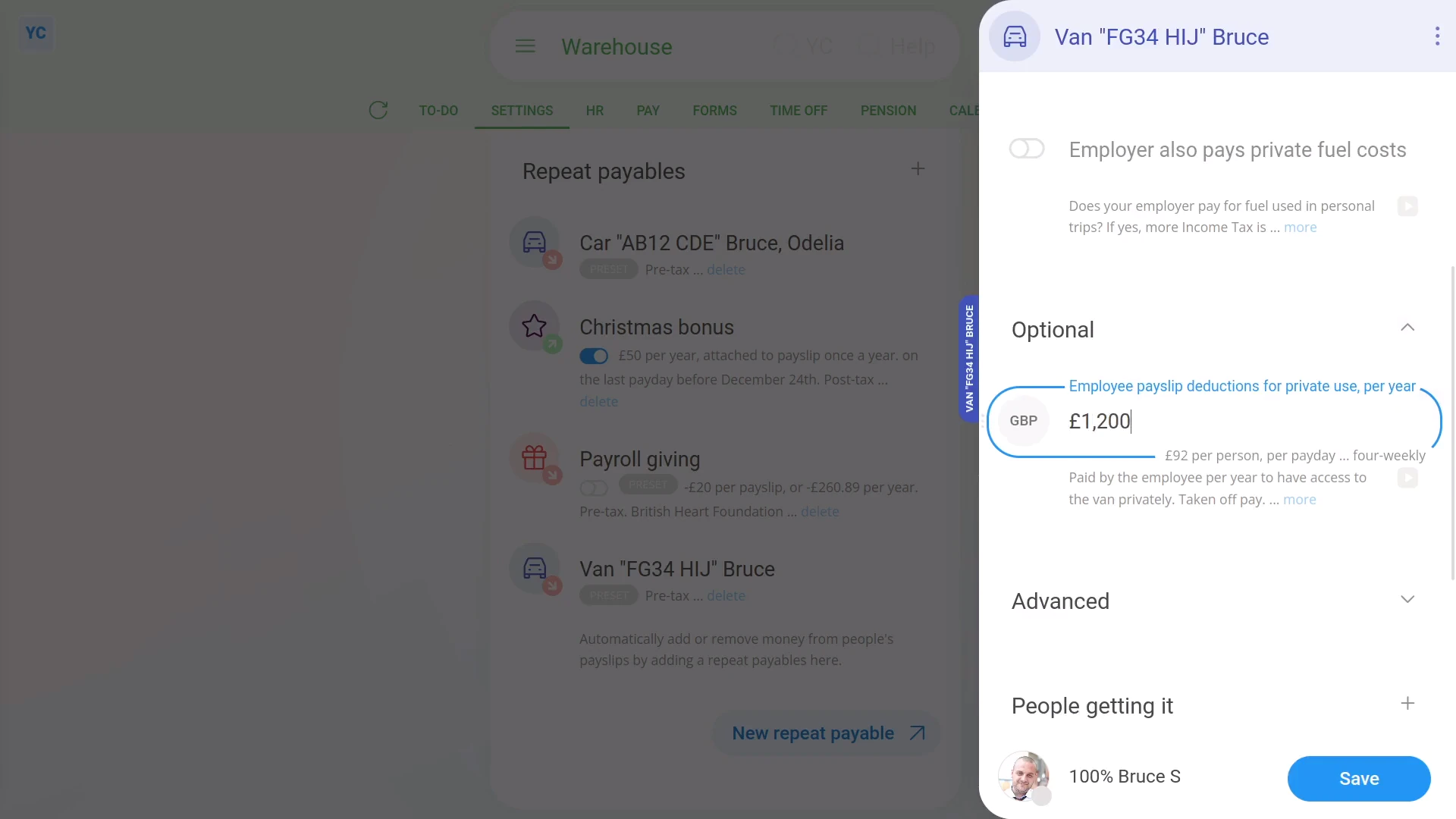
- And tap the company vehicle benefit you'd like to set up a "vehicle private use" deduction for.
- Then scroll down and expand the "Optional" heading.
- Then in "Employee payslip deductions for private use", enter how much is to be deducted, every year, to drive the vehicle for private use.
- Next, tap Save, and the "vehicle private use" deduction is added to the payslips of the people using the vehicle.
- To see the "vehicle private use" deduction on the people's payslips, tap the company vehicle benefit again.
- Next, scroll down, then tap the person.
- Then hover your mouse over the vehicle benefit, and tap the "See on payslip" link.
- And you'll see the "vehicle private use" showing under: "Deductions"
- And finally, when you hover your mouse over the benefit amount, you'll see a breakdown of the "vehicle private use" calculation.

Keep in mind that:
- The change of adding or removing "vehicle private use" shows up on each person's next un-filed payslip.
- And it won't affect any of their previously filed payslips.
And that's it! That's everything you need to know about deducting for private use of a company vehicle!
3. How do I add or remove people from a company vehicle benefit5. How do I update a vehicle benefit to cover private fuel use
www.1st.money/uk/help/Expenses/Cat._F-G._Cars_and_vans,_and_car_and_van_fuel/4._How_do_I_update_a_vehicle_benefit_payslip_deduction