How do I resend a login invite, if the original's lost?

 1:56
"How do I resend a login invite, if the original's lost?"
Sometimes you may find that one of your people can't find their original login invite, and can't log in.
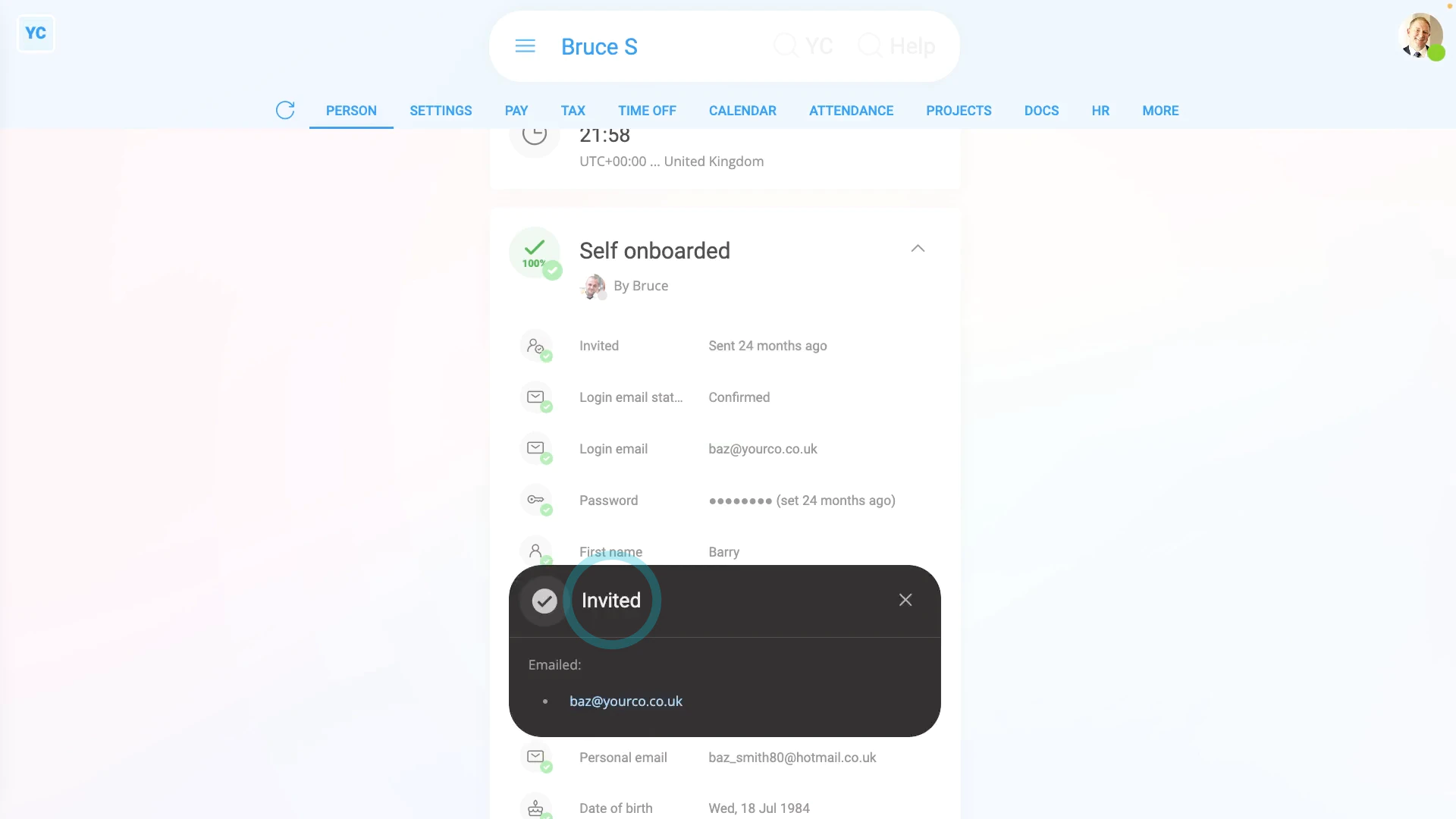
To resend a login invite email to one of your people:
- First, select the person who can't find their original login invite on: "Menu", then "People"
- Then scroll down to their "Login" heading.
- And tap: Resend invite
- And then tap: Yes ... resend it
- You'll now get an "Invited" confirmation.
- And finally, you can get back in touch with the person who can't find their original login invite, and ask them to check their email.

You may notice:
- That the Resend invite only shows while the person's "Login status" is set to: "Waiting ... to be confirmed"
- If you switch to a person who's already confirmed their login invite.
- Their "Login status" changes to: "Confirmed"
- And now, because Resend invite no longer shows, instead it shows: Send password reset
Keep in mind that:
- If the person still doesn't get the login invite, ask them to look in their "Spam" folder.
- Also, make sure that you've spelt their email correctly.
- If all else fails, try sending the invite to a different email.
- Also, if you've sent more than one login invite email, only the most recently sent email works.
- The most recently sent login invite email automatically cancels all the previous requests. So the previous login invite emails won't work anymore.
And that's it! That's everything you need to know about how to resend a login invite email!
3. How do I reset my own login password, if I've forgotten itHow do I send a reset email if a person's forgotten their password
www.1st.money/uk/help/General/Login/How_do_I_resend_a_login_invite,_if_the_original's_lost