How do I sign up for my own org account?

 3:41
"How do I sign up for my own org account?"
When you sign up to 1st Money, you'll instantly get your own org account as a full admin.
To sign up for your own org account in 1st Money:
- First, open your browser, and type in the website address: "1st.money"
- Next, scroll down the page a bit, and tap into the signup box next to the big Get started button.
- Type in your email.
- And then tap: Get started
- And you'll see a prompt asking you to: "Go check your email"
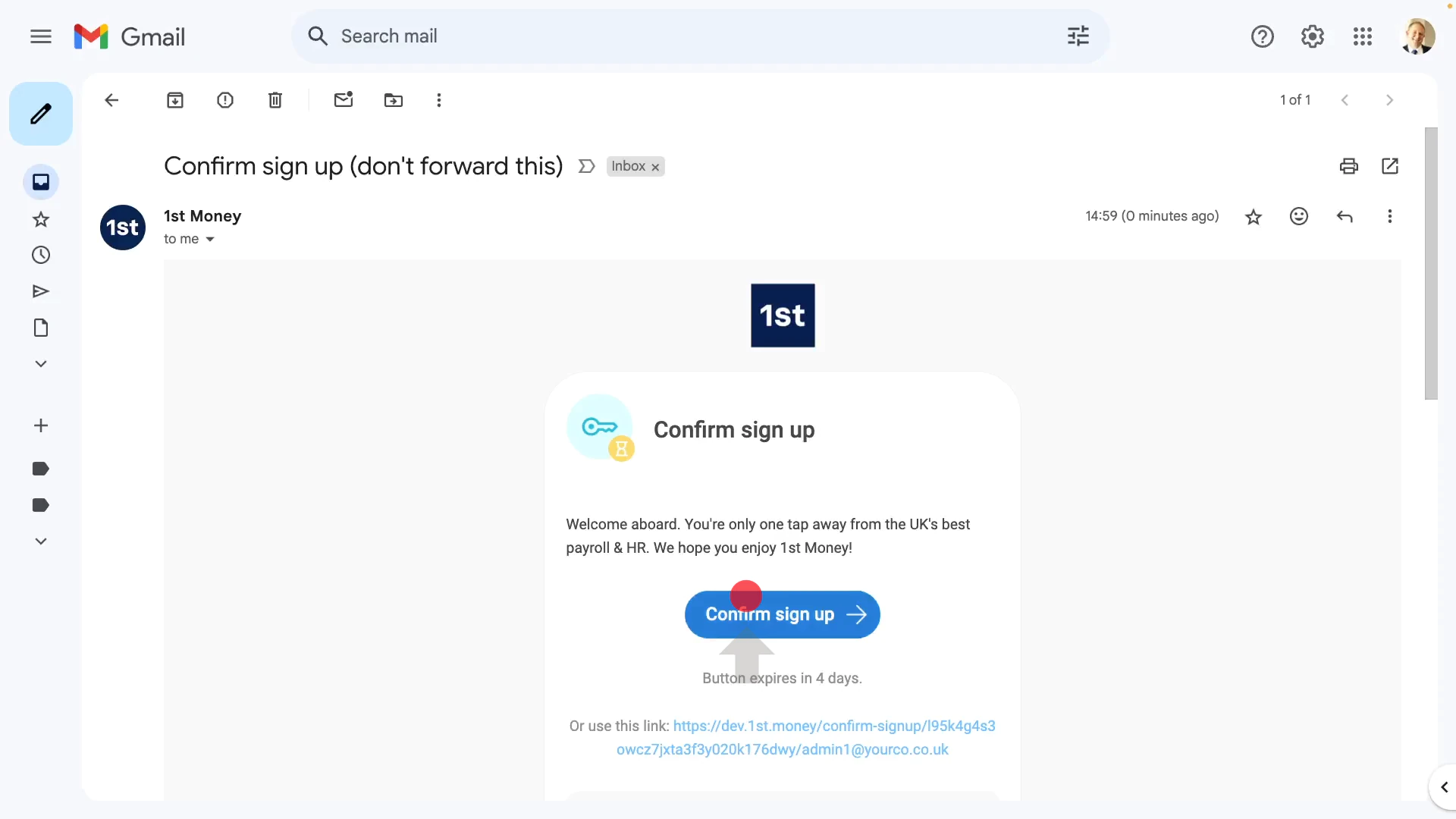
- In your email inbox, you'll immediately get a signup confirmation email.
- Next, tap: Confirm sign up
- And fill in the three pieces of signup info, including your first name.
- Last name.
- And the name of your company or org.
- Then tap: Next
- And now, you're all done! You've now instantly got your own org account on 1st Money.
- Next, tap the setup video to learn what to do next.
- And finally, the setup video shows you how, with six setup steps, you can be all ready for your next payday in only 5 minutes.

You may notice:
- That if you want to skip watching, and explore 1st Money on your own, you can always tap: Maybe later
- You'll see a reminder, in the bottom corner, showing you how to continue the six setup steps later, at any time.
- And now you're free to explore 1st Money however you like.
- And later, when you're ready, tap Continue setup, in the bottom corner, and you're instantly back to the six setup steps.
You may also notice:
- That you've not set your login password yet.
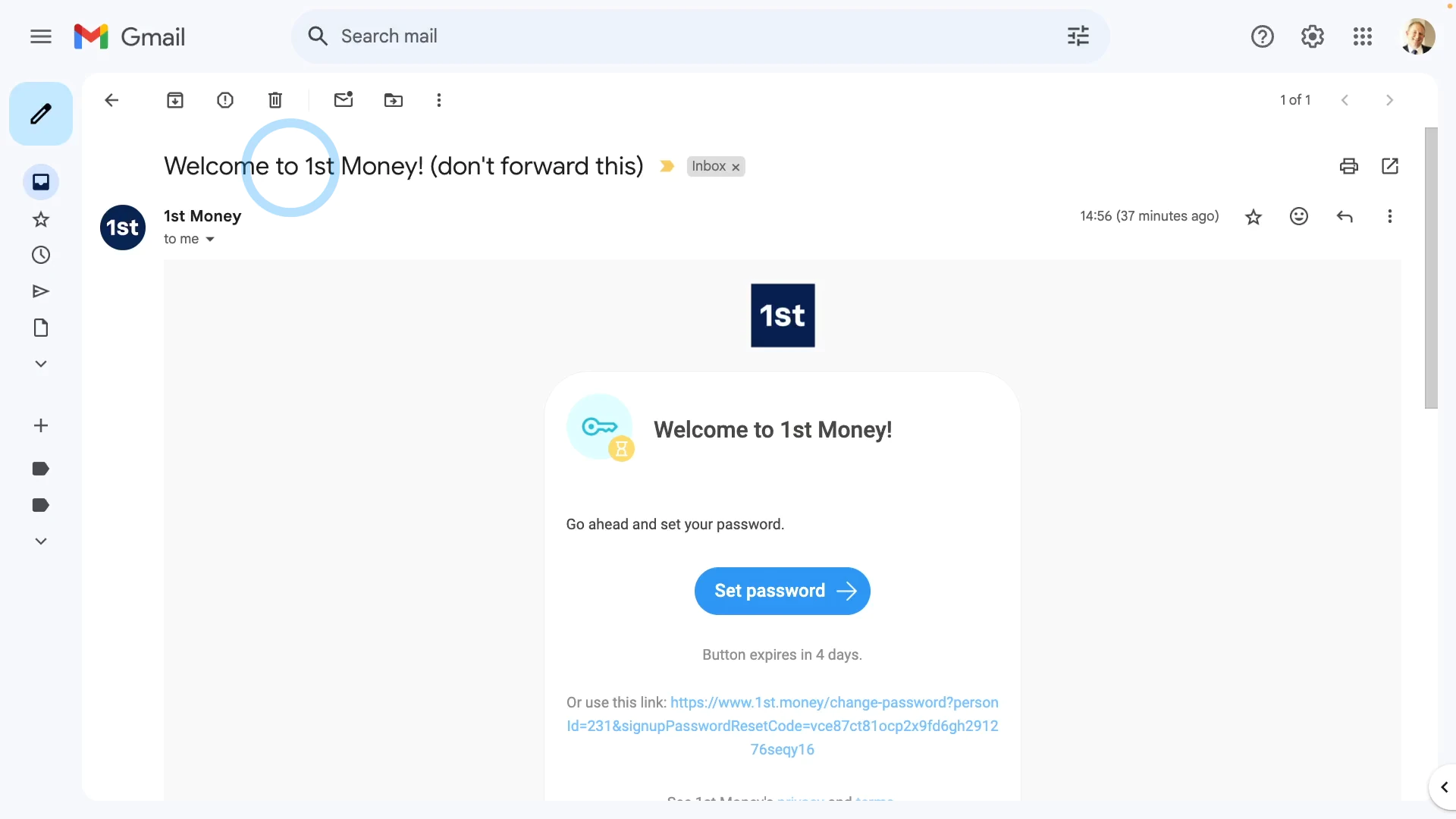
- To set your login password after signing up for an org account, check your email, and look for the "Welcome to 1st Money!" email.
- And tap: Set password
- You'll see a note reminding you that your password needs to be at least 8 characters.
- And include a lower case letter, an upper case letter, and a digit.
- Once you've typed in your new password, tap Save password, and you'll get a confirmation that your new password's saved.
Keep in mind that:
- You can sign up to 1st Money using any browser, and on any device. Including your laptop, your smartphone, or your tablet.
- 1st Money is 100% supported by most browsers, including Chrome, Edge, Firefox, and others.
For advanced usage:
- If you don't immediately get your signup confirmation email, try checking your "Spam" folder.
- The email usually arrives in seconds.
- Alternatively, if it still doesn't arrive, try signing up with a different email. You can always change the email later.
To learn more:
- About how you can be all ready for your next payday in only 5 minutes, watch the video on: From signup to payday in 4 mins
- And to learn how to create additional orgs, watch the video on: Creating a new org
 From signup to payday in 4 mins
And that's it! That's everything you need to know about signing up for your own org account!
www.1st.money/uk/help/General/Login/How_do_I_sign_up_for_my_own_org_account