What does 'Edit, for resend' do on a doc that's already been sent?
 2:15
"What does "Edit, for resend" do on a doc that's already been sent?"
When you look at a doc that's already been sent, you may wonder what the "Edit, for resend" button's for.
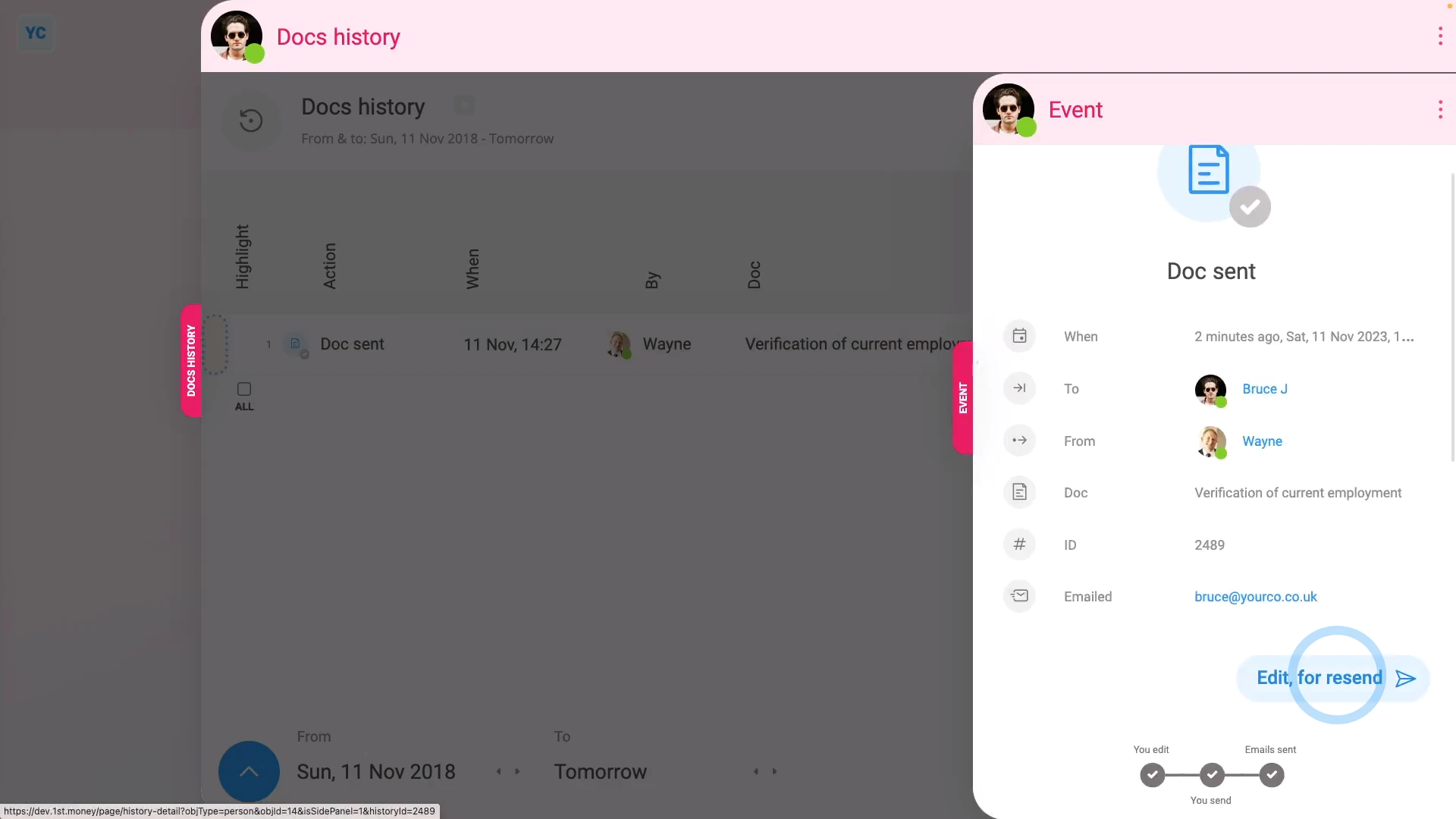
To see what a "Edit, for resend" button does on a doc that's already been sent:
- First, to see a doc that's been sent, select the person you sent a doc to, on: "Menu", then "People"
- Then tap: "Docs", then "Docs history"
- Once it slides out on the right, you'll see a list of all the docs that've been sent to the person.
- Tap a row, and when it slides out on the right, tap the "more" link, and you'll see details about the doc.
- You'll also now see a button for: Edit, for resend
- When you tap Edit, for resend, a new copy of the doc opens, addressed to the same person.
- Now you could tap Show editor, and make your changes on the left.
- And then if you're ready to email it, tap: Send (at the bottom)
- Alternatively, to send the exact same doc, but to a different person, you could open the bottom menu:
- Then tap Change person and select the new person to send it to.
- And finally, the doc is all ready to send to a different person.

Keep in mind that:
- When you use "Edit, for resend", you'll be resending an exact copy of the doc you're copying from.
- Which means that if the original sender added text to the doc, your copy has the added text included as well.
- Also, even when you tap Change person, the added text is still carried over and included.
If a feature's not showing:
- If the "Docs" menu isn't showing, it means your org hasn't turned on the docs feature yet.
- To turn on the docs feature, watch the video on: Turning on HR Docs
 Turning on HR Docs
And that's it! That's everything you need to know about what an "Edit, for resend" button does for a doc!
www.1st.money/uk/help/HR_Docs/What_does_'Edit,_for_resend'_do_on_a_doc_that's_already_been_sent