Who can see the management org chart, and what info is shown on it?
 2:18
"Who can see the management org chart, and what info is shown on it?"
A limited version of the management org chart can be seen by everyone in your org. Even if you're logged in as a person who's got "No org admin" and "No payroll admin" permissions. You can still always see a limited version of the management org chart.
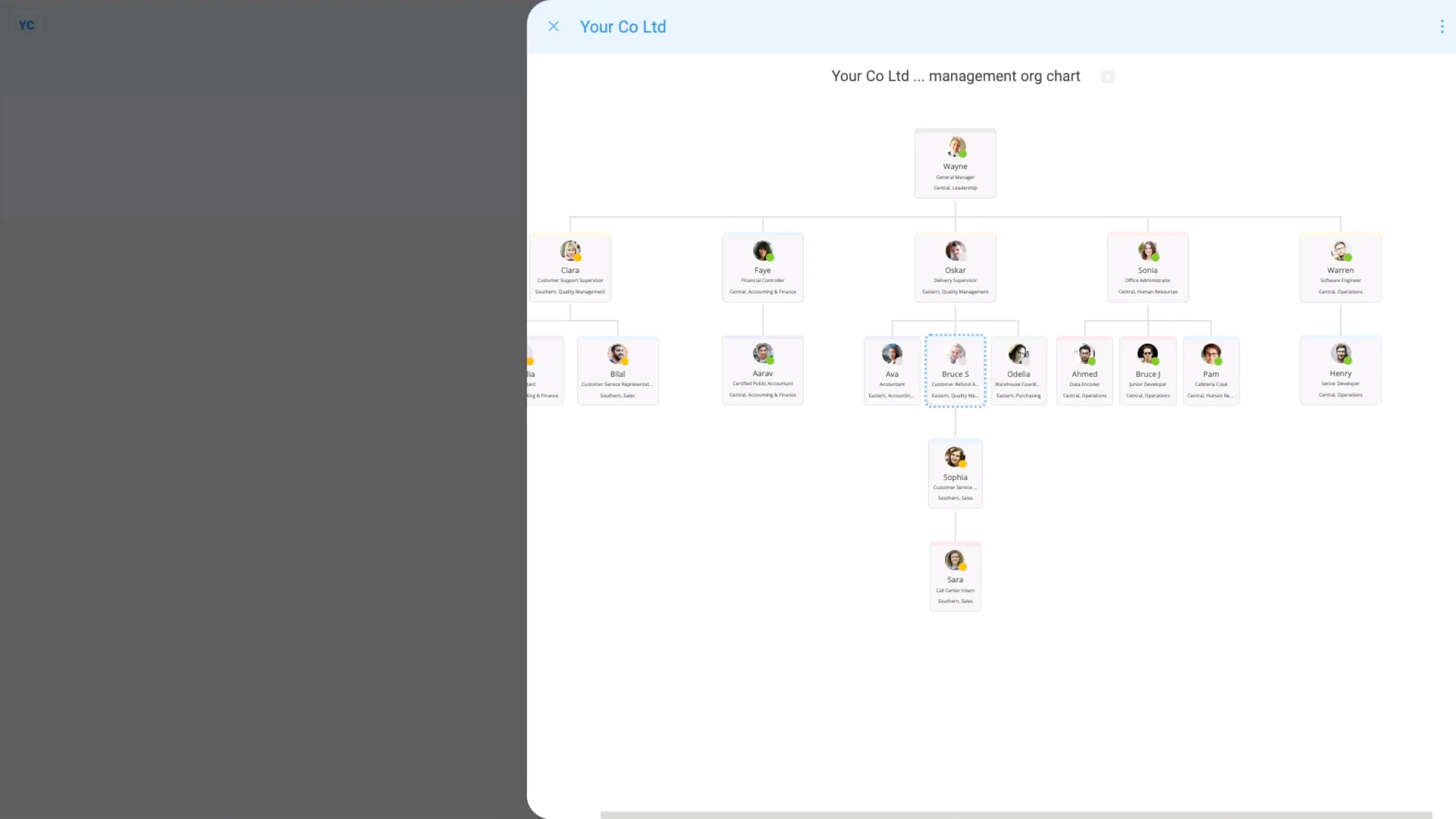
To open your org's management org chart:
- First, go to your org on: "Menu", then "Orgs"
- Then tap: "Org charts", then "Management"
- And finally, people with no permissions can only see the management org chart, and not any other org charts.
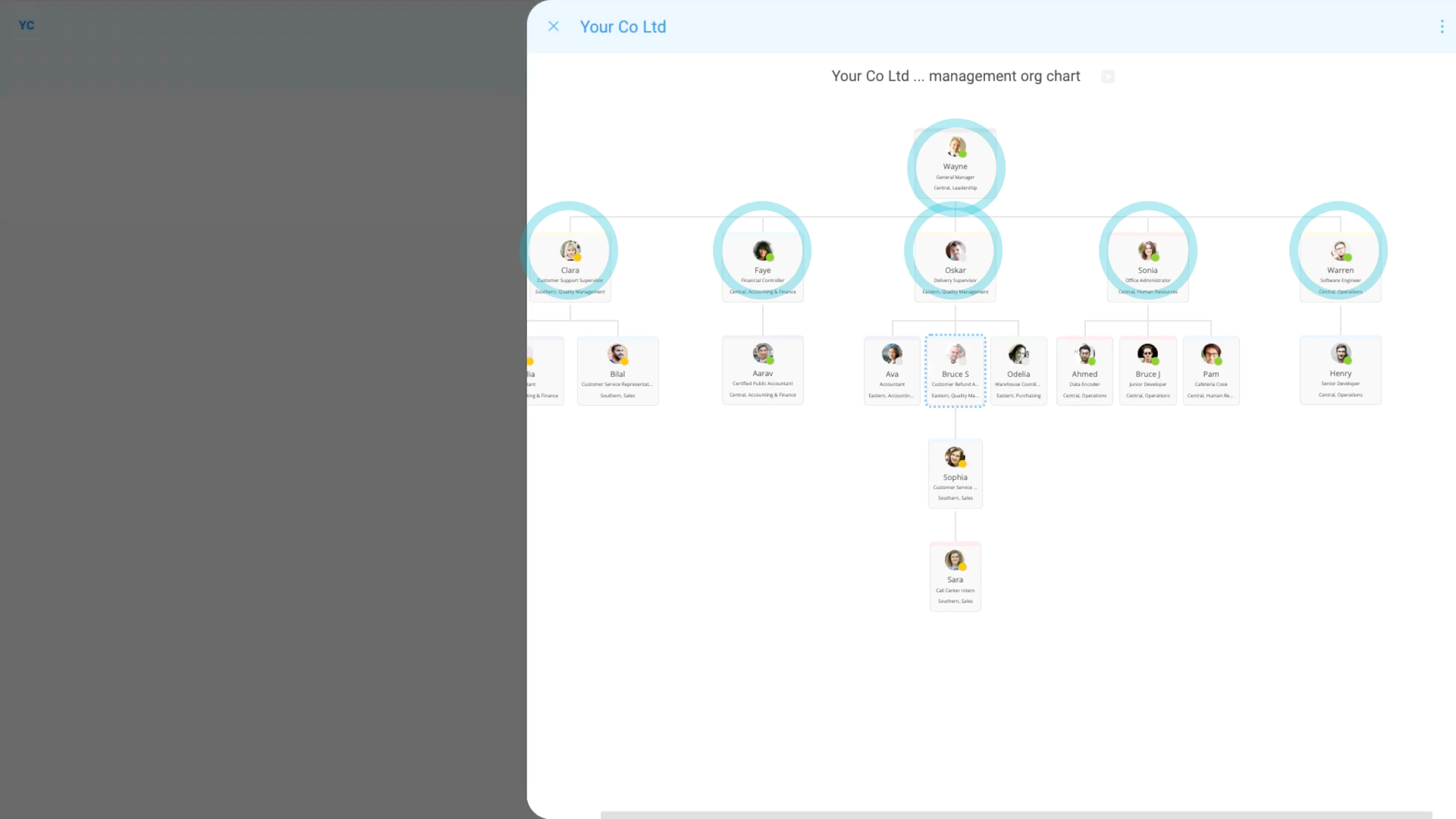
Inside your management org chart, a person with no permissions:
- Can only see people's job titles, divisions, departments, and who's manager of who.
- When a person with no permissions taps on most people, the person never sees other people's full names.
- And never sees their contact info. All the person with no permissions sees is the job title, division, department, and manager.
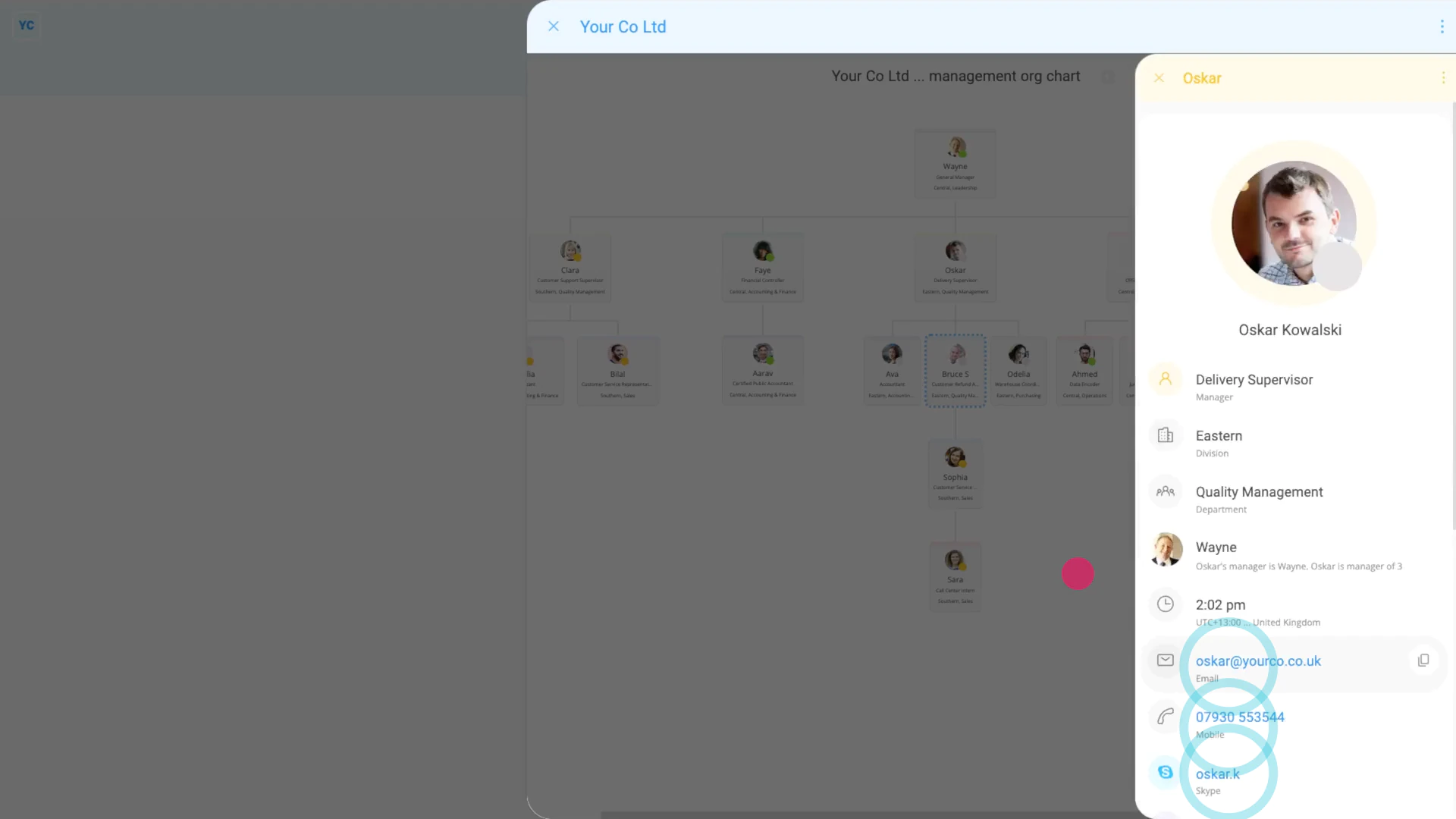
A notable exception (for a person with no permissions):
- Is for them to see contact details for themselves.
- And for people directly one layer above, or in other words, their direct manager.
- And for people directly one layer below, or in other words, anyone that's directly managed by them.

You may notice:
- If you tap more than one layer up or down, it still blocks access to contact info.
- If you tap people either side (under the same manager), it also blocks access to contact info.
- Because of contact info blocking, even in very big orgs, you can still maintain good privacy.
- And do so, while still providing reasonably limited access to each person's manager and managee contact info.
And that's it! That's everything you need to know about who can see org charts!
www.1st.money/uk/help/Org/Who_can_see_the_management_org_chart,_and_what_info_is_shown_on_it