2. How do I change how often my people get paid?
 1:40
"How do I change how often my people get paid?"
Changing how often people get paid, means changing an existing payroll group's payday schedule.
To change an existing payroll group's payday schedule:
- First, select the payroll group on: "Menu", then "Payroll groups"
- Then tap: "Settings", then "Payroll group settings"
- Then beside "Payday schedule", tap the "Edit" button:
- And tap: "Pay period"
- Next, change it to how often you want your people to be paid.
- And set the day of the week, or date of the month.
- Next, set: "Payday due"
- Then tap: Save
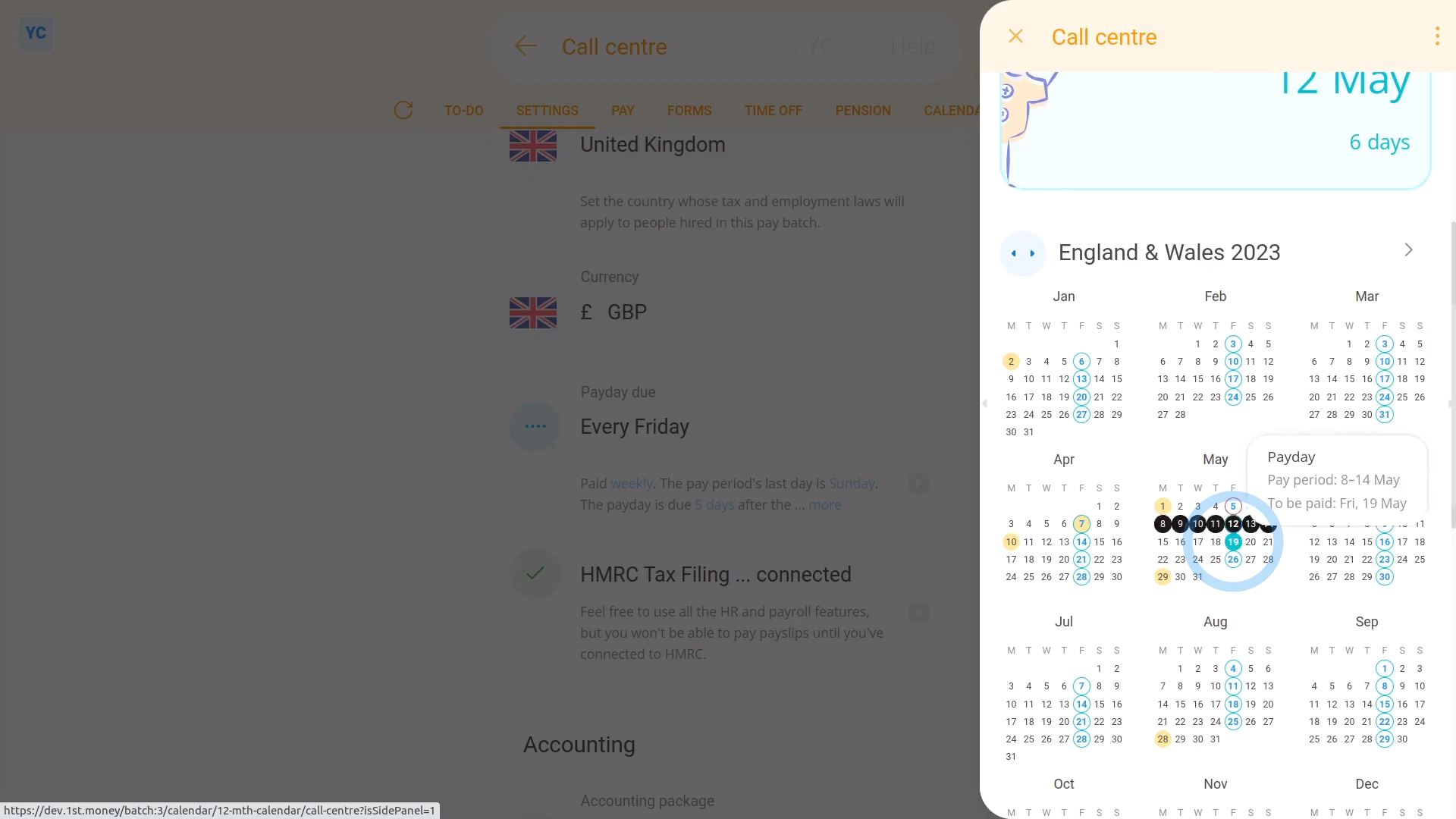
- To see your payday schedule changes, tap: "Calendar", then "12-month calendar"
- And finally, when you hover your mouse over a blue payday circle, you'll see black circles marking the days covered by that payday's pay period.

Keep in mind that:
- Once the payday schedule has some payslips that've been filed, a "Payday schedule locked" message shows, and it can't be changed anymore.
- However, up until payslips are filed, you can come back and make changes as many times as you want.
To learn more:
- About changing payday settings, when you've got a "Payday schedule locked" message, watch the video on: Bridging between payday schedules
 Bridging between payday schedules
And that's it! That's all you need to do to change an existing payroll group's payday schedule!
1. What types of payday schedules are there3. How do I set which dates each pay period starts and ends on
www.1st.money/uk/help/Payroll/Payday_schedules/2._How_do_I_change_how_often_my_people_get_paid