P45. How do I find a person's P45, or prove one's been sent?
 2:03
"P45. How do I find a person's P45, or prove one's been sent?"
Sometimes a person who's left months ago may come back to you asking for another copy of their P45. If so, you can re-download a copy their previously sent P45.
To download a P45 of a deleted person:
- First, tap: "Menu", then "Deleted bin"
- Then tap: People
- And then tap the deleted person you're looking for, to open them.
- To see their P45, scroll down and tap: See P45
- Alternatively, the other way to find a person's P45 is to tap: "Tax", then "Tax forms sent"
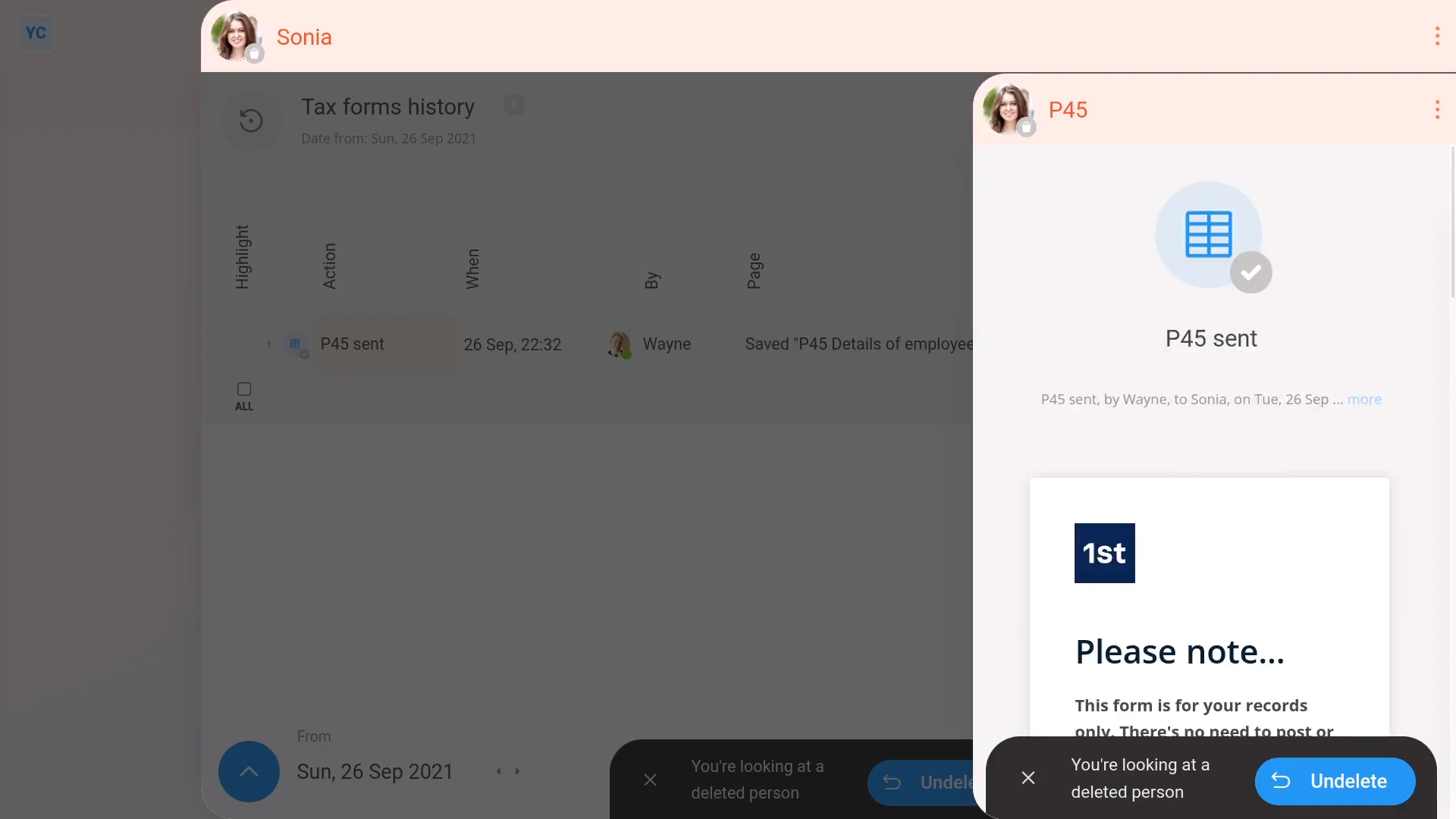
- Then tap the row that says: "P45 sent"
- To re-download a copy of the person's original P45, tap the "PDF" button.
- While you're waiting for it to download, to see more details about when it was sent, tap the "more" link.
- You'll also see the address that was used when the person's P45 was originally emailed.
- And finally, once the P45's downloaded, you can open it as a PDF, or send it on to the person who's requesting it.

Keep in mind that:
- Even if a person's been deleted, you can always re-download their P45, even years later.
- You don't need to un-delete the person to download their P45.
- Also, if you don't want the cover pages included in the P45 PDF download, tap the cover page switch to turn it off:
To learn more:
- About what to do if the person's P45 isn't listed, and may never have been sent, watch the video on: Sending a P45
 Sending a P45
And that's it! That's everything you need to know about finding a person's P45, and proving it's been sent!
P45. How does a person's P45 get sent when the person leavesP60. How does a person's P60 get sent each year
www.1st.money/uk/help/Payroll/Tax_forms/P45._How_do_I_find_a_person's_P45,_or_prove_one's_been_sent