P60. How do I find a previously sent P60, or prove it's been sent?
 2:00
"P60. How do I find a previously sent P60, or prove it's been sent?"
Sometimes a person may ask you for another copy of their P60. If so, you can re-download a copy of their previously sent P60.
To re-download a person's P60:
- First, select the person on: "Menu", then "People"
- To see their P60, tap: "Tax", then "Tax forms sent"
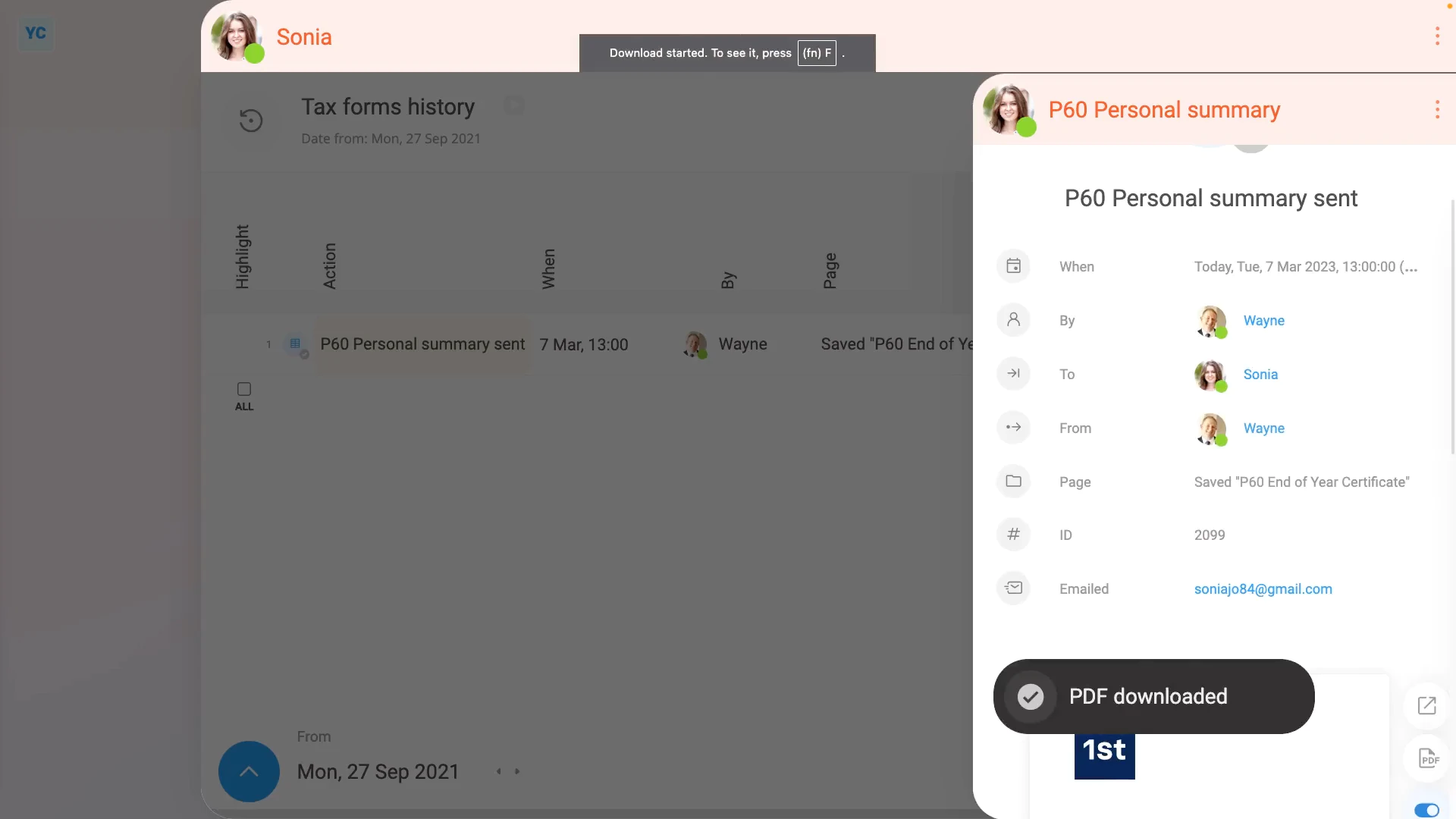
- Then tap the row that says: "P60 Personal summary sent"
- To re-download a copy of the person's original P60, tap the "PDF" button.
- While you're waiting for it to download, to see more details about when it was sent, tap the "more" link.
- You'll also see the address that was used when the person's P60 was originally emailed.
- And finally, once the P60's downloaded, you can open it as a PDF, or send it on to the person who's requesting it.

You may notice:
- Re-downloading a P60 can be done by the person themselves.
- Even people with no special permissions can see and download any of their own tax forms.
Keep in mind that:
- Even if a person's been deleted, you can always re-download their P60, even years later.
- You don't need to un-delete the person to download their P60.
- Also, if you don't want the cover pages included in the P60 PDF download, tap the cover page switch to turn it off:
To learn more:
- About what to do if the person's P60 isn't listed, and may never have been sent, watch the video on: Sending a P60
 Sending a P60
And that's it! That's everything you need to know about finding a person's P60, and proving it's been sent!
www.1st.money/uk/help/Payroll/Tax_forms/P60._How_do_I_find_a_previously_sent_P60,_or_prove_it's_been_sent