What tax settings do I need to set for a UK apprentice?
 4:06
"What tax settings do I need to set for a UK apprentice?"
If you employ a UK apprentice, you can pay them the standard apprentice hourly rate, which is lower than the National Minimum Wage.
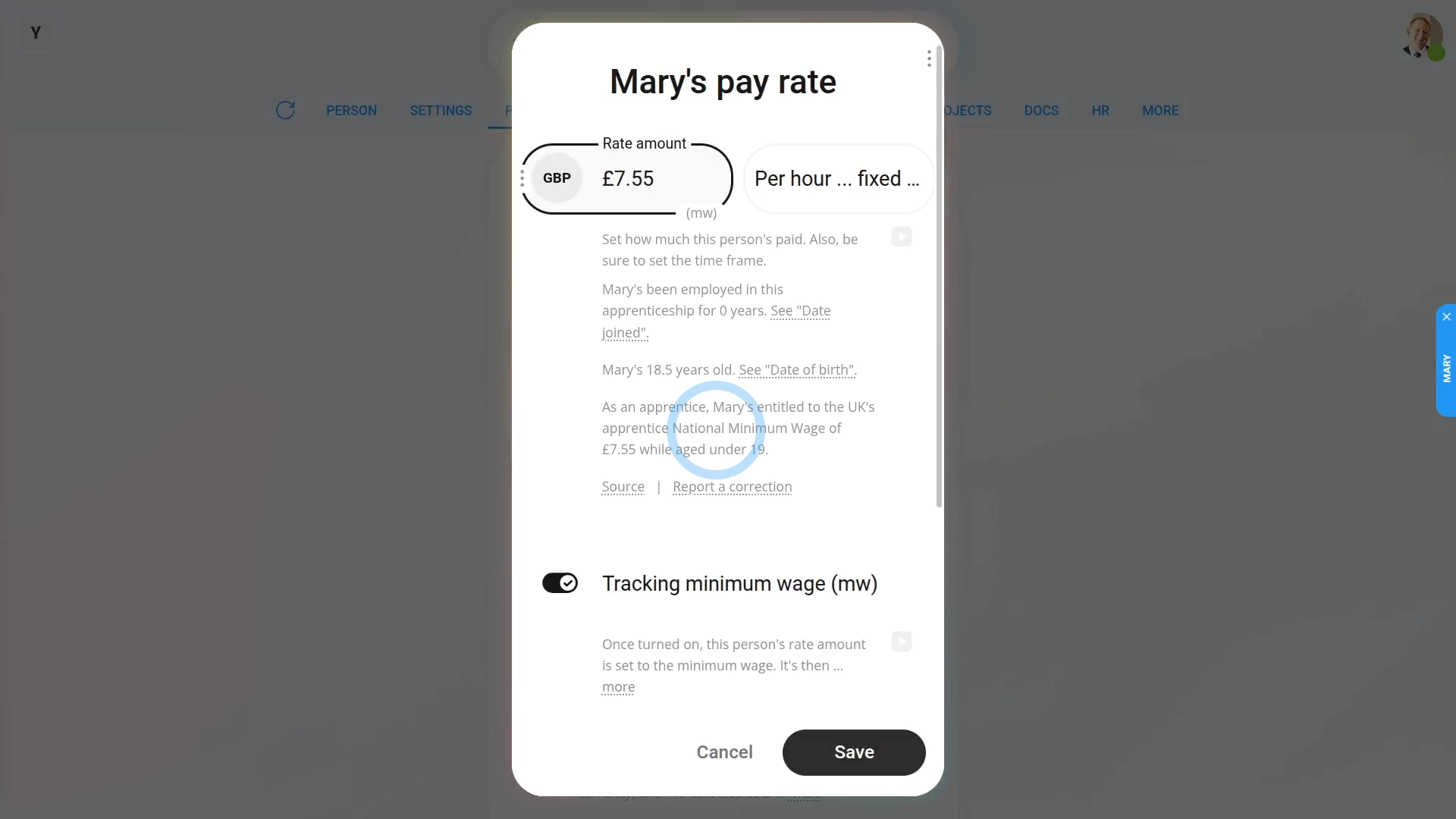
To set a person's UK apprentice hourly rate and tax settings:
- First, select the apprentice on: "Menu", then "People"
- Then tap: "Pay", then "Pay settings"
- Then tap the person's rate amount, or if no rate amount is set yet, tap: Set rate
- Next, select a "Per hour" rate. You can select whichever of "fixed targets" or "clocked-in timesheets" you prefer.
- And then turn on: Tracking minimum wage
- Minimum wage tracking requires the person's "Date of birth" to be set.
- If it's not set, you'll get a warning.
- To set their "Date of birth", tap the "Set it now" link and set it.
- Then tap: Save
- Now that their "Date of birth" is set, tap Set rate again.
- Set it to "Per hour" again.
- Then turn on: Tracking minimum wage
- Additionally, turn on: Also tracking apprentice min. wage
- When you're ready, tap: Save
- And you'll now see their rate amount shows the letters: "(mw)"
- The "(mw)" indicates that their rate amount is now locked to the apprentice minimum wage, and is set to auto-update from year-to-year, from now on.
- To understand how their apprentice minimum wage rate was calculated, tap it to open again, and read the notes and links.
- If you later decide to pay them higher than apprentice minimum wage, you can turn off "Tracking minimum wage" anytime.
- And finally, you're now free, again, to set them to whatever higher pay rate you want.

Keep in mind that:
- Apprentices are entitled to the apprentice rate if their age is under 19. Or their age is 19, or over, and it's the first year of their apprenticeship.
- So turning on "Tracking apprentice minimum wage" doesn't only auto-update the person's hourly pay rate, from year-to-year.
- It also checks the person's age every payday and how long since their join date. For example, the person may turn 18 part way through the year, or go past one year since joined way through the year.
- Once "Tracking apprentice minimum wage" is turned on, 1st Money automatically checks both for you, and updates the person's pay rate for you.
- It's updated both when the government releases new apprentice minimum wage rules, and whenever the person's age or tenure changes.
- Think of it as set and forget!
In most cases, you'll also want to set the apprentice's NI category letter. After which, you, as the employer, won't have to pay the apprentice's National Insurance contributions.
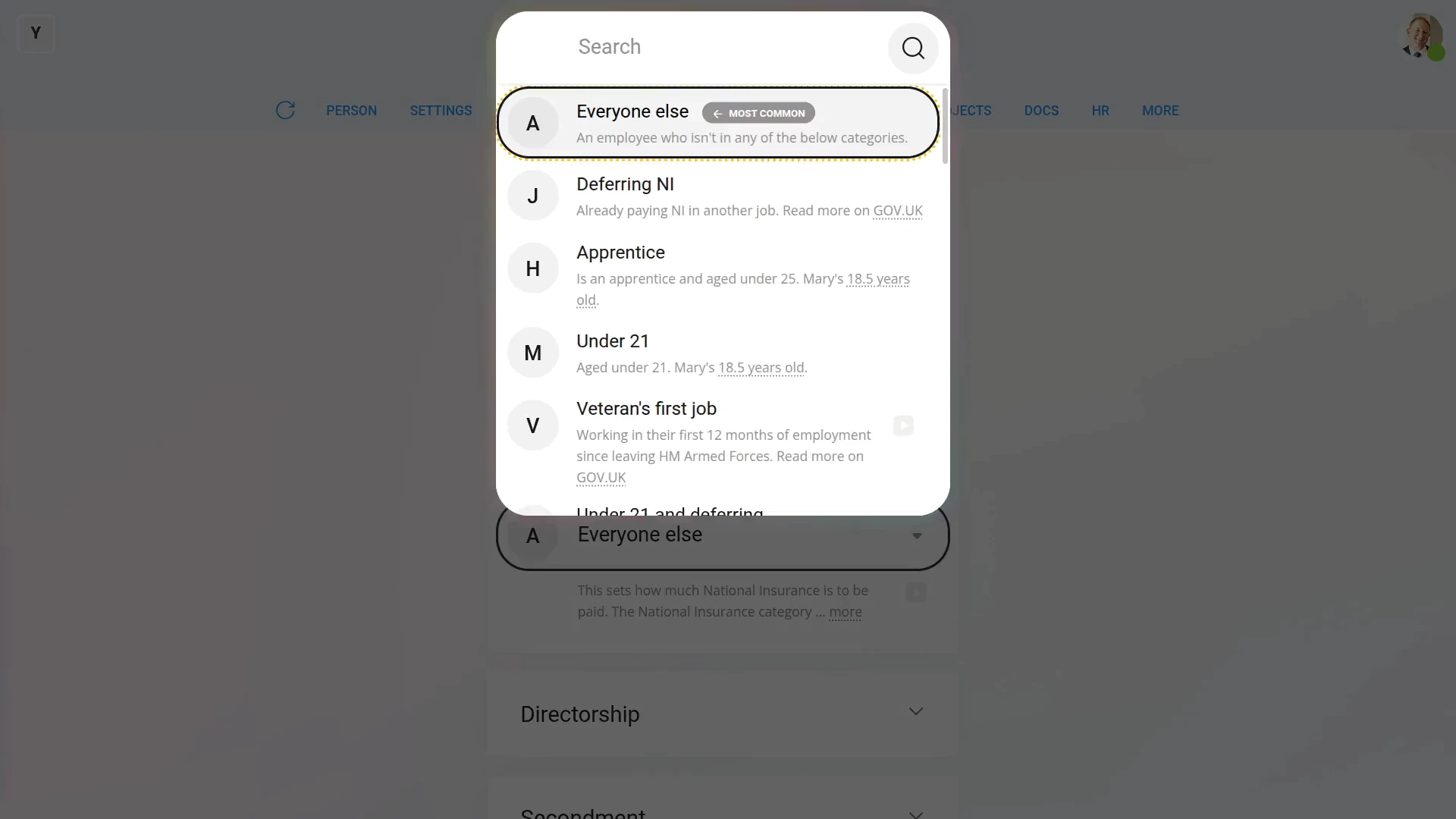
To set a person's National Insurance category letter:
- First, select the person on: "Menu", then "People"
- Then tap: "Tax", then "Tax settings"
- Then scroll down to the "National Insurance" heading.
- And tap: "National Insurance ... category letter"
- For an apprentice, the letter to select is: "H"
- And finally, tap Save, and you're done.
You may notice:
- If the apprentice is over age 25, the "H" category letter may be greyed out, in which case, select a different category.
To learn more:
- About NI category letters, watch the video on: The NI category letter
- To learn more about apprentices, see HMRC's page on Employing an apprentice.
 The NI category letter
And that's it! That's everything you need to know about pay rate and tax settings for a UK apprentice!
What if I've not gotten my Employer PAYE reference yetWhat tax settings do I need to set for a UK veteran
www.1st.money/uk/help/Payroll/UK_payroll/What_tax_settings_do_I_need_to_set_for_a_UK_apprentice