Where do I put the leaving date, pay, and tax from a previous job?
 3:27
"Where do I put the leaving date, pay, and tax from a previous job?"
When setting the pay for a new person, there's three things from their previous job that you may need to enter. Their previous leaving date, their previous pay, and their previous tax, but for the current tax year only. All three come from the person's P45.
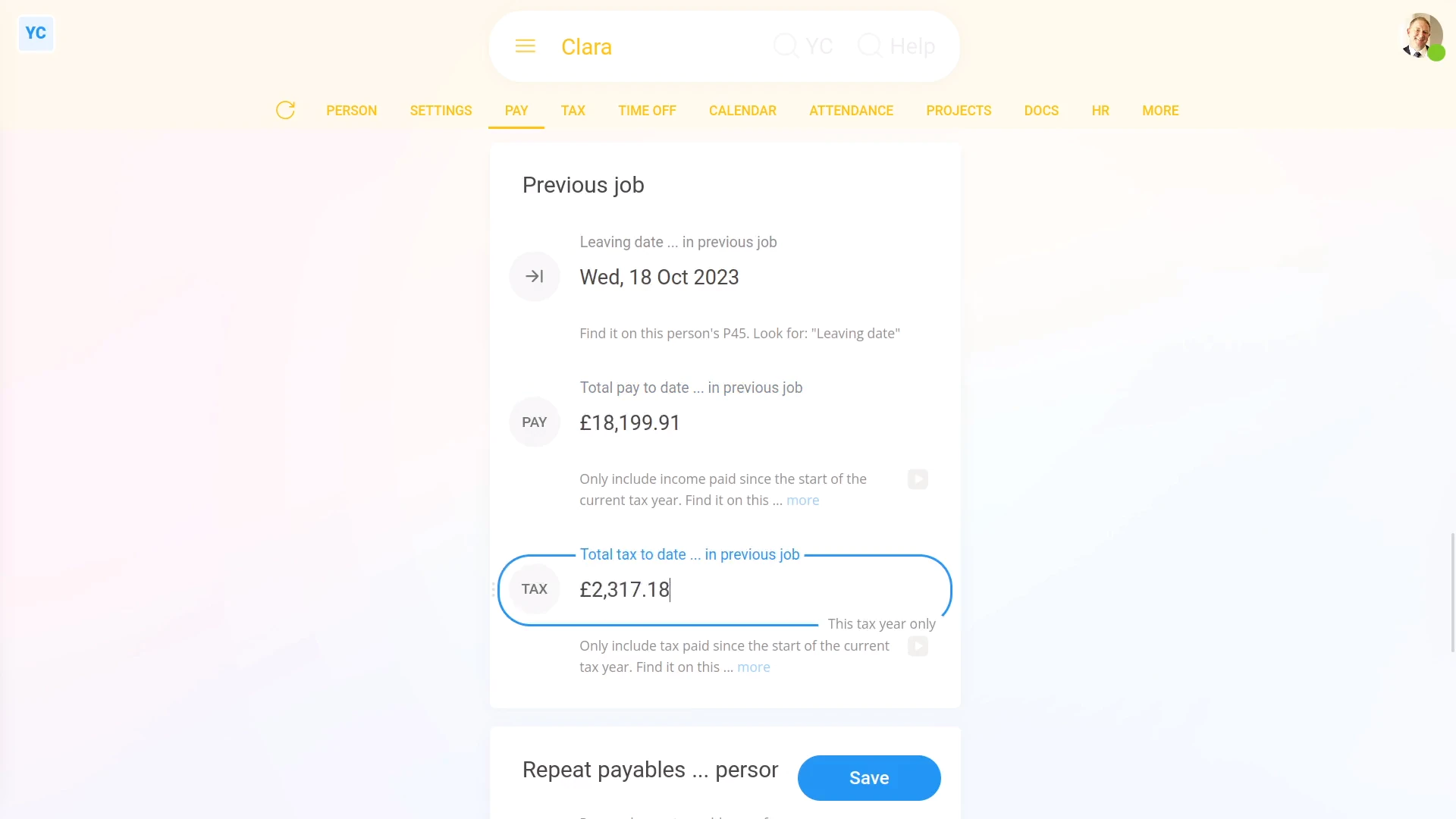
To set a person's leaving date, pay, and tax from their previous job:
- First, select the person on: "Menu", then "People"
- Then tap: "Pay", then "Pay settings"
- Then scroll down to the "Previous job" heading.
- Now, look on the paper P45 form you've been given by the person.
- And look for the "Leaving date", the "Total pay to date", and also the: "Total tax to date"
- Once you've found them on their P45, enter them one-by-one, starting with: "Leaving date ... in previous"
- Then enter their: "Total pay to date ... in previous"
- And then their: "Total tax to date ... in previous"
- And finally, tap: Save

Keep in mind that:
- HMRC expects you to include their leaving date, pay, and tax amounts from any previous job the person's worked at before joining your company.
- But only for the current tax year, starting 6th of April, until now.
- The pay and tax amounts help calculate the person's Income Tax correctly for the current tax year.
- HMRC expects you to ignore any leaving date, pay, and tax amounts from work done in previous tax years.
- Also ignore gaps of unemployment, and ignore their P45's from all previous tax years.
- In other words, if the person's joining your company today, and today's the 6th of April. And if the person worked in their last job right up until yesterday, the 5th of April.
- You'd leave their previous pay and tax amounts empty, as it's the first day of the new tax year.
Also remember that:
- If a person didn't ever have any previous job, also leave the person's leaving date, pay, and tax empty.
- Also, occasionally HMRC may send a correction, through an: "HMRC notice"
- If HMRC sends an "HMRC notice" correction, the person's details are automatically updated. You won't have to do anything.
- Any time a leaving date, pay, or tax amount is automatically updated, two emails are sent.
- One email to the person, and also one email to their payroll group's payday person. So you'll always know what's happening.
 HMRC notices
You may notice:
- Eventually today's date rolls around to the new tax year, on the 6th of April. On the beginning of the new tax year, any pay and tax amounts that were previously entered, are automatically wiped.
- Again, you won't have to do anything. But don't be concerned if one day the amounts show up empty.
And that's it! That's everything you need to know about entering a person's leaving date, pay, and tax from their previous job!
www.1st.money/uk/help/Payroll/UK_payroll/Where_do_I_put_the_leaving_date,_pay,_and_tax_from_a_previous_job