2. What do I need to consider when setting a person's payroll group?

 1:56
"What do I need to consider when setting a person's payroll group?"
Most small employers only ever need a single payroll group. However, larger, or more complicated employers may want to set up multiple payroll groups.
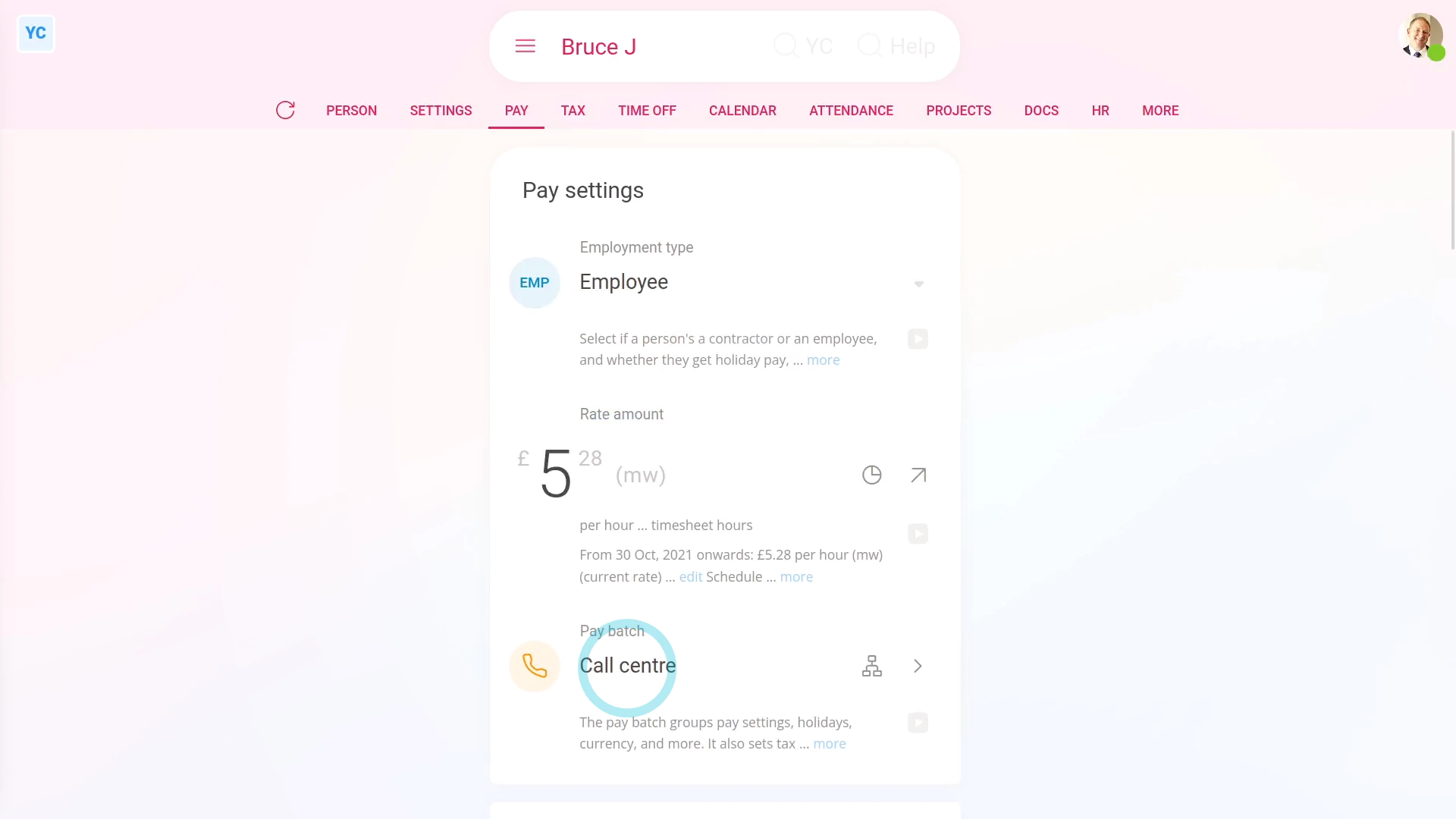
To set a person's payroll group:
- First, usually a person's payroll group is set during onboarding.
- However, there's two other places you can set a person's payroll group.
- To set a person's payroll group for only one person:
Select the person on: "Menu", then "People" - Then tap: "Pay", then "Pay settings"
- And change the setting for: "Payroll group"
- Once you change their payroll group, it auto-saves.
- To set a lot of people's payroll group all in one go:
Select the payroll group you want to move the people into, on: "Menu", then "Payroll groups" - Then tap: "Settings", then "Payroll group settings"
- And scroll down and tap: Add people
- Once it slides out on the right, tap all the people you want to add.
- And tap: Save
- And finally, you'll see all the people you tapped now show up in the list of payroll group people.

Keep in mind that:
- Once a person's been added to a payroll group, that person automatically receives the payroll group's settings, including.
- The payroll group's tax rules, calculations, currency, payday schedule, and repeat payables.
- The person also automatically receive the payroll group's time off settings, public holidays, pension settings, and advanced settings.
And that's it! That's everything you need to know about setting a person's payroll group!
1. How do I create a payroll group and set its tax country or state3. How do I see a list of the upcoming tasks for my payroll group
www.1st.money/uk/help/Payroll_groups/2._What_do_I_need_to_consider_when_setting_a_person's_payroll_group