How do I make sure that everything's all set for payday?

 2:55
"How do I make sure that everything's all set for payday?"
In advance of paying your first payday, it's a good idea to make sure that everything's all set up and connected.
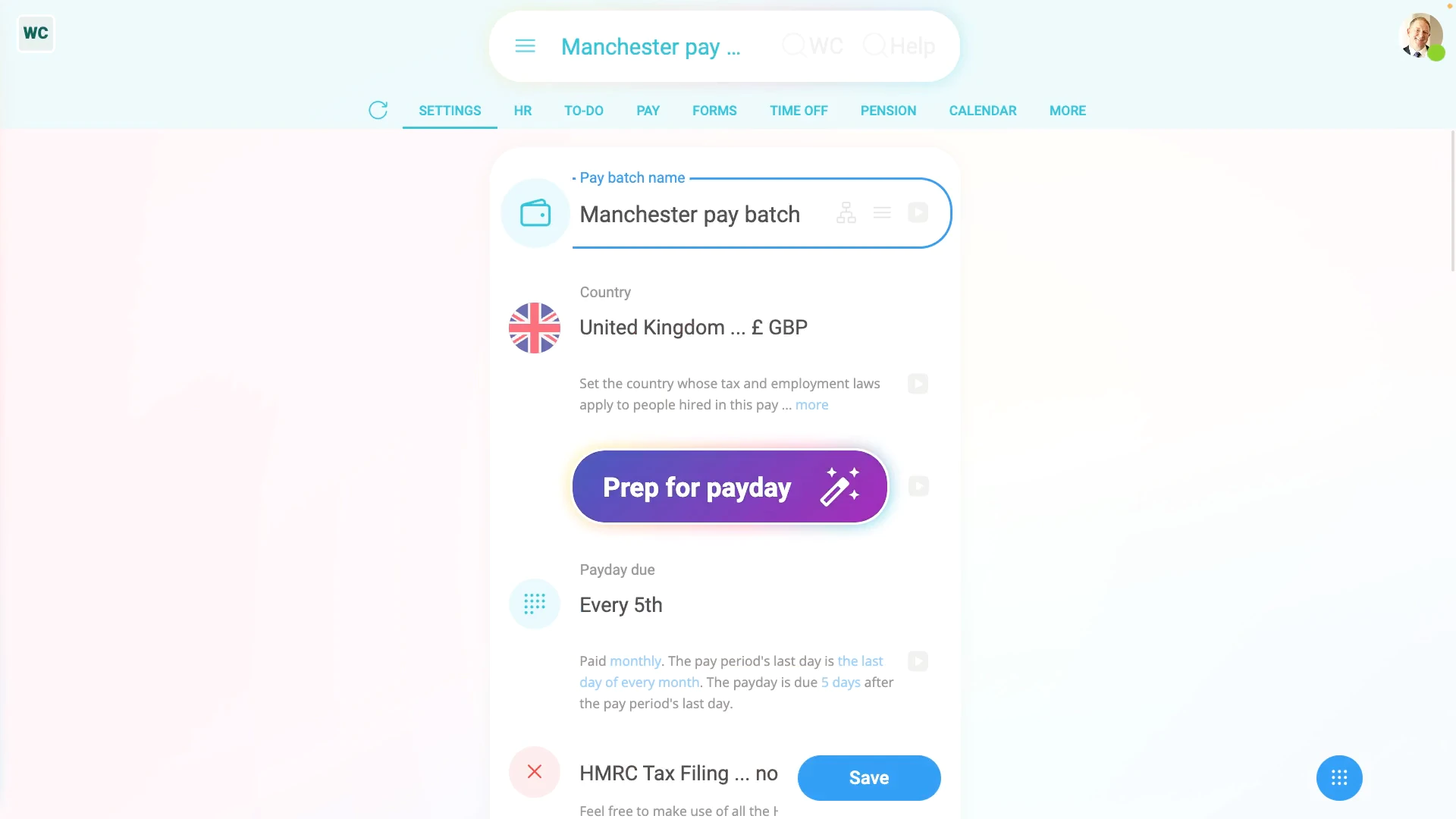
To make sure that everything's all set for payday:
- First, go to one of your payday payroll groups, or create a new payroll group at: "Menu", "Payroll groups", then "New payroll group"
- Then to see the reminders of what needs to be set, tap: Prep for payday
- The first reminder's to set the payroll group's name.
- Once it's entered, tap Prep for payday again, to find out what's next.
- You'll now be guided through reminders for everything that still needs to be set.
- Including setting your payroll group's bank account.
- Your: "Employer PAYE reference"
- And: "Accounts Office reference"
- Your: "Government Gateway user ID"
- And: "Government Gateway password"
- If you're unsure about any, watch their videos to learn more.
- Next, you'll be reminded to set your: "Employment Allowance"
- "State aid rules"
- "Small Employers' Relief"
- "Apprenticeship Levy"
- And: "State aid business sectors"
- Again, if you're ever unsure, watch their videos to learn more.
- Next, select your "Payrolling benefits?" setting.
- And finally, once all your reminders are done, you'll see that your "Prep for payday" is now 100% completed.

Keep in mind that:
- Depending on your setup and the types of people you pay, there may be additional reminders of things to set.
- For example, if any of your people have a pension, you'll be asked to enter additional pension provider info.
You may notice:
- That you can run "Prep for payday" as many times as you like, and whenever you like.
- It's there to give you the peace of mind that everything's all connected for your next upcoming payday.
And that's it! That's everything you need to know about making sure that everything's all set for payday!
www.1st.money/uk/help/Payroll_groups/How_do_I_make_sure_that_everything's_all_set_for_payday