How do I set my childbirth date, and upload a maternity certificate?
 1:19
"How do I set my childbirth date, and upload a maternity certificate?"
Before requesting paid maternity leave, or statutory maternity pay, you'll need to set your expected childbirth date. It's also a good idea to upload a maternity certificate, or MAT B1, from your doctor.
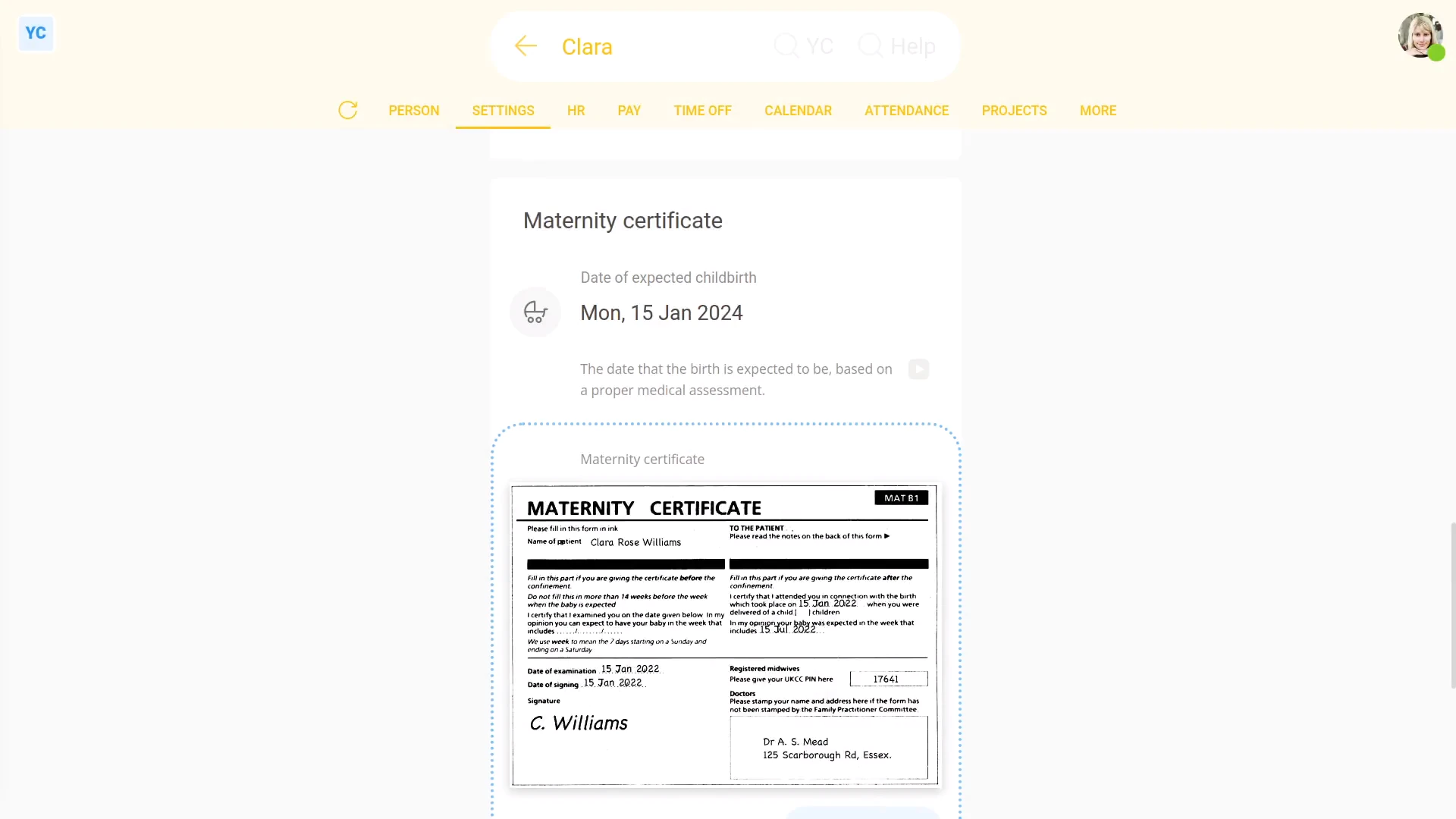
To set your expected childbirth date, and upload a maternity certificate:
- First, open yourself on: "Menu", then "Me"
- Then tap: "Settings", then "Medical"
- Then scroll down to the "Births & adoptions" heading.
- And set your: "Date expecting child"
- Next, tap Take photo to take a photo of your maternity certificate. Alternatively, tap Upload if you already have a photo of your maternity certificate.
- And finally, it auto-saves, and you're now all set to request paid maternity leave.
 Maternity leave
And that's it! That's all you need to do to set your expected childbirth date, and upload a maternity certificate!
www.1st.money/uk/help/People/How_do_I_set_my_childbirth_date,_and_upload_a_maternity_certificate