3. How do I add or remove the people listed on my TimeSpot devices?

 2:33
"How do I add or remove the people listed on my TimeSpot devices?"
The people listed on a TimeSpot device depends on which TimeSpot locations have been connected to the device.
To add or remove people from a TimeSpot device:
- First, to open the connected TimeSpots page, tap the three dots: (in the top-right corner)
- Then tap: Connected TimeSpots
- You'll now see a list of which TimeSpot locations have been connected to the device.
- Then to add or remove people from the TimeSpot device, you'll need to add or remove people from the listed locations in 1st Money.
- Now in 1st Money.
- Next, open one of the locations on: "Menu", then "Locations"
- When you scroll down the location page to the "TimeSpots" heading, you'll see your TimeSpot listed.
- Below your TimeSpot, you'll see a list of the people in the current location.
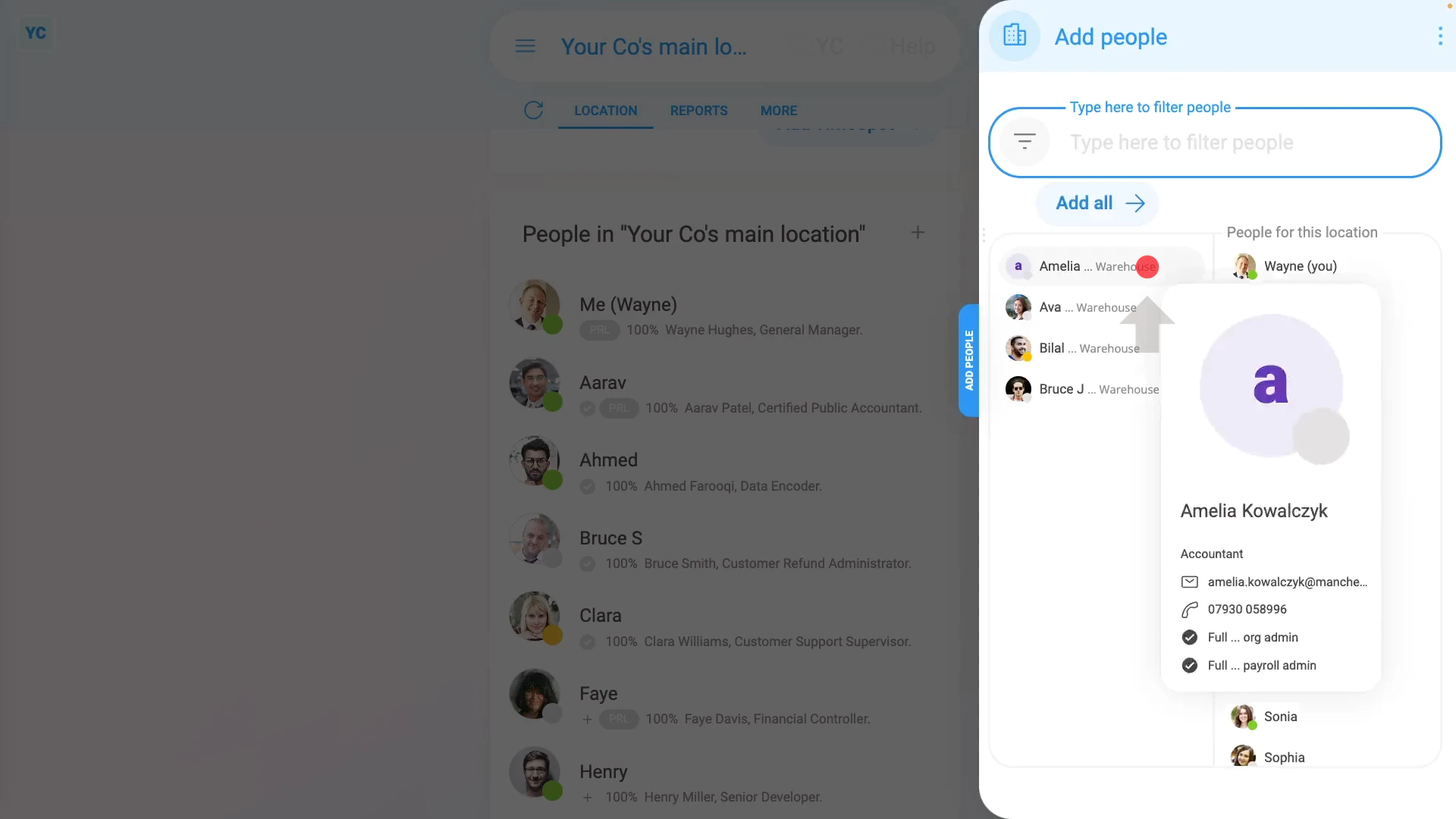
- To add or remove people from your TimeSpot device tap: Add people
- Once it slides out on the right, tap each person you want to add.
- Then tap: Save
- And you'll see the people you selected are now added to the location.
- Next, back on the TimeSpot device, tap the refresh button:
- And finally, you'll see them in the listing.

Keep in mind that:
- Even if you don't tap the refresh button , any changes to your people in 1st Money are still automatically synchronised with your TimeSpot device.
- Each TimeSpot device's list of people is automatically synchronised every hour.
- Also, if you delete, block, or end employment for any person, those people are also automatically removed from TimeSpot.
- The removal is done during the next hourly synchronise.
- And even if a deleted or blocked person attempts a clock-in before the next synchronise, it still declines their clock-in.
If a feature's not showing:
- If the location or TimeSpot features aren't showing, it means your org hasn't turned on the timesheets feature yet.
- To turn on the timesheets feature, watch the video on: Turning on timesheets
 Turning on timesheets
And that's it! That's everything you need to know about adding or removing people listed on your TimeSpot devices!
www.1st.money/uk/help/TimeSpot/3._How_do_I_add_or_remove_the_people_listed_on_my_TimeSpot_devices