How do I decline, delete, or un-delete a time off?

 4:04
"How do I decline, delete, or un-delete a time off?"
In 1st Money, declining and deleting a time off mean the same thing. In other words, whenever a time off's declined, really it's only deleted.
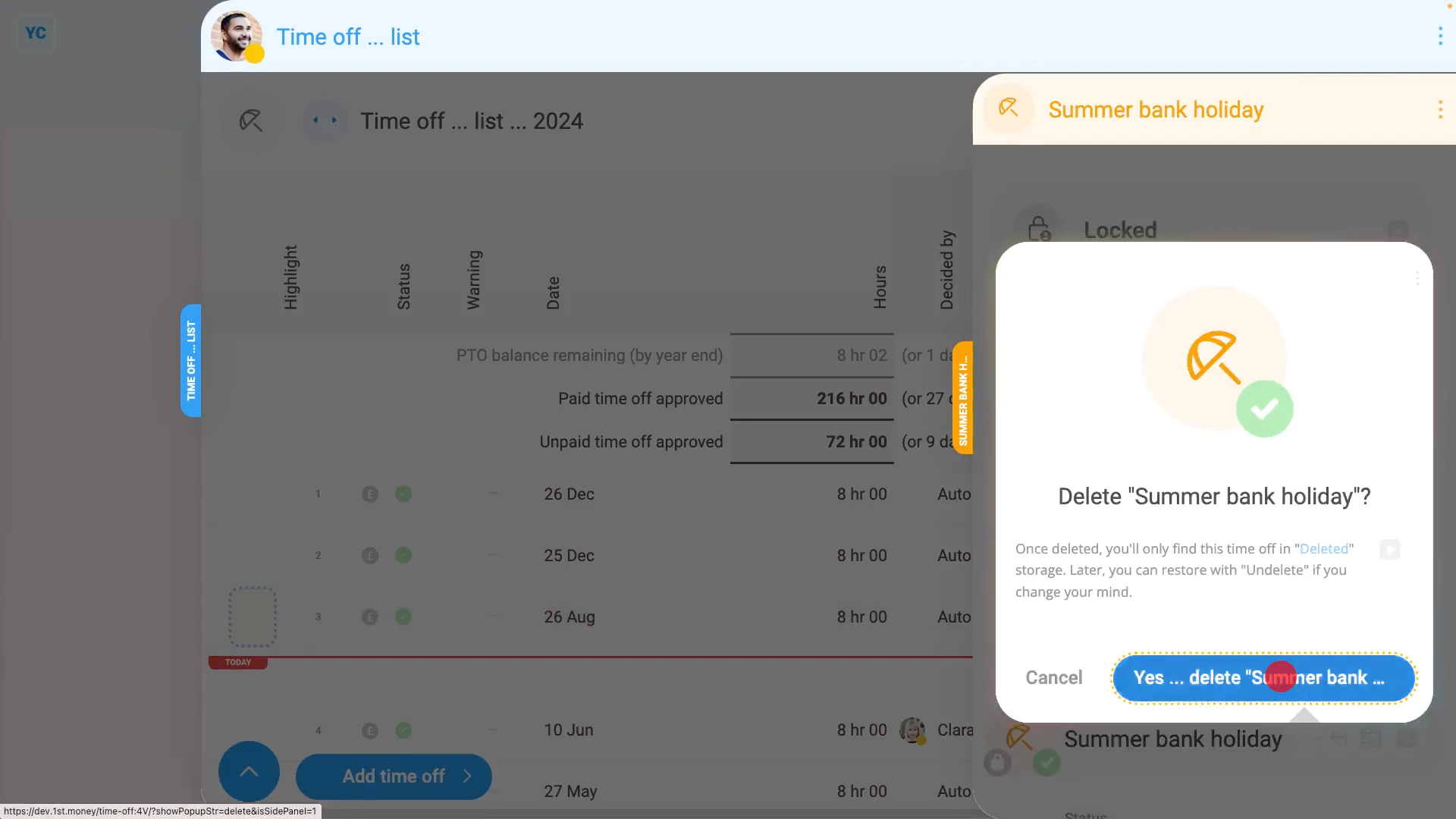
To decline or delete a time off from a person's "Time off" list:
- First, select the person you'd like to delete a time off for, on: "Menu", then "People"
- Then tap: "Time off", then "Time off ... list"
- Once it's open, you'll see a list of all of the person's time off for a year.
- When you hover your mouse over any time off row, on the far left, you'll see a rubbish bin button.
- Tap the rubbish bin button, and then tap: Yes ... delete
- You'll now see the deleted time off marked as "Declined", both on the side, and in the list.
- You'll also see the name and date of the person who deleted (or declined) it.
- And because it was a: "Paid time off"
- You'll also notice that the "PTO balance available" has correctly increased by 8 hours, now that an 8 hour "Paid time off" has been deleted.
- There are some time offs, however, that can't be deleted.
- Once a payslip's filed, all of the time offs covered by the payslip are locked. And you'll see a locked symbol instead of a rubbish bin button.
- If you tap it, then tap "Filed", then tap "Paid by", you'll see all the details about how and when the payslip was filed.
- And finally, back in the list, if you want to hide the deleted time offs, tap the circle (at the bottom), and then tap: Hide
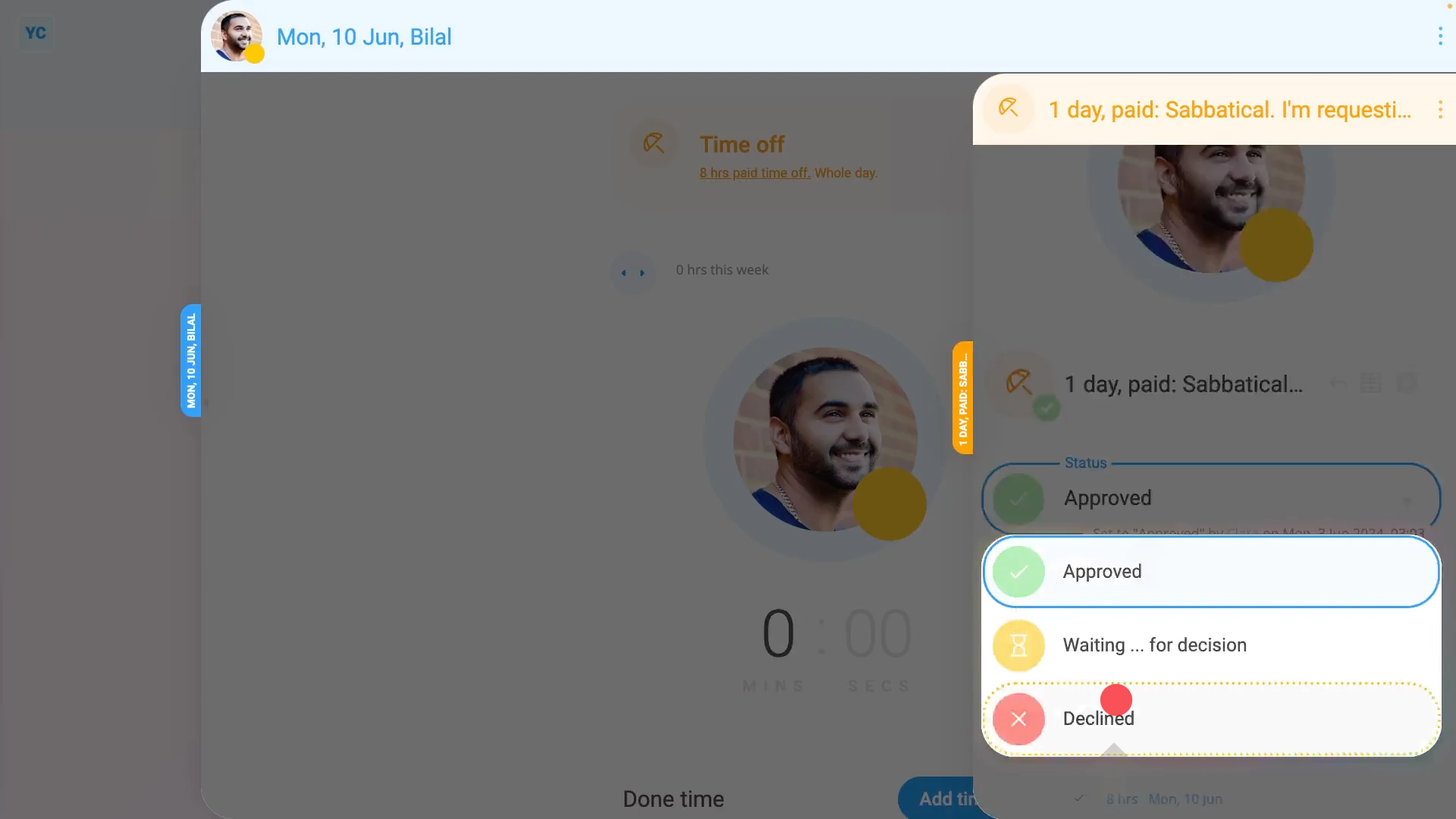
To decline or delete a time off from a person's timesheet:
- First, select the person you'd like to delete a time off for, on: "Menu", then "People"
- Then tap "Calendar", and tap the timesheet's date.
- Once the timesheet's loaded on the side, if it's got an approved time off, you'll see a note about it (at the top).
- Tap the "time off" link, and change the "Approved" to: "Declined"
- Then tap: Save
- Now that it's declined, you'll see that the time off's also been deleted.
- And back on the timesheet, you'll now see that the time off's no longer mentioned.
- Then to see that it's also deleted on the person's time off list, tap: "Time off", then "Time off ... list"
- And finally, you'll see that the time off's listed as: "Declined"
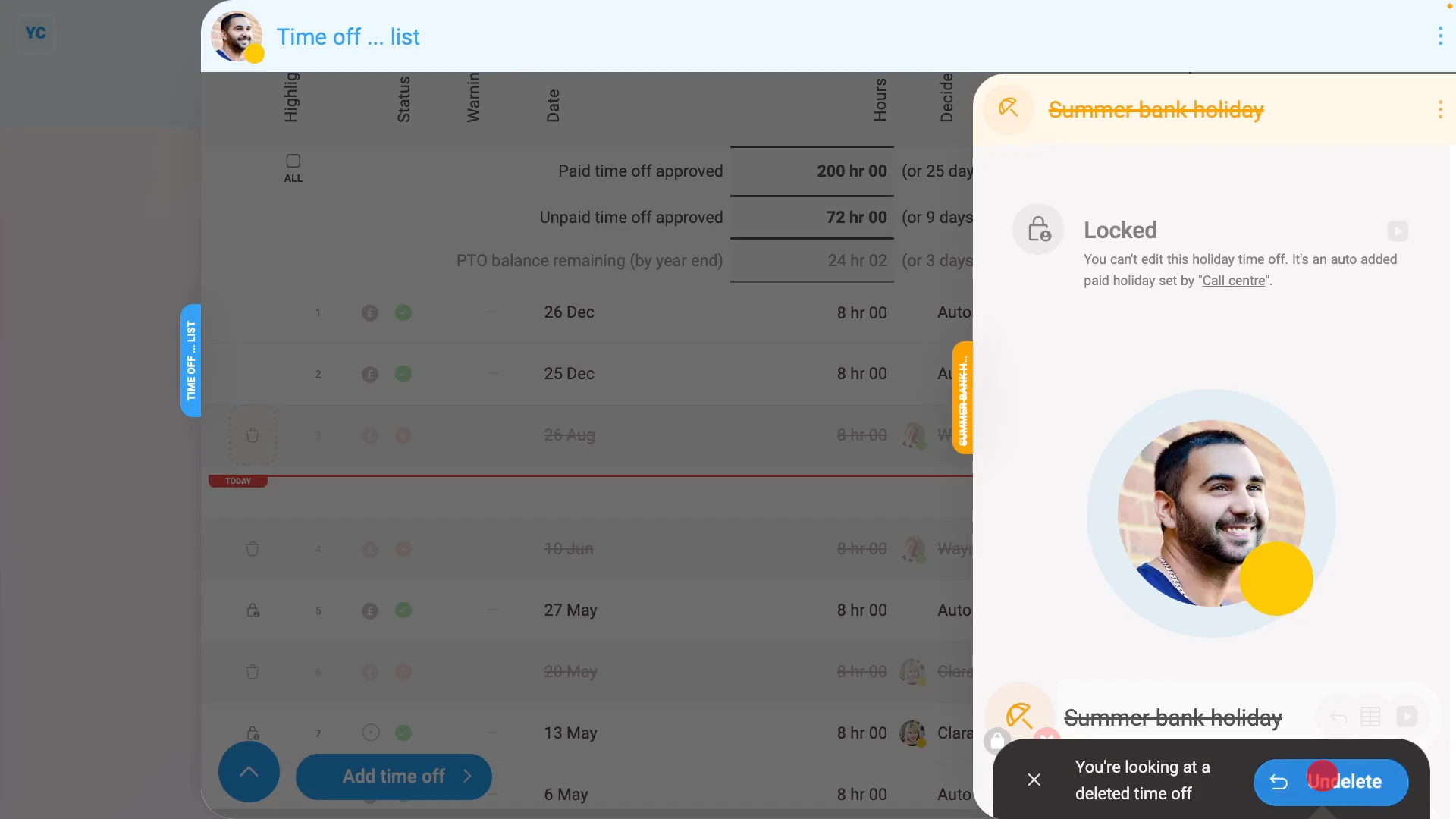
To un-delete a time off:
- First, select the person you'd like to un-delete a time off for, on: "Menu", then "People"
- Then tap: "Time off", then "Time off ... list"
- Once it's open, you'll see a list of all of the person's time offs, including some which have been deleted.
- On a deleted time off, tap the rubbish bin button, and then tap: Un-delete
- You'll see the un-deleted time off is now back to "Approved", both on the side, and in the list.
- And finally, the "PTO balance available" has correctly gone down by 8 hours, now that an 8 hour "Paid time off" has been un-deleted.

Keep in mind that:
- Only people who've got "Full org admin" permissions, or the person's direct manager, can decline, delete, or un-delete a time off.
- Everybody can always see their own time off list, but can't make changes unless the person themselves has "Full org admin" permissions.
- And remember that all deletes and un-deletes are always permanently recorded in: "History"
- That means any admin can always look back in time, and see who did any delete, and when the delete was done.
And that's it! That's everything you need to know about declining, deleting, and un-deleting a time off!
How do I change the holiday dates for everyone in a payroll groupHow do I settle their 'PTO balance available' when a person leaves
www.1st.money/uk/help/Time_Off/How_do_I_decline,_delete,_or_un-delete_a_time_off