How do I settle their 'PTO balance available' when a person leaves?

 5:59
"How do I settle their "PTO balance available" when a person leaves"
In most cases, when a person leaves, their "PTO balance available" needs to be settled back to zero. Sometimes, if not enough PTO's been approved, a payout needs to be added to their final payslip. Other times, if too much PTO's been approved, some pay may need to be reclaimed from their final payslip.
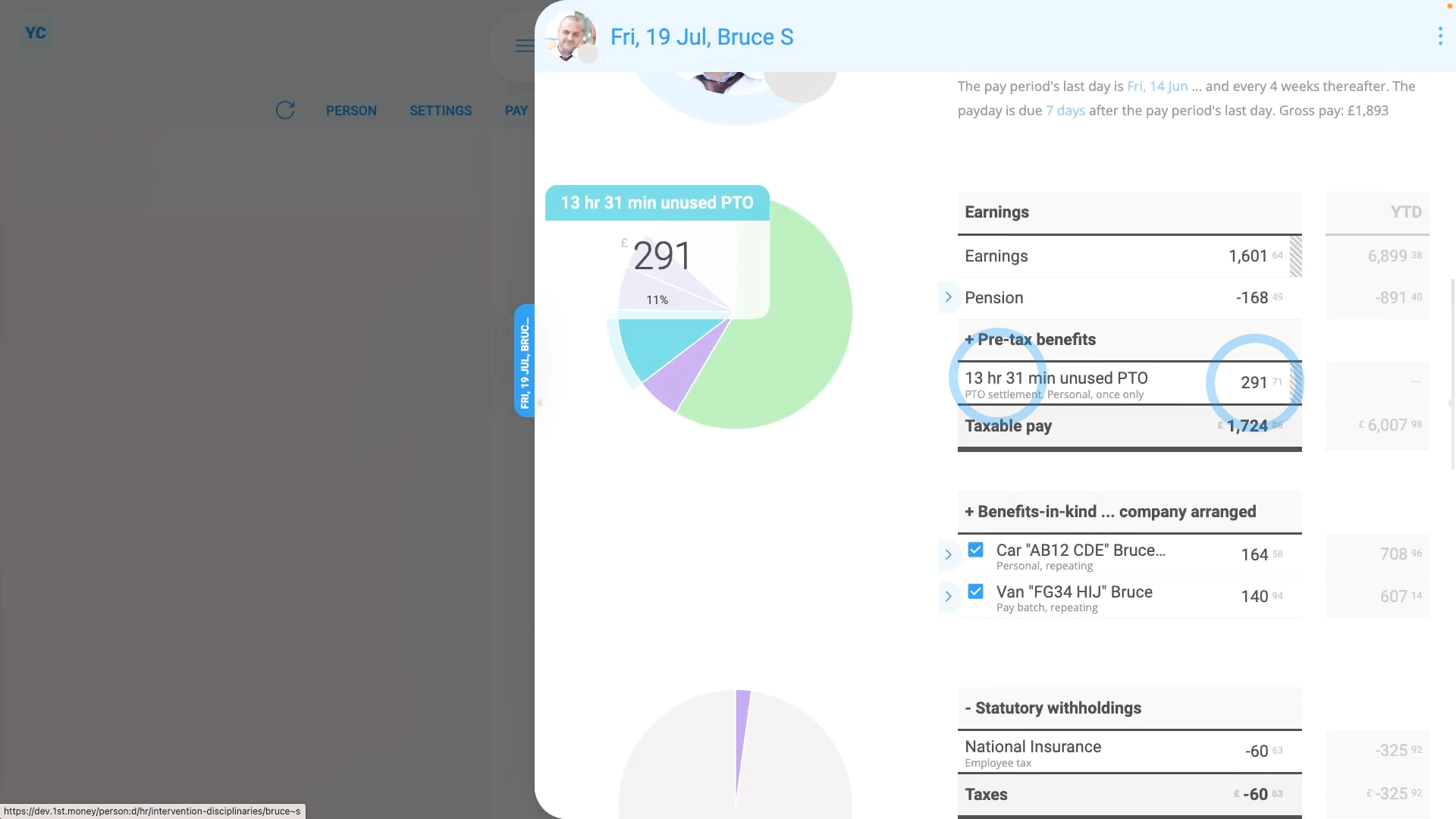
To see how a leaving person's "PTO balance available" is settled back to zero, if not enough PTO's been approved:
- First, select the leaving person on: "Menu", then "People"
- Then tap: "HR", then "Terminate"
- And select the reason that the person's leaving.
- To see the "PTO balance available" estimate:
Tap the "PTO" task to expand it. - You'll now see an estimate of the leaving person's current: "PTO balance available"
- If you tap the link, you'll see how the "PTO balance available" is calculated.
- Sometimes the solid "Paid time off approved" line's below the dotted "PTO allowance" line. If so, then the leaving person's still got "PTO balance available". Which means that a payout is to be added to their final payslip.
- Also note that the leaving person's "PTO balance available" could still change between now and their final pay.
- Once you're happy with all the tasks, tap Continue, and then: Yes ... do it
- Sending the termination doc:
A termination doc is prepared in the foreground. - If you scroll down the termination doc, you'll see a paragraph about paid time off.
- To send the termination doc, tap Request "Got it", then Yes ... request "Got it", and then: Close
- Seeing the "PTO settlement" on their final payslip:
Now, on the "Record of events" tab, tap the termination to expand it. - You'll see that the doc's been sent.
- And to see a preview of their final payslip, tap the "Final payslip" row.
- And finally, you'll see the "PTO settlement" amount, in both hours and money, that's to be automatically added to their final payslip.

Keep in mind that:
- Until the person's last working day, and their final payslip's actually paid, the "PTO settlement" amount may still change.
- Depending on when, and how many more days off the leaving person takes between now and then.
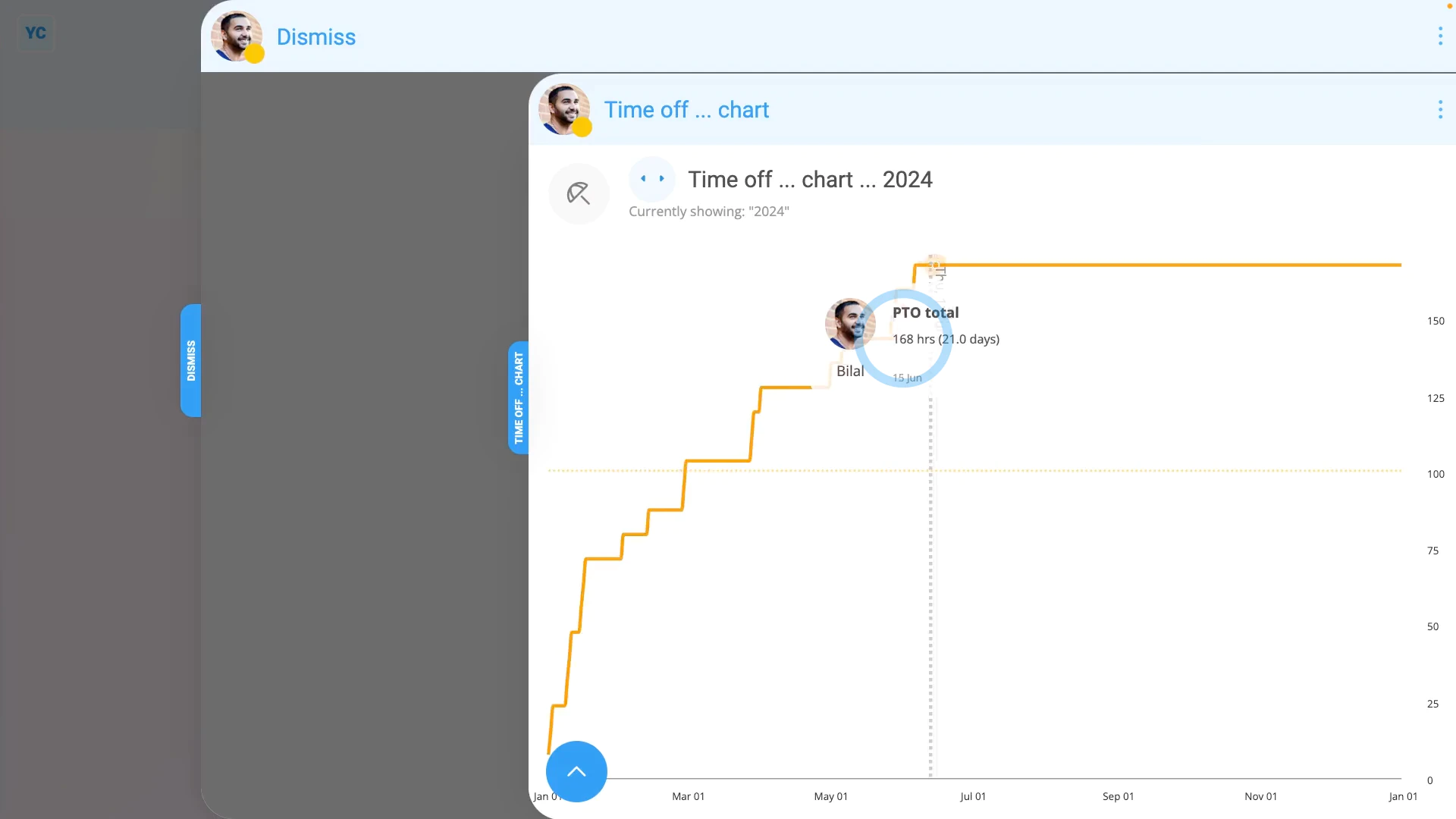
To see how a leaving person's "PTO balance available" is settled back to zero, if too much PTO's been approved:
- First, select the leaving person on: "Menu", then "People"
- Then tap: "HR", then "Terminate"
- And select the reason that the person's leaving.
- To see the "PTO balance available" estimate:
Tap the "PTO" task to expand it. - You'll now see an estimate of the leaving person's current: "PTO balance available"
- If you tap the link, you'll see how the "PTO balance available" is calculated.
- Sometimes the solid "Paid time off approved" line's above the dotted "PTO allowance" line. If so, then the leaving person's had approved more PTO than their "PTO allowance" (as of their last day). Which means that some of their pay needs to be reclaimed from their final payslip.
- Also note that the leaving person's "PTO balance available" could still change between now and their final pay.
- Once you're happy with all the tasks, tap Continue, and then: Yes ... do it
- Sending the termination doc:
A termination doc is prepared in the foreground. - If you scroll down the termination doc, you'll see a paragraph about paid time off.
- To send the termination doc, tap Request "Got it", then Yes ... request "Got it", and then: Close
- Seeing the "PTO settlement" on their final payslip:
Now, on the "Record of events" tab, tap the termination to expand it. - You'll see that the doc's been sent.
- And to see a preview of their final payslip, tap the "Final payslip" row.
- And finally, you'll see the "PTO settlement" amount, in both hours and money, that's to be automatically reclaimed from their final payslip.
You may notice:
- That in some cases, the amount of PTO to be reclaimed may exceed the leaving person's total final payslip earnings.
- When it exceeds total earnings, the "PTO settlement" is capped.
- Which means the leaving person gets zero "Net pay" on their final payslip.
- With the amount of "Unreclaimed PTO" listed below, as a reference only.
- And when you hover your mouse over the "Unreclaimed PTO" amount, you'll see a full breakdown of the calculations.
For advanced usage:
- Depending on how you've worded your employment agreements, the "Unreclaimed PTO" amount may or may not be recoverable.
- It's highly recommended to take independent legal advice before attempting to reclaim it, as it's not something that 1st Money can do.
- If you find that "Unreclaimed PTO" is becoming a frequent problem, you could consider moving all your people to month-by-month top-ups.
 PTO top-ups
And that's it! That's everything you need to know about how a person's "PTO balance available" is automatically settled on their final payslip!
www.1st.money/uk/help/Time_Off/How_do_I_settle_their_'PTO_balance_available'_when_a_person_leaves