How do I add a description to a repeat payable?
 1:17
"How do I add a description to a repeat payable?"
Sometimes, you may want to add a description to your repeat payables.
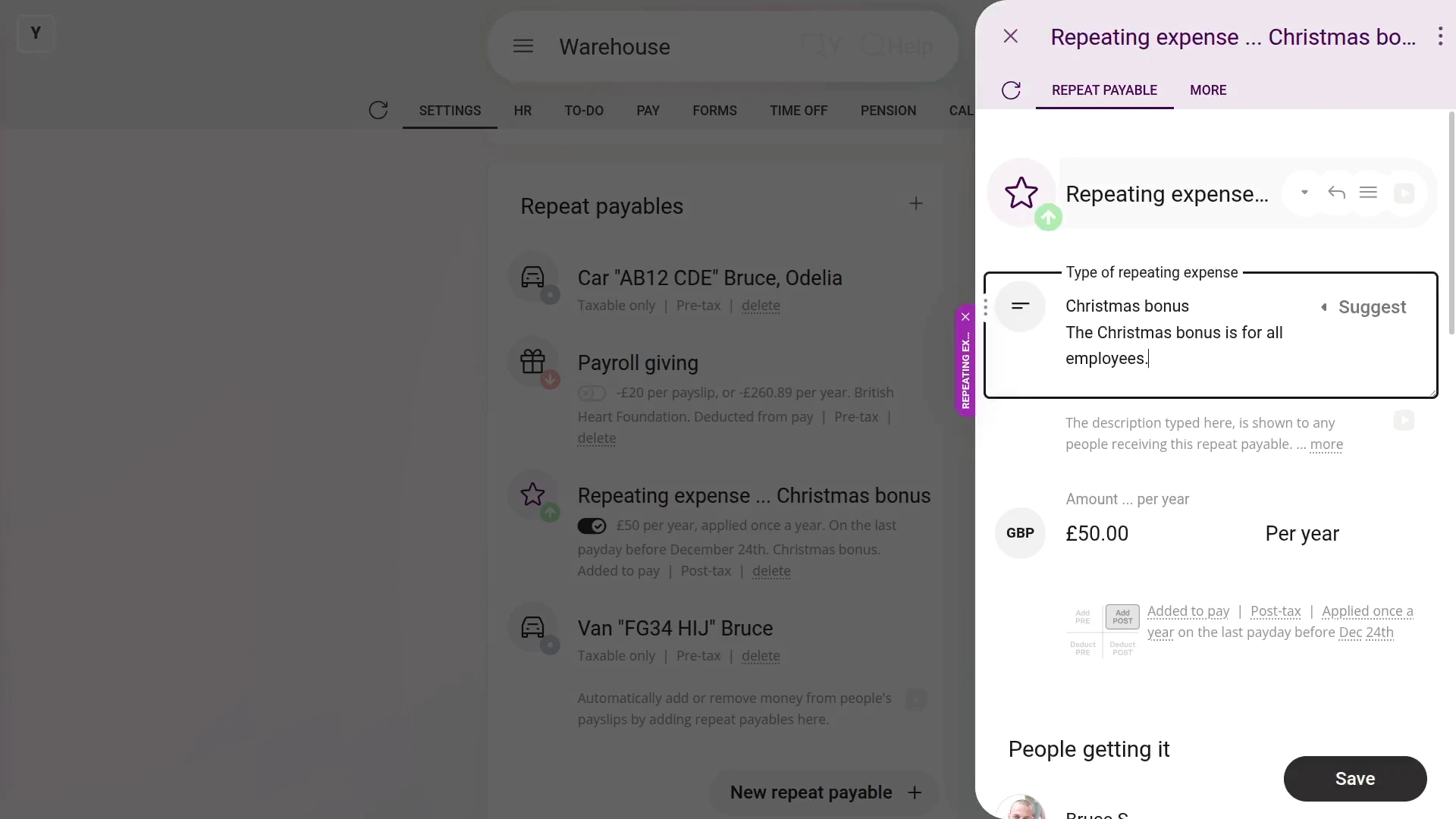
To add a description to a repeat payable:
- First, select the person or payroll group on: "Menu", then "Payroll groups"
- Then tap: "Settings", then "Payroll group settings"
- Then scroll right down to "Repeat payables" and find the one you'd like to add a description to.
- Once it slides out on the right, type in your description.
- Then tap: Save
- And finally, you'll see the description that you typed, which can now also be seen by your people.

You may notice:
- The description can be seen by all the people who get the repeat payable.
- Which can be a useful way to help them understand what the repeat payable is for.
Keep in mind that:
- The description option is available for most personal and payroll group repeat payables.
And that's it! That's everything you need to know about adding a description to a repeat payable!
How can I remind myself to come back and update a repeat payableHow do I add many people, or auto-add new people, to repeat payables
www.1st.money/help/Expenses/Repeat_payables/How_do_I_add_a_description_to_a_repeat_payable