1. How do I understand all the sections of my payslip?

 2:46
"How do I understand all the sections of my paystub?"
Your paystub gives you a permanent record of your pay for each pay period.
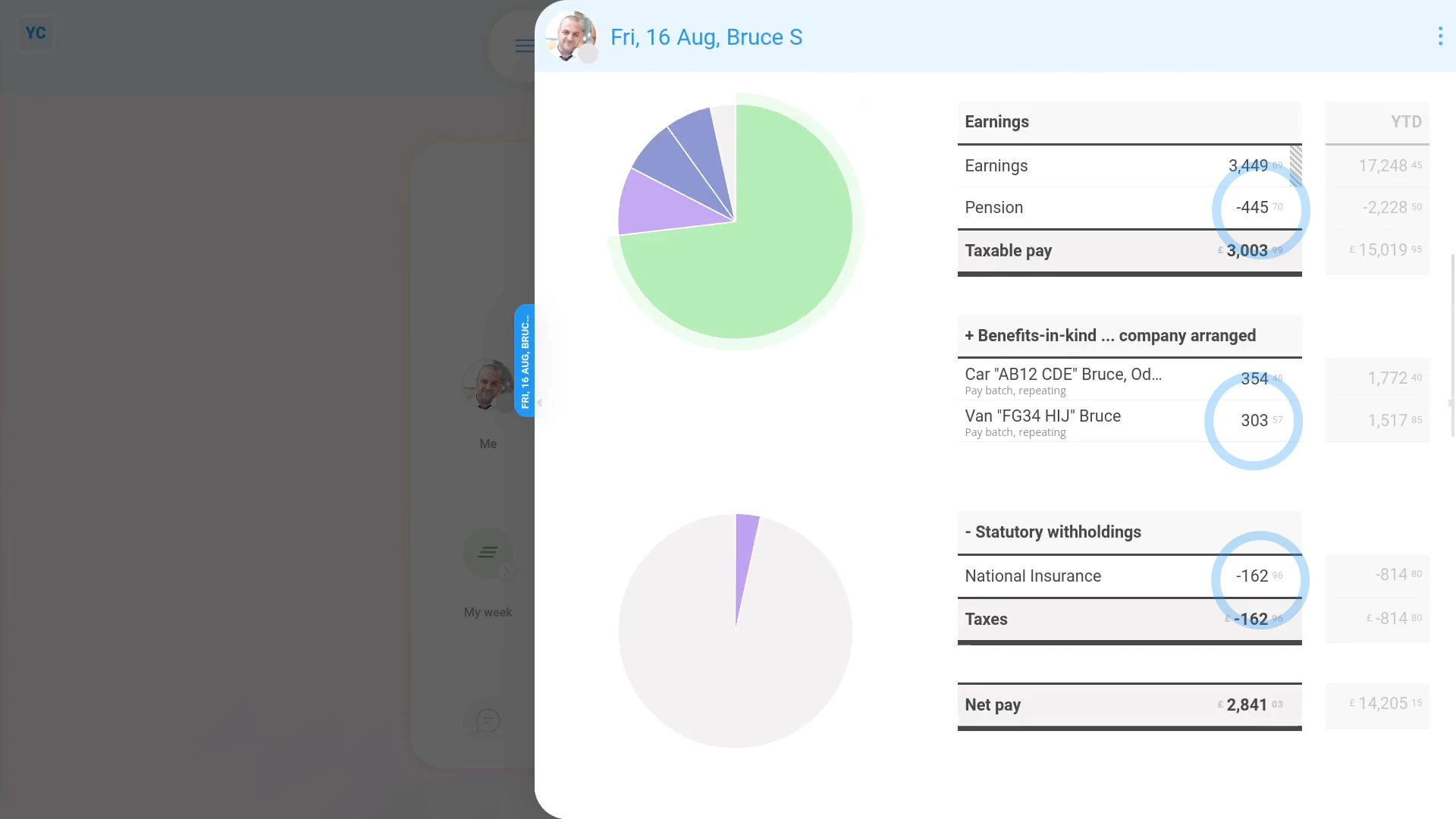
To understand each section of your paystub:
- First, to open your paystub, from your home screen, tap: "My paystub"
- And you're now looking at your most recently paid paystub.
- The first thing you'll notice is the big number (at the top).
- Which is your "Net pay", or, in other words, how much is paid into your bank account.
- Below it, you'll see notes on the start and end dates of your payroll group's pay period.
- And how often your payday is.
- If you need to go to the previous paystub, tap the left triangle, and it jumps back a paystub.
- And to go to the next paystub, tap the right triangle.
- Going down your paystub, you'll see two columns of numbers.
- The middle column of numbers shows you the money amounts for your current paystub.
- The right-hand column of numbers shows your "Year to date" money amounts. Or in other words, the total for the year, so far.
- When you hover your mouse over the money amounts in the middle column, you'll see an explanation for that amount.
- Near the bottom, you'll see other details like your "National Insurance number", your "Tax code", and the "IRmark" that serves as evidence that the paystub was filed with HMRC.
- You'll also see a summary of your banking details that your employer has on file, and the contact details of your employer's selected pension provider.
- Back up to the top. If your employer filed your paystub late, you'll see it marked in red.
- And finally, if you've ever lost the paystub PDF that was emailed to you, and need it re-downloaded, tap: Download PDF

You may notice:
- If you've set your "4-Digit doc PIN", each PDF is protected when you receive your paystub PDF by email.
- However, if you're applying for a bank loan or mortgage, you may need to submit paystub PDFs without the doc PIN protection.
- To download an unprotected paystub PDF, download it directly from inside 1st Money.
- That way, you'll get your paystub PDF, without your 4-digit doc PIN, that can then be submitted to your bank.
To learn more:
- About password protecting PDFs, watch the video on: Setting your PDF doc PIN
- To learn more about how to download a copy of your past paystubs, watch the video on: Downloading & printing paystubs
 Setting your PDF doc PIN
And that's it! That's everything you need to know about each section of your paystub!
www.1st.money/help/Payroll/Payslips/1._How_do_I_understand_all_the_sections_of_my_payslip