Cat. C. Vouchers and credit cards


1. If vouchers are given to an employee, how's it recorded?

 2:27
2:27
"If vouchers are given to an employee, how's it recorded?"
When the company gives employees a voucher, it needs to be recorded as a: "Benefit-in-kind"
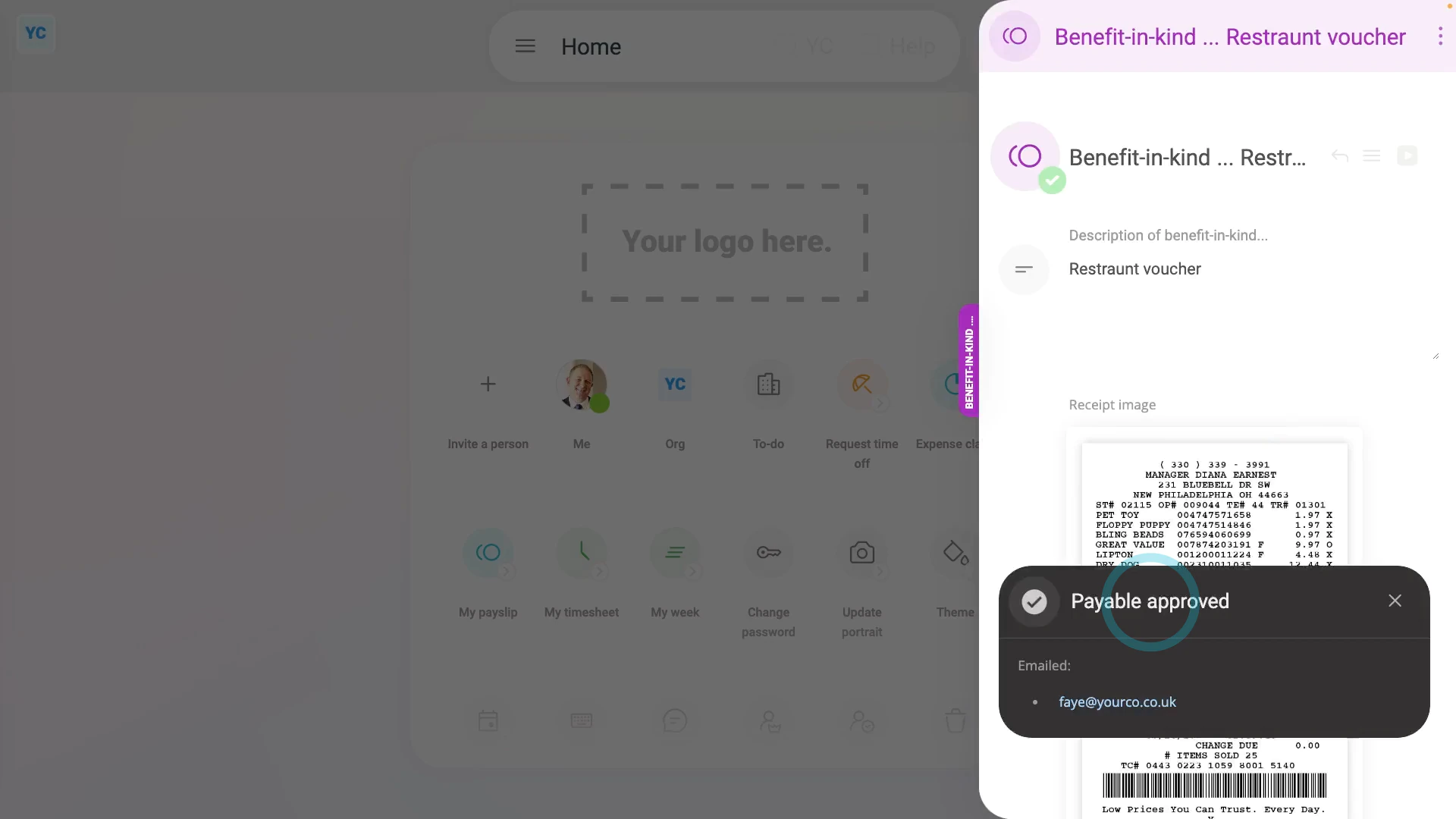
To record a voucher given to an employee by a company:
- First, tap: "Menu", then "Add / deduct from pay"
- Next, tap: Benefit-in-kind
- Then select: One-off
- Select the person who's been given the voucher.
- If you've got an image, like a receipt, that you'd like to include, you can upload, or take a photo of it.
- Then decide from the benefit-in-kind suggestions, or tap "type directly" (at the top) to type in your own short description of the one-off benefit-in-kind.
- Type in the value of the voucher.
- And when it's a payroll admin who's entering it, the expense is automatically approved.
- Then tap its "Edit" button:
- Set "Arranged by" to: "Employee"
- Optionally, if there's a co-pay, or an amount that the person's agreed can be deducted from their pay, enter that also in: "Employee deducted co-pay"
- Then tap: Save
- Now, you can see the benefit-in-kind showing on the person's payslip.
- And when you hover your mouse over the "Benefit-in-kind" amount, you'll see the details.
- There may have been a co-pay, or an amount that the person's agreed can be deducted from their pay. If so, you'll also see that amount showing as "Employee deducted co-pay" with its own notes when you hover.
- And finally, you'll know that the voucher's value is being correctly recorded and taxed.

Keep in mind that:
- The co-pay amount is automatically set to be deducted from the person's payslip.
- So because the person's paying for it from their payslip, you don't have to separately collect the co-pay amount from the person.
- Also, there's no difference in the treatment of vouchers that're exchangeable for goods and services, compared to vouchers that're exchangeable for cash only.
And that's it! That's everything you need to know about how to record a voucher given to an employee by a company!
2. How do I record employee personal items bought on a company card?
 2:14
2:14
"How do I record employee personal items bought on a company card?"
When an employee buys personal items on a company credit card, it's normally recorded as a: "Benefit-in-kind"
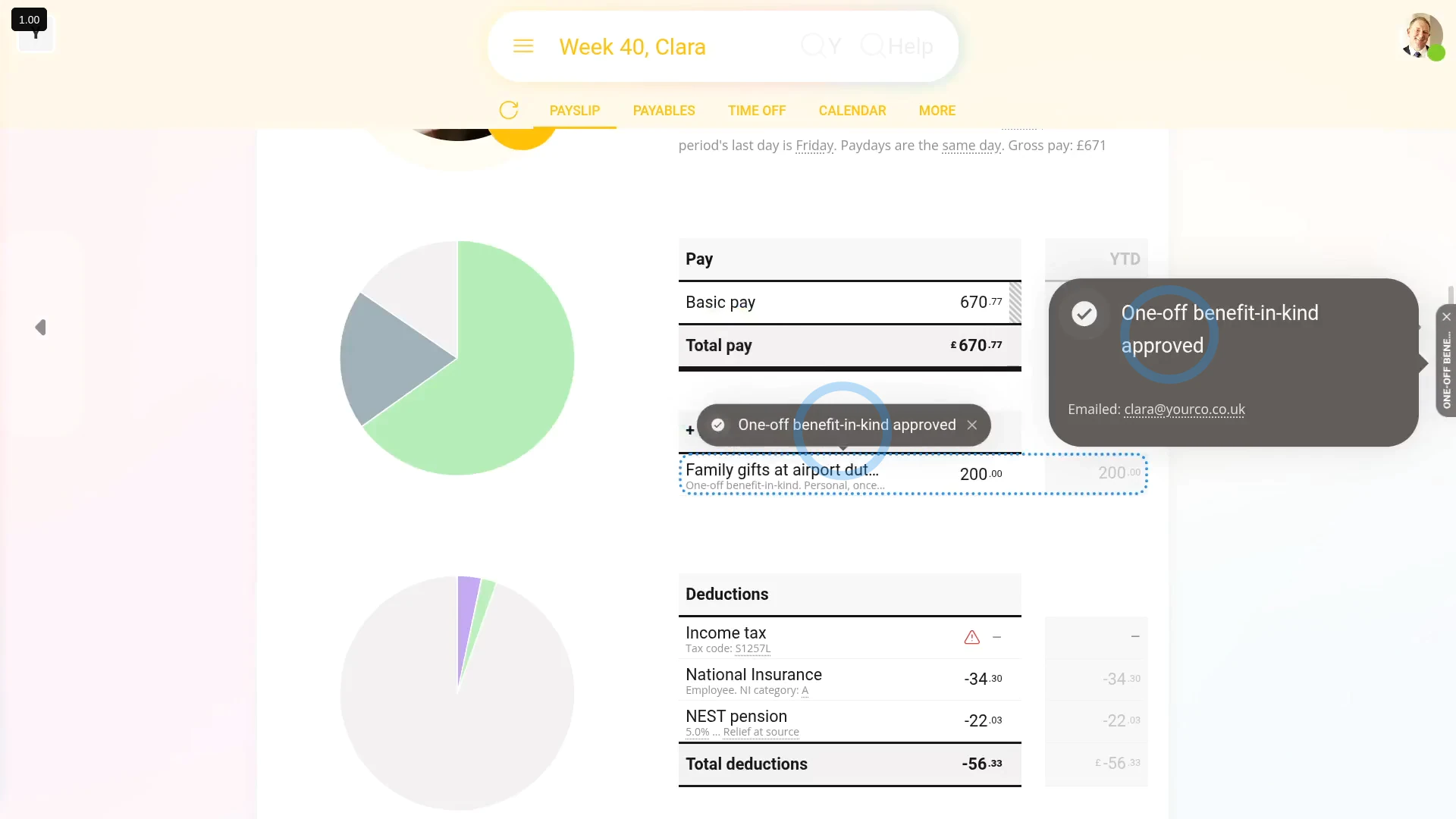
To record a benefit-in-kind when an employee buys personal items on a company credit card:
- First, tap: "Menu", then "Add / deduct from pay"
- Then tap: Benefit-in-kind
- Then select: One-off
- Select the person who used a company credit card to buy personal items.
- You can attach an image, like a receipt, or tap: Skip image
- Then decide from the benefit-in-kind suggestions, or tap "type directly" (at the top) to type in your own short description of what was purchased.
- Type in how much was spent by the employee.
- And when it's a payroll admin who's entering it, the expense is automatically approved.
- Then tap its "Edit" button:
- Set "Arranged by" to "Employee", and tap: Save
- And when you hover your mouse over the "Benefit-in-kind" amount, you'll see the details.
- And finally, you'll know that the purchased items' value is being correctly recorded and taxed.
Keep in mind that:
- Recording an employee's personal items purchases applies equally to those done with a company debit card, or other company charge card.
- Also, it applies equally whether the company approved of the purchase or not.
- However, in most cases, the employee's company credit card purchase was for approved business purposes, like business travel, and not for personal items.
- For any business related purchase, using a company credit card, nothing needs to be recorded in their payroll.
And that's it! That's everything you need to know about what to do when an employee buys personal items on a company credit card!
www.1st.money/uk/help/Expenses/Cat._C._Vouchers_and_credit_cards/