Cat. A. Assets transferred

2 videos, with a playing time of 4 minutes
1. If an asset's sold or gifted to an employee, how's it recorded?

 2:40
2:40
"If an asset's sold or gifted to an employee, how's it recorded?"
When the company sells or gifts an asset to an employee, it's considered a: "Benefit-in-kind"
To record selling or gifting of assets to employees:
- First, tap: "Menu", then "Add / deduct from pay"
- Next, tap: Benefit-in-kind
- Then select: One-off
- Select the person who's being sold or given the asset.
- You can attach an image, like a receipt, or tap: Skip image
- Then decide from the benefit-in-kind suggestions, or tap "type directly" (at the top) to type in your own short description of the one-off benefit-in-kind.
- And tap: Next
- Type in how much the asset is worth when you're transferring it to the employee, and tap: Next
- Since it's a payroll admin who's entering it, the expense is automatically approved, and you'll be taken to the row in the payslip.
- Optionally, you can enter an employee co-pay amount if you're selling the asset. Or, in other words, if the employee's paying an amount towards the asset.
- To add a co-pay amount first, tap its "Edit" button:
- Then enter the amount in "Employee deducted co-pay"
- By default, "Arranged by" is already set to: "Company"
- Then tap: Save
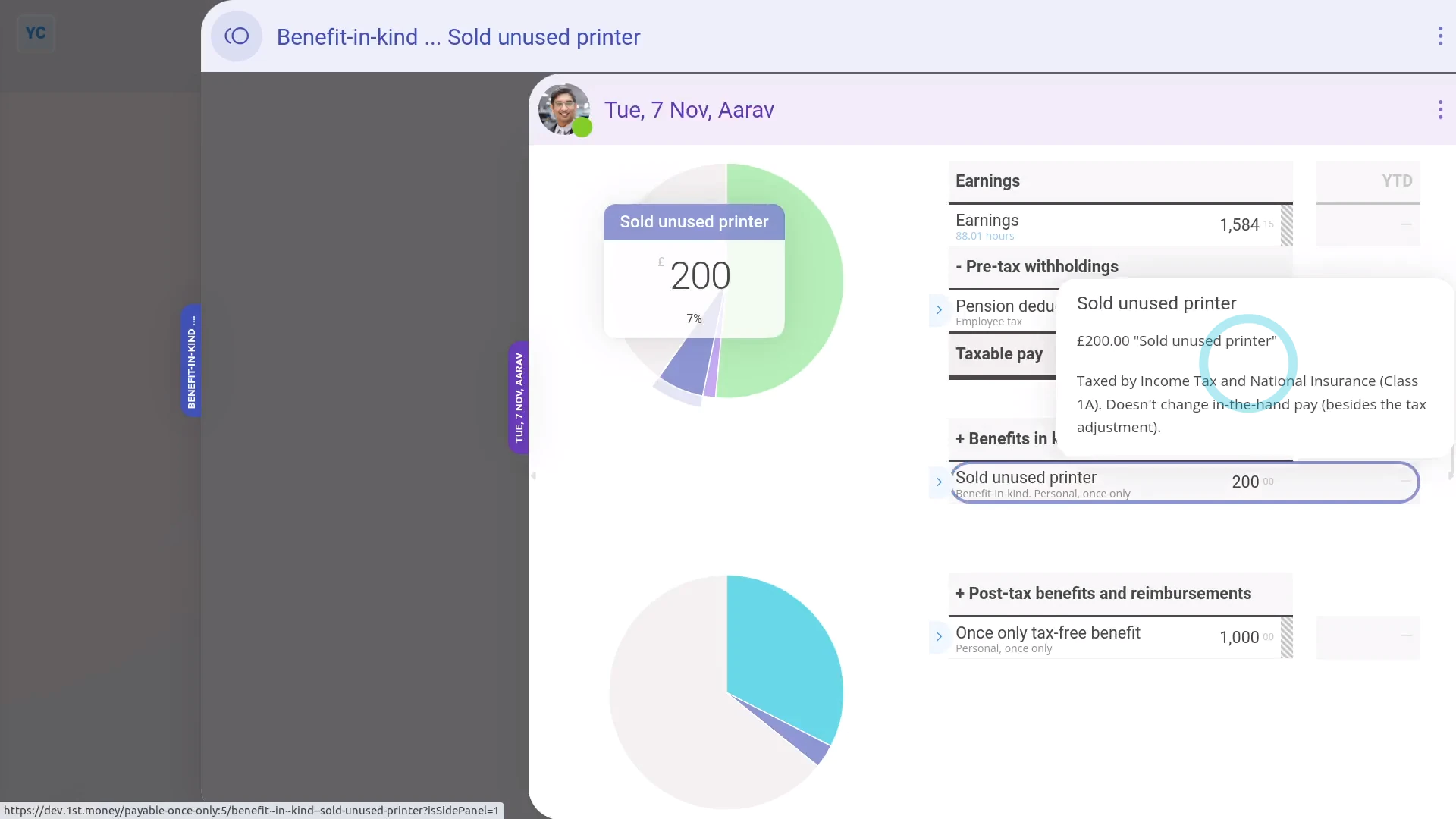
- And when you hover your mouse over the "Benefit-in-kind" amount, you'll see the details.
- There may have been a co-pay, or an amount that the person's agreed can be deducted from their pay. If so, you'll also see that amount showing as "Employee deducted co-pay" with its own notes when you hover.
- And finally, you'll know that the asset's value has been taxed by Income Tax (PAYE) correctly.

Keep in mind that:
- The co-pay amount is automatically set to be deducted from the person's payslip.
- So because the person's paying for it from their payslip, you don't have to separately collect the co-pay amount from the person.
- Also, a benefit-in-kind increases the employee's taxable pay, but doesn't increase the employee's in-the-hand pay.
- However, the person still gains by receiving the non-cash asset.
And that's it! That's everything you need to know about selling or gifting an asset to an employee!
2. If a company buys an asset from an employee, how's it recorded?
 2:03
2:03
"If a company buys an asset from an employee, how's it recorded?"
When the company buys an asset from an employee, the buying price of the asset is tax-free.
To record buying an asset from an employee:
- First, tap: "Menu", then "Add / deduct from pay"
- Next, tap: Add to pay
- Then select: One-off
- Select the person who the company is buying the asset from.
- Then tap: One-off tax-free benefit
- You can attach an image, like a sale agreement, or tap: Skip image
- Type in how much the asset is worth when you're buying it from the employee, and tap: Next
- Since it's a payroll admin who's entering it, the expense is automatically approved, and you'll be taken to the row in the payslip.
- If you'd like to add a short description of the asset the company's buying, tap its "Edit" button:
- Then type a short description of the asset.
- And tap: Save
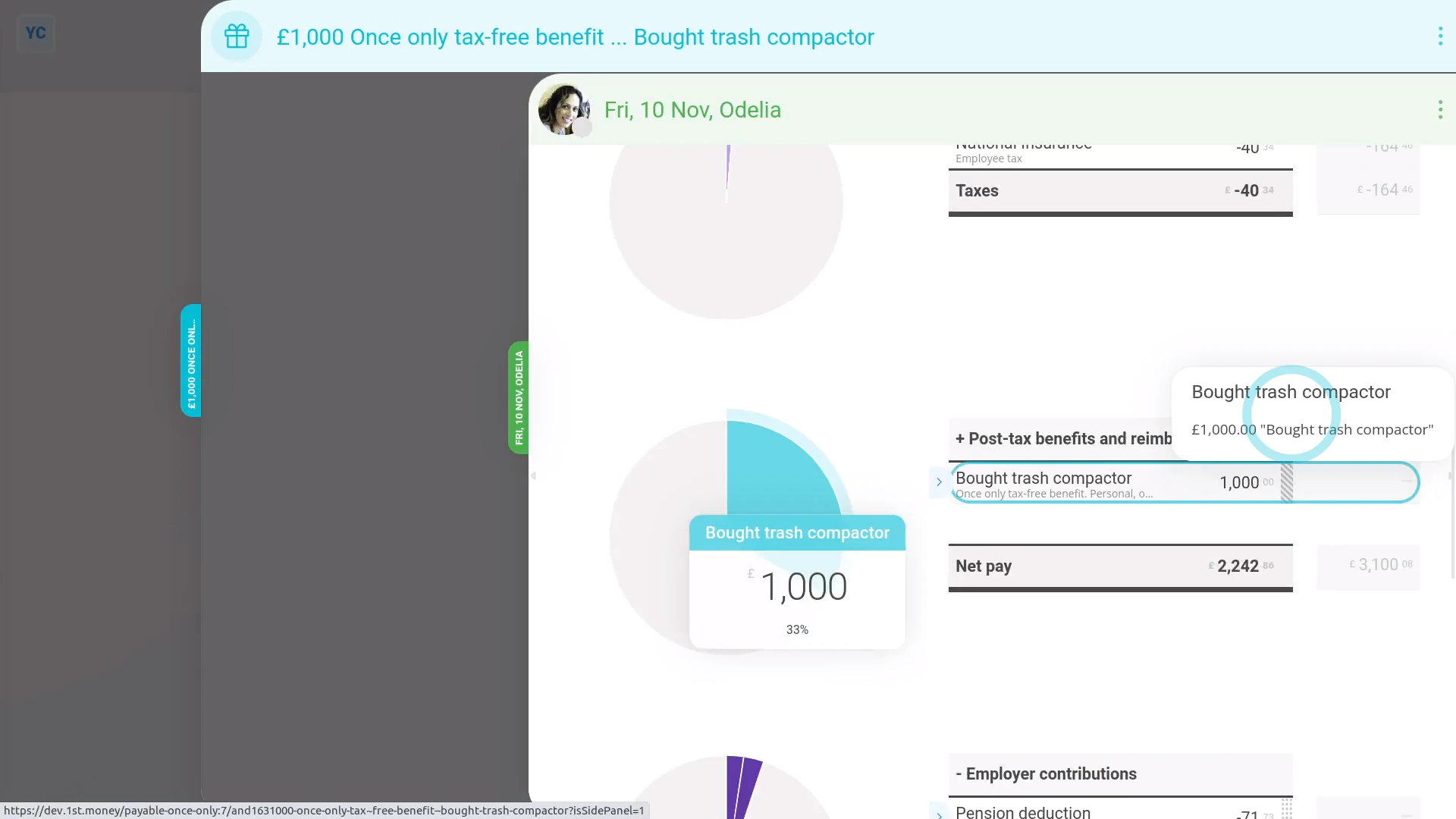
- And you'll now see the description appearing on the payslip.
- And when you hover your mouse over the "Once only tax-free benefit" amount, you'll see the details.
- And finally, you'll know that the asset's value is being correctly paid to the employee, free of tax.
Keep in mind that:
- If the company buys an asset from an employee for more than it's market value, the amount over the market value is taxable.
- To record it, still do the steps above, to record the amount up to the market value.
- And then also add a "One-off taxable benefit" expense for the amount over the market value.
And that's it! That's everything you need to know about buying an asset from an employee!
www.1st.money/uk/help/Expenses/Cat._A._Assets_transferred/