Cat. J. Qualifying relocation

1 videos, with a playing time of 3 minutes
How do I enter both 'qualifying' and remaining moving costs?

 4:04
4:04
"How do I enter both "qualifying" and remaining moving costs?"
When moving house, your "qualifying" moving cost can be up to the tax-free maximum of £8,000, and is recorded as a "Standard moving expense". Anything over the tax-free maximum of £8,000 is recorded as a: "Remaining moving expense"
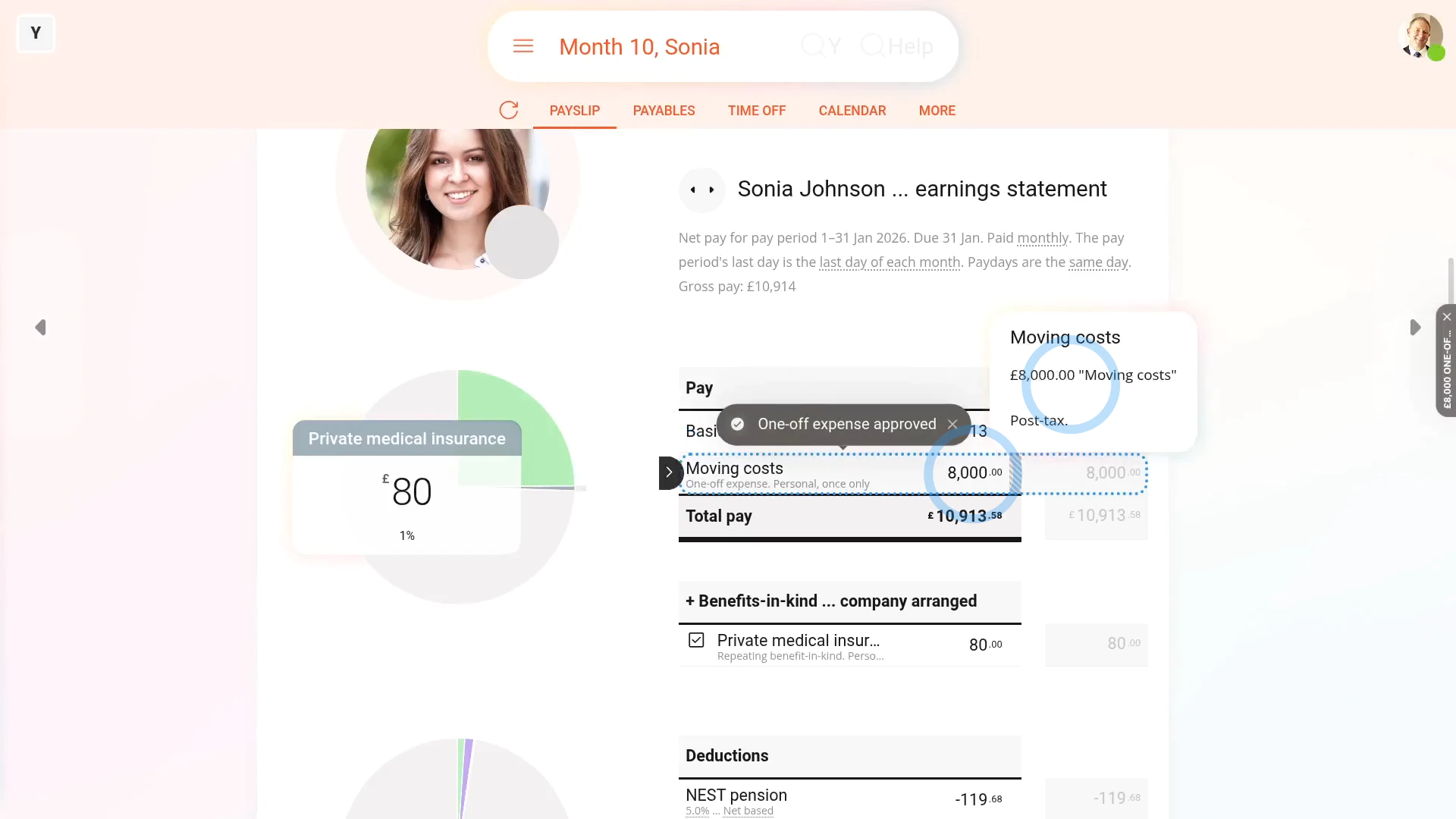
To create a "Standard moving expense" for your part up to a tax-free maximum of £8,000:
- First, if your total "qualifying" moving costs are over the £8,000 tax-free limit, you'll need to start by creating a "Standard moving expense" for the original £8,000.
- And then separately create a "Remaining moving expense" for the remaining amount.
- However, keep in mind, if your total cost's less than the £8,000 tax-free limit, you'll only need to do the first step.
- To start with the first step, tap: "Menu", then "Add expense claim"
- Select the person who's moving.
- If you've got an image, like a receipt, that you'd like to include, you can upload, or take a photo of it.
- Then tap: Next
- And select "Moving costs", then tap: Next
- If your amount's less than £8,000, then enter it. However, if it's over, enter only £8,000, and tap: Next
- And when it's a payroll admin who's entering it, the expense is automatically approved.
- And finally, when you hover your mouse over the "Expenses" amount, you'll see the details.
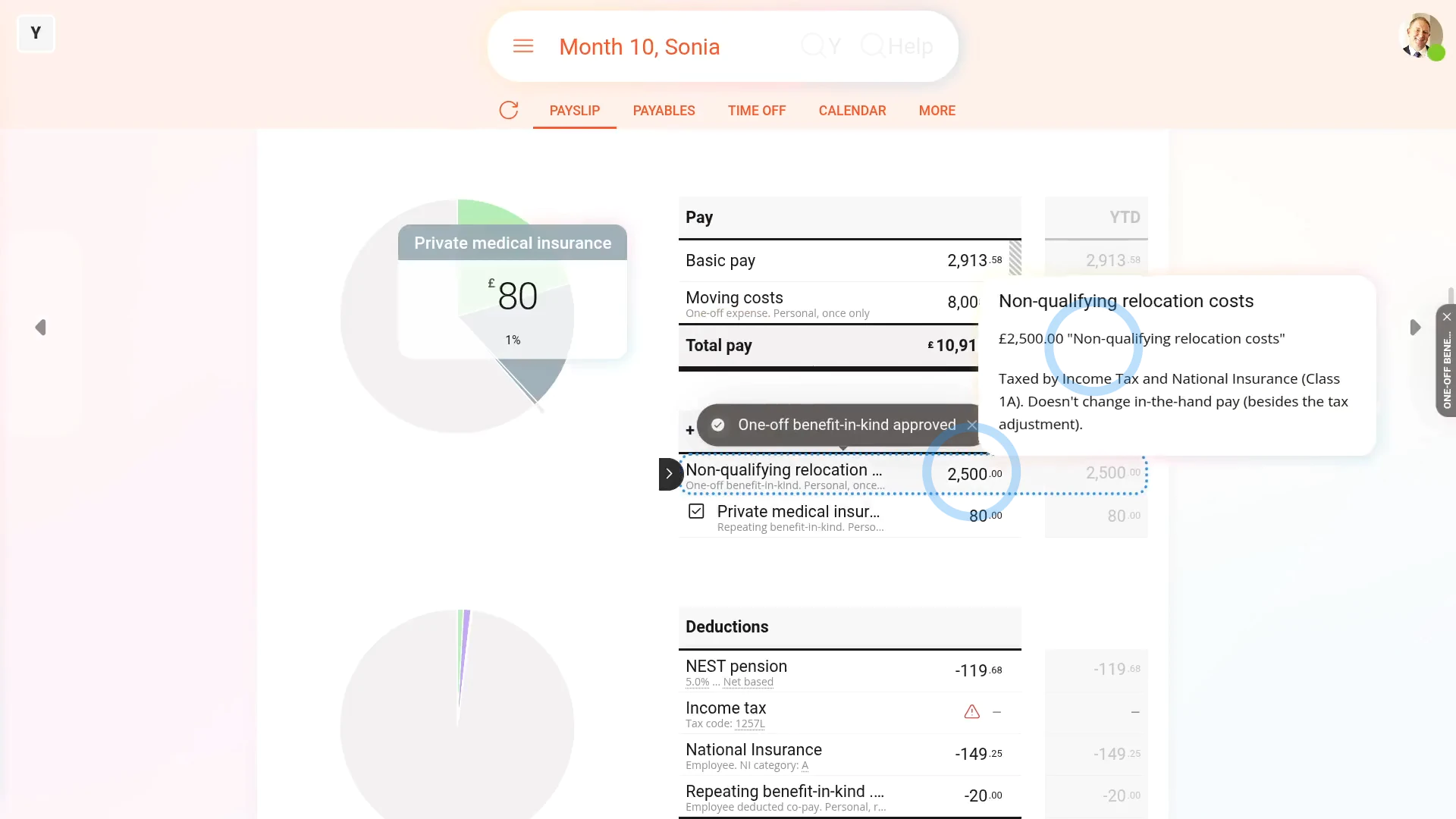
To create an optional "Remaining moving expense" for only when a person's moving cost was over your tax-free maximum of £8,000:
- First, tap: "Menu", then "Add / deduct from pay"
- Next, tap: Benefit-in-kind
- Then select: One-off
- And again select the person who's moving.
- You can re-attach the same image again, or tap: Skip image
- Select "Qualifying relocation", and tap: Next
- Next, calculate the amount that's remaining, over the £8,000 tax-free limit.
- Then enter that remaining amount only.
- And when it's a payroll admin who's entering it, the expense is automatically approved.
- And when you hover your mouse over the "Benefit-in-kind" amount, you'll see the details.
- And finally, it's in addition to the "Expenses" amount you entered earlier. Both are repaid together on the same payslip.

Keep in mind that:
- Qualifying moving costs include buying or selling the house, moving, buying things for the house, and bridging loans.
- If the moving costs are "qualifying" and less than the tax-free maximum of £8,000, there's no tax or National Insurance to pay.
- If it turns out that the moving expense isn't "qualifying", as an admin, create an expense claim for the person as a: "Once only taxable benefit"
- To add a "One-off taxable benefit" reimbursement, watch the video on: One-off benefit-in-kind
 One-off benefit-in-kind
Also remember that:
- All the steps assume that it's a payroll admin who's entering the moving costs.
- If it's the person who's entering them, the only thing that changes is that the payroll admin still needs to approve them.
- The expense claims won't show up on the person's payslip until the payroll admin has approved them.
To learn more:
- About what's included in the "qualifying" relocation costs, go to GOV.UK.
- Also, if you're searching the internet for more info, HMRC sometimes labels "moving costs" as: "qualifying costs"
And that's it! That's everything you need to know about adding "qualifying" moving costs!
www.1st.money/uk/help/Expenses/Cat._J._Qualifying_relocation/