Cat. L. Assets placed at employee's disposal

1 videos, with a playing time of 3 minutes
If a company provides an asset for an employee's private use, how's it recorded?

 3:32
3:32
"If a company provides an asset for an employee's private use, how's it recorded?"
When your company provides an asset for an employee's private use, it's considered a "Benefit-in-kind". HMRC recommends to take 20% of the asset's value, and set it up as a repeating "Benefit-in-kind", spread over five years.
To add an asset provided by a company, for an employee's private use, as a repeating "Benefit-in-kind":
- First, select the person who's getting private use of the company provided asset on: "Menu", then "People"
- Next, go to: "Pay", then "Pay settings"
- And scroll down to the "Repeat payables ... personal" heading.
- Then tap: New repeat payable
- Next, tap: Benefit-in-kind
- Then decide from the benefit-in-kind suggestions, or tap "type directly" (at the top) to type in your own short description.
- Then type in how much the asset's value as the yearly payment value, spread over five years, and tap: Next
- Next, select the yearly time frame: "Amount type"
- By default, "Arranged by" is already set to: "Company"
- Then scroll down and tap the "Advanced" heading.
- Optionally, if there's a co-pay, or a yearly amount that the person's agreed can be deducted from their pay, enter that also in: "Employee deducted co-pay"
- And then to set the repeat payable to end in exactly five years, in "Ends on", tap Set to today, and then tap in to manually change the date, and add five years to it.
- Then tap: Save
- Then on the repeat payable, tap the "see on payslip" link.
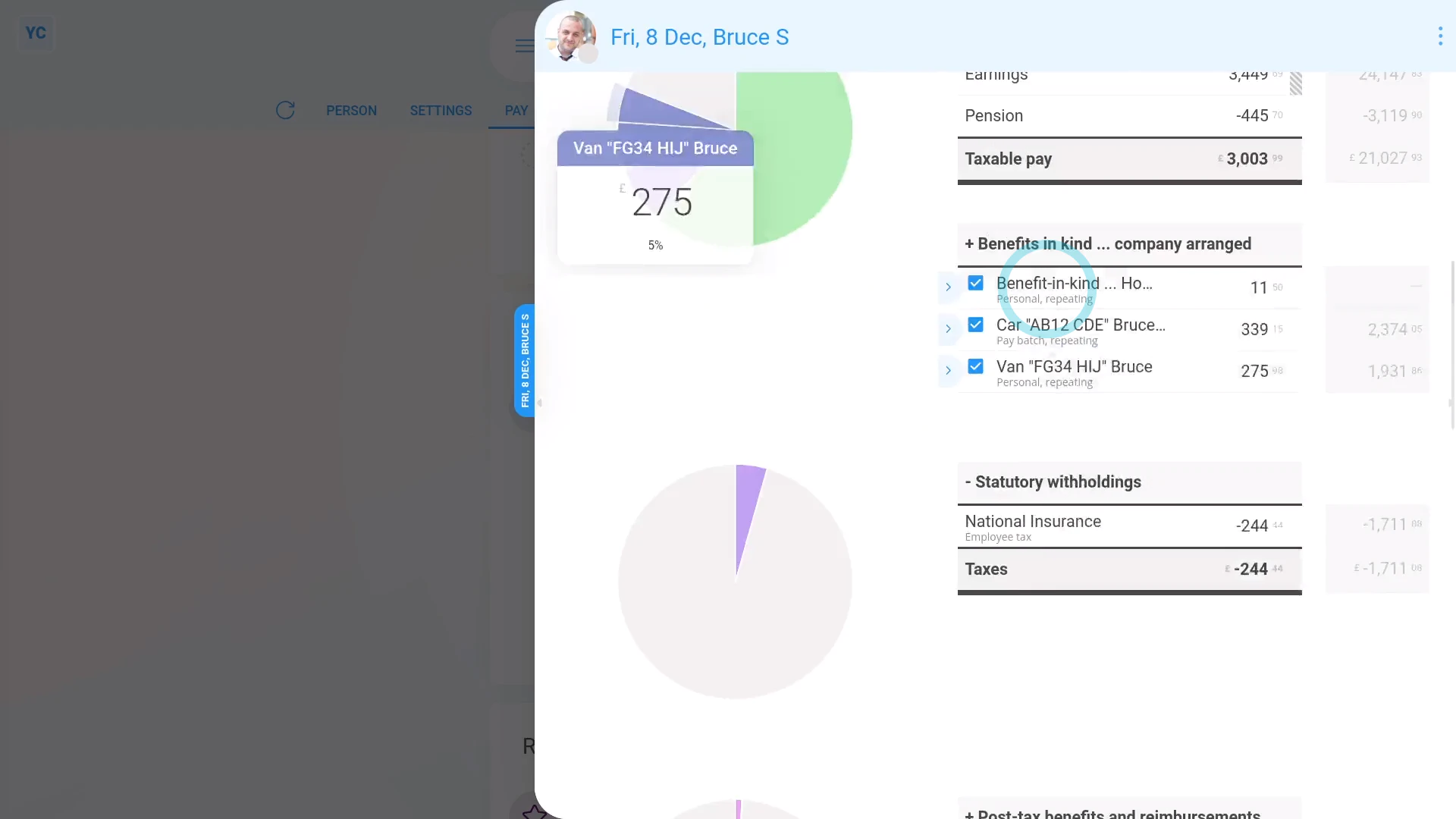
- You'll now see an amount showing under: "Benefits-in-kind ... company arranged"
- And if you hover your mouse over the amount, you'll see a breakdown of the calculation.
- There may have been a co-pay, or an amount that the person's agreed can be deducted from their pay. If so, you'll also see that amount showing as "Employee deducted co-pay" with its own notes when you hover.
- Then if you tap the "Next payslip" circle, you'll see the same amounts repeated on every payday. Including "Benefit-in-kind" and: "Employee deducted co-pay" (repeated for the next five years)
- If you later decide you want to remove, or stop the repeating "Benefit-in-kind", tap its "Edit" button:
- And finally, you can change any part of it, including changing the "Ends on" date to finish earlier, if required.

Keep in mind that:
- The co-pay amount is automatically set to be deducted from the person's payslip.
- So because the person's paying for it from their payslip, you don't have to separately collect the co-pay amount from the person.
- Also, a "Benefit-in-kind" increases the person's tax, and doesn't increase the person's in-the-hand pay.
- However, the person still gains by receiving use of the non-cash asset.
To learn more:
- About working out the value of assets made available to an employee, go to GOV.UK.
- And to learn more about deleting or un-deleting a repeat payable, watch the video on: Deleting a repeat payable
 Deleting a repeat payable
And that's it! That's all you need to do to add an asset for an employee's private use!
www.1st.money/uk/help/Expenses/Cat._L._Assets_placed_at_employee's_disposal/