How do I understand added vs deducted, and post-tax vs pre-tax?
 4:12
"How do I understand added vs deducted, and post-tax vs pre-tax?"
The "added" vs "deducted", and "post-tax" vs "pre-tax" options can be tricky to understand.
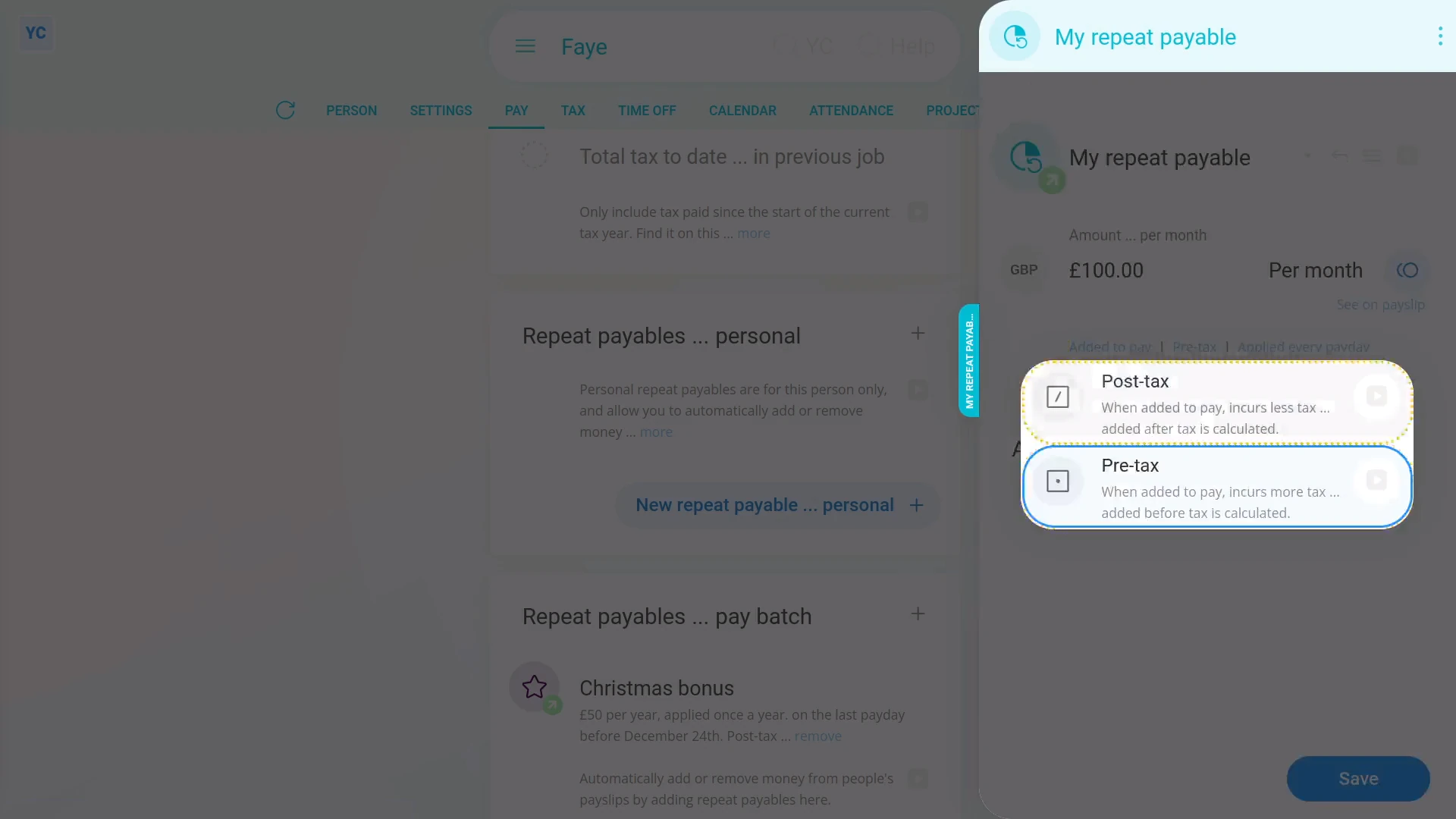
To see pay adjustment options, including Add vs Deduct, and Pre-tax vs Post-tax:
- First, tap: "Menu", then "Add / deduct from pay"
- Now you can decide between "Added to pay", or: "Deducted from pay"
- To see the same options for a repeat payable:
- First, open: "Menu", then "People"
- And then go to: "Pay", then "Pay settings"
- And scroll down to the "Repeat payables ... personal" heading.
- Then tap: New repeat payable
- Next, tap: Add to pay
- And select the type.
- Select an option from the list, or type your own directly.
- And set the amount.
- Next up, set the frequency.
- And tap: Save
- Now, when you tap See on paystub, you'll see the addition to pay listed under the "Pay" heading.
- And if you hover your mouse over the amount, you'll see the details of the repeat payable.
- The person's better off, as their pay gets added the full amount, without taxes being deducted.
- The person's received the full amount added to their pay because it's post-tax.
- Examples of "Post-tax" amounts that are "Added to pay" includes: expense claims, out-of-pocket expense reimbursements, company travel expenses, and "per diems" like company business trip costs.
- Next, try setting it to "Repeating subtraction".
- Now, when you tap See on paystub, you'll see the change in pay listed under the "Deductions" heading.
- You'll also notice that it's listed below the "Income tax" row.
- The person's worse off, as their pay is having an amount removed, after already having been reduced by taxes.
- The person's had the full amount deducted from their pay because it's post-tax.
- Examples of "Post-tax" amounts that are "Deducted from pay" includes: garnishments, debt repayments, child payments, alimony payments, County Court judgments (CCJs), employee paid insurance or medical premiums, charitable donations, and employee purchased uniforms or equipment.
- Following that, set it to "Repeating incentive".
- Now, when you tap See on paystub, you'll see the addition to pay listed under the "Pay" heading.
- The person's worse off, as their pay is having an amount added, which is then about to be reduced by taxes.
- Examples of "Pre-tax" amounts that are "Added to pay" includes: paystub underpayment corrections, bonuses, or employer paid retirement contributions.
- Next, set it to "Repeating deduction".
- Now, when you tap See on paystub, you'll see the change in pay listed under the "Deductions" heading.
- You'll also notice that it's listed above the "Income tax" row.
- The person's better off, as their pay is having an amount deducted, which hasn't been reduced by taxes yet. It's then paid out towards something that's wanted.
- And finally, examples of "Pre-tax" amounts that are "Deducted from pay" includes: paystub overpayment corrections, government approved employee retirement, health, or savings plans. It also includes government approved commuter schemes, and government approved charitable giving schemes.
And that's it! That's everything you need to know about a payable's four options, including "added" vs "deducted", and "pre-tax" vs "post-tax"!
www.1st.money/help/Expenses/How_do_I_understand_added_vs_deducted,_and_post-tax_vs_pre-tax