8. How do I send the EPS monthly to HMRC?

 2:07
"How do I send the EPS monthly to HMRC?"
Once you've reviewed all the sections of the EPS monthly, you'll be ready to send it to HMRC.
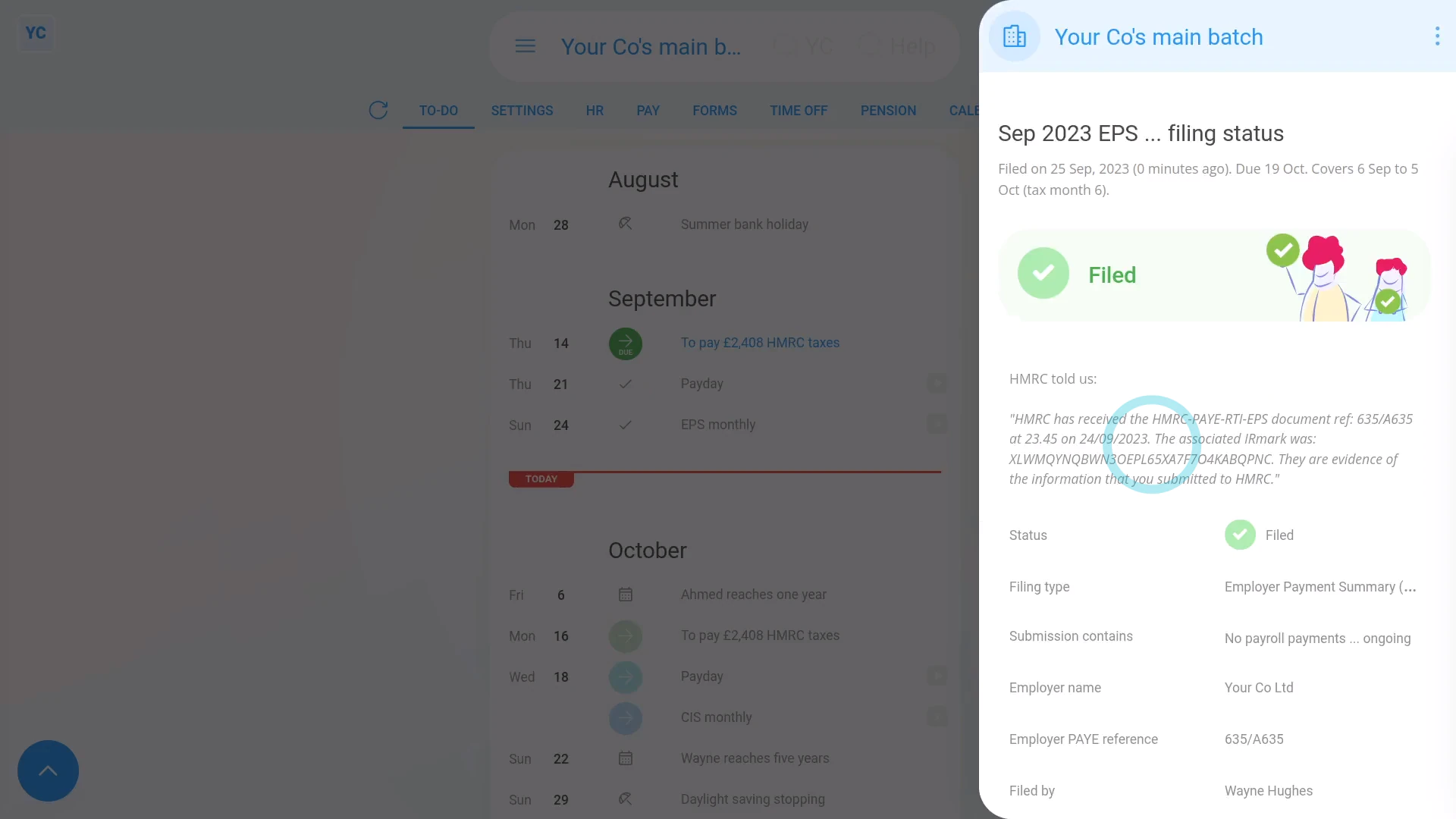
To send an EPS monthly to HMRC:
- First, select the payroll group on: "Menu", then "Payroll groups"
- Then tap: "Forms", then "EPS monthly"
- Once the EPS monthly is open, make all your changes.
- Then once you're all ready to send it to HMRC, tap: File with HMRC (at the bottom)
- It usually takes about 10 seconds for HMRC to finish processing your EPS and send back your confirmation receipt.
- The confirmation receipt can be used at any time if you ever need to prove to HMRC that you did send the EPS.
- Once it's finished, you'll see your confirmation receipt.
- Then back on your To-do list, you'll also see the check that confirms that the EPS was filed successfully.
- Also, if ever, in the future, you need to see the confirmation receipt again, you can tap the check.
- And finally, you'll see the stored confirmation receipt details again.

Keep in mind that:
- The EPS doesn't need to be sent each month. If your business doesn't have any changes for that tax month, there's no need to send it.
- The tax month is always the 6th of the month to the 5th of the next month.
- However, if your business does have changes, the payroll group's payday person gets an email reminder on the 17th of the month. Your EPS is then due by the 19th of the month.
To learn more:
- About making further changes to an EPS that's already been sent to HMRC, watch the video on: EPS: Changing a sent EPS
 EPS: Changing a sent EPS
And that's it! That's everything you need to know about sending an EPS monthly to HMRC!
7. How do I let HMRC know I've stopped being an employerHow do I change an EPS after it's already been sent to HMRC
www.1st.money/help/Payroll/EPS_Employer_Payment_Summary/8._How_do_I_send_the_EPS_monthly_to_HMRC