How do I send a written warning that includes a hearing request?

 4:07
"How do I send a written warning that includes a hearing request?"
A hearing is a formal meeting where the person can defend their side of the story of a more serious disciplinary action. After the hearing the company can then decide the outcome. The process of selecting, preparing, issuing, and tracking receipt of a hearing request is all automated by 1st Money.
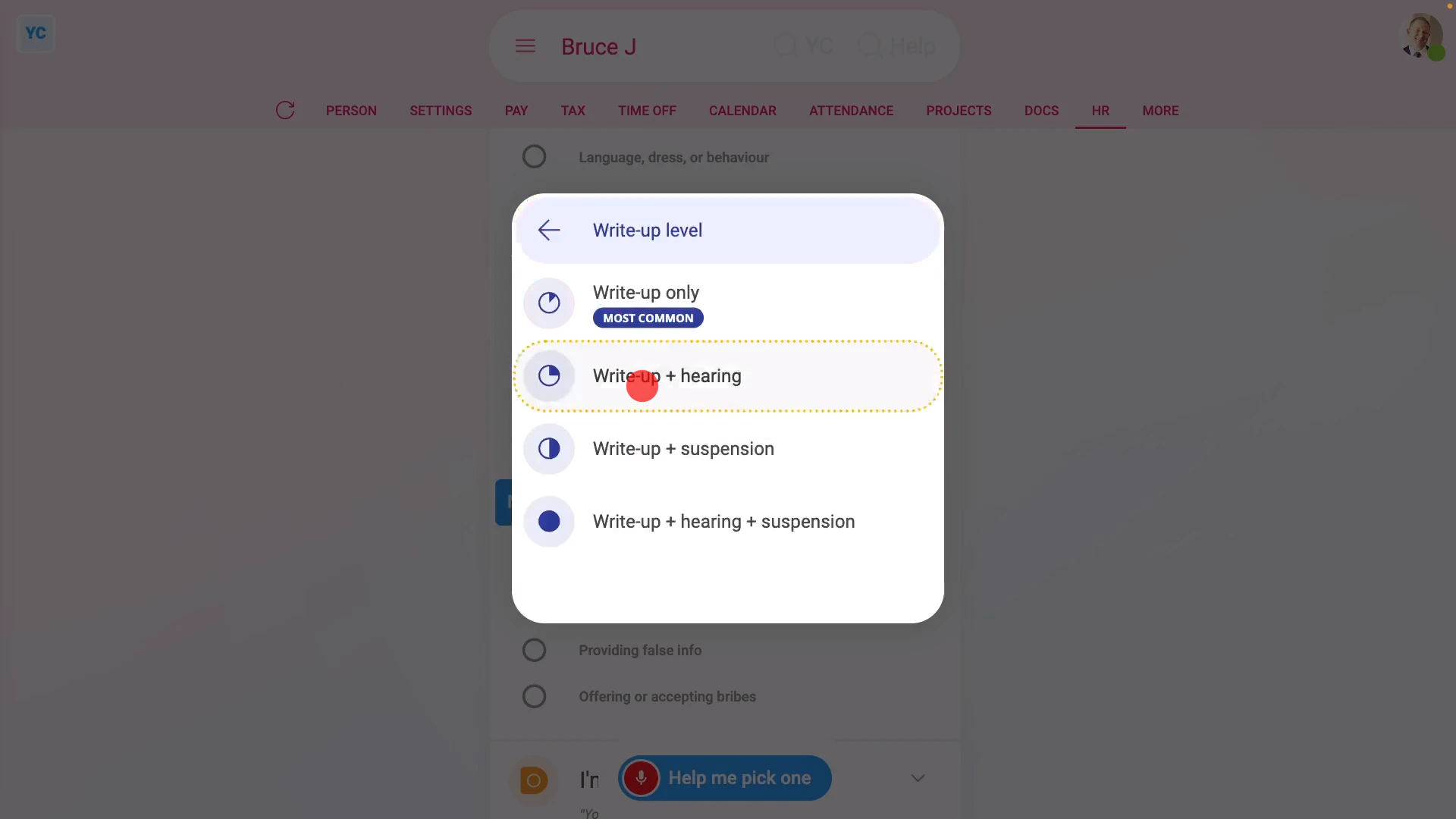
To send a written warning that includes a hearing request:
- First, select the person on: "Menu", then "People"
- Then tap: "HR", then "Disciplinary action"
- To select the subcategory of disciplinary action that the hearing's about, either tap Help me pick one, or select from the list of subcategories.
- In many cases, a hearing involves a subcategory marked with "Gross misconduct", but any subcategory can be selected.
- Once you've selected the subcategory, tap: Next
- Preparing the disciplinary action:
Next, in order to include a hearing request, select "Written warning", and then: "Written warning + hearing" - Once it slides out on the right, you'll see a list of questions that you'll need to confirm "Yes" to.
- Once you've read the questions, tap: "Yes" to all the above
- Next, you'll see the number of tasks that 1st Money automatically does for you.
- To see the details of what each task does, tap expand all: (at the top)
- Once you're happy with all the tasks, tap Continue, and then: Yes ... do it
- All the tasks are now done in the background.
- And finally, you'll see the disciplinary action added to the 12-month record of events.
- Issuing the disciplinary action doc:
Next, the person needs to be invited to the hearing. - A disciplinary action doc is prepared in the foreground, all ready for you to complete and send.
- Read through the disciplinary action doc, and tap the pick lists, one-by-one, including for the date and time of the hearing.
- Generally, it's recommended that you set the hearing date at least five working days from today.
- If you want to change some text, or type more text in, tap Show editor, and make your changes.
- Then when you're ready to send the disciplinary action doc, tap Request "Got it", then Yes ... request "Got it", and then: Close
- Receiving the disciplinary action doc:
The person now gets an email, asking them to confirm that the disciplinary action doc you've sent has been received. - The person can't access the rest of 1st Money until the person's tapped Got it to the disciplinary action doc.
- Record of events:
Now, on the "Record of events" tab, tap the disciplinary action to expand it. - You'll see that the doc's been sent.
- To see a copy of the sent doc, tap the "View" button: (at the end of the row)
- And finally, you'll see the status change, once the person eventually marks the doc as: "Got it"

Keep in mind that:
- If there's any doubt about whether the person's going to look at their email, it's recommended that you also call the person by phone.
- And tell them that a hearing request's been sent to their email.
To learn more:
- About what it looks like for the person to mark the doc as "Got it", watch the video on: Letters & docs confirmed with "Got it"
 Letters & docs confirmed with "Got it"
And that's it! That's everything you need to know about how to send a written warning that includes a hearing request!
How do I record a resignation, once their ending date is agreedHow do I strike a disciplinary action from the record
www.1st.money/help/Offboarding/How_do_I_send_a_written_warning_that_includes_a_hearing_request