5. How do I deduct the benefit-in-kind co-pay?

 1:51
1:51
"How do I deduct the benefit-in-kind co-pay?"
As part of receiving a benefit-in-kind, in some cases a person agrees to having a co-pay or an amount deducted from their pay.
To add a co-pay deduction to a benefit-in-kind:
- First, select the person who's agreed to a co-pay deduction for a benefit-in-kind, on: "Menu", then "People"
- Next, go to: "Pay", then "Pay settings"
- And scroll down to the "Repeat payables" heading.
- And tap the "Benefit-in-kind" that you'd like to add a co-pay deduction to.
- Once it slides out on the right, tap the "Advanced" heading.
- And enter the co-pay, or amount that the person's agreed can be deducted from their pay in: "Employee deducted co-pay"
- Then tap: Save
- And you'll now see, in your listing, that the co-pay deduction has been saved.
- To see the co-pay deduction on the person's payslip, under the benefit-in-kind, tap the "see on payslip" link.
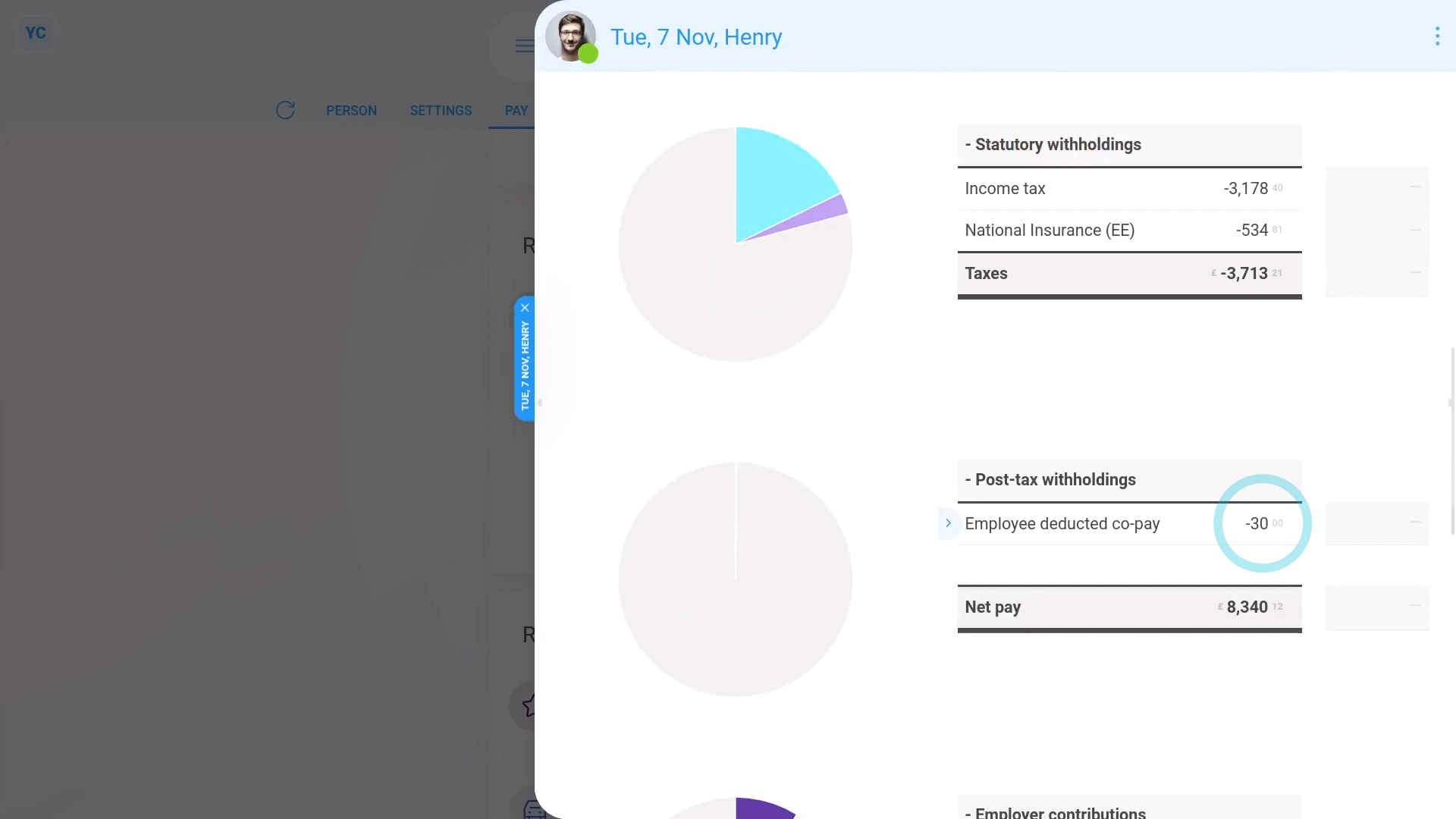
- You'll now see the "Employee deducted co-pay" showing under: "Deductions"
- And if you hover your mouse over the amount, you'll see a breakdown of the calculation.
- And finally, if you scroll back up to "Benefits-in-kind ... company arranged", you'll also see that the benefit-in-kind has been correctly reduced by the co-pay amount.

Keep in mind that:
- A co-pay deduction can be added to any type of benefit-in-kind.
- Including person or payroll group, and one-off or repeating.
And that's it! That's all you need to do to deduct a co-pay or amount a person's agreed to pay towards a benefit-in-kind!
www.1st.money/uk/help/Expenses/Benefits-in-kind/5._How_do_I_deduct_the_benefit-in-kind_co-pay