Ask AI

Using Ask AI to accept a resignation?

 1:35
1:35
Using Ask AI to accept a resignation
First, open Ask AI.
Then make your request:
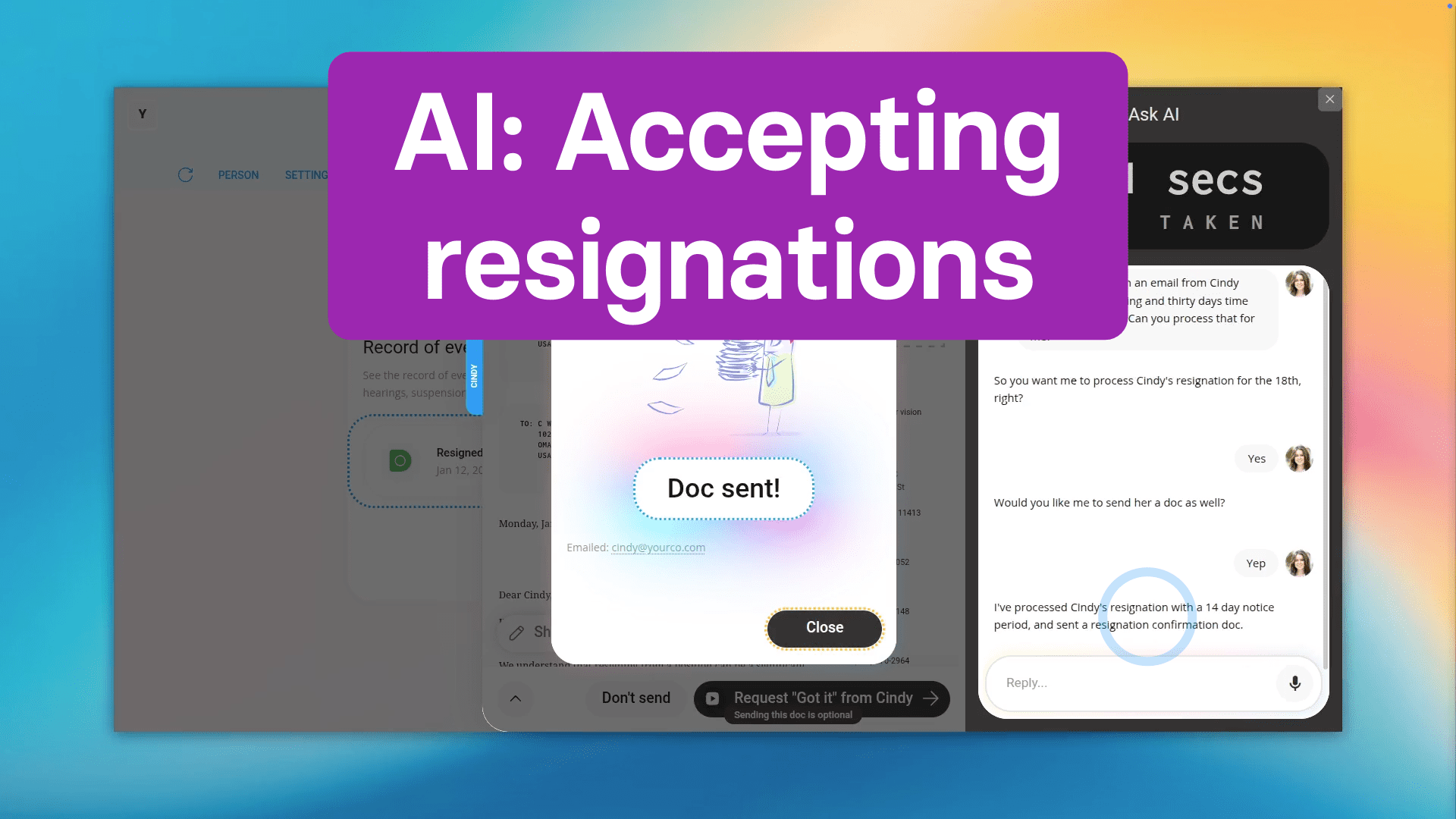
Hey! I've just gotten an email from Cindy saying she's resigning in 30 days time on the 18th, can you process that for me?
So you want me to process Cindy's resignation for the 18th, right?
Yes.
Would you like me to send her a doc as well?
Yep.
Got it, processing it now.
Now, as you watch the gray taps, the resignation is being processed 100% by Ask AI.
I've finished processing Cindy's resignation and I've sent her a doc.
And now Cindy's resignation's been successfully processed in 21 seconds.
And you can see Cindy's resignation's been processed in full compliance with local regulations, and she's been emailed a doc confirming the details of her resignation.
Normally, by hand, this would probably take at least 3 to 5 minutes, so Ask AI is at least 5 times faster!
So now, you can reimagine what's possible with 1st Money! Big things are happening, so check back soon!
Using Ask AI to add a disciplinary action?
 1:34
1:34
Using Ask AI to add a disciplinary action
First, open Ask AI.
Then tell it what you want done:
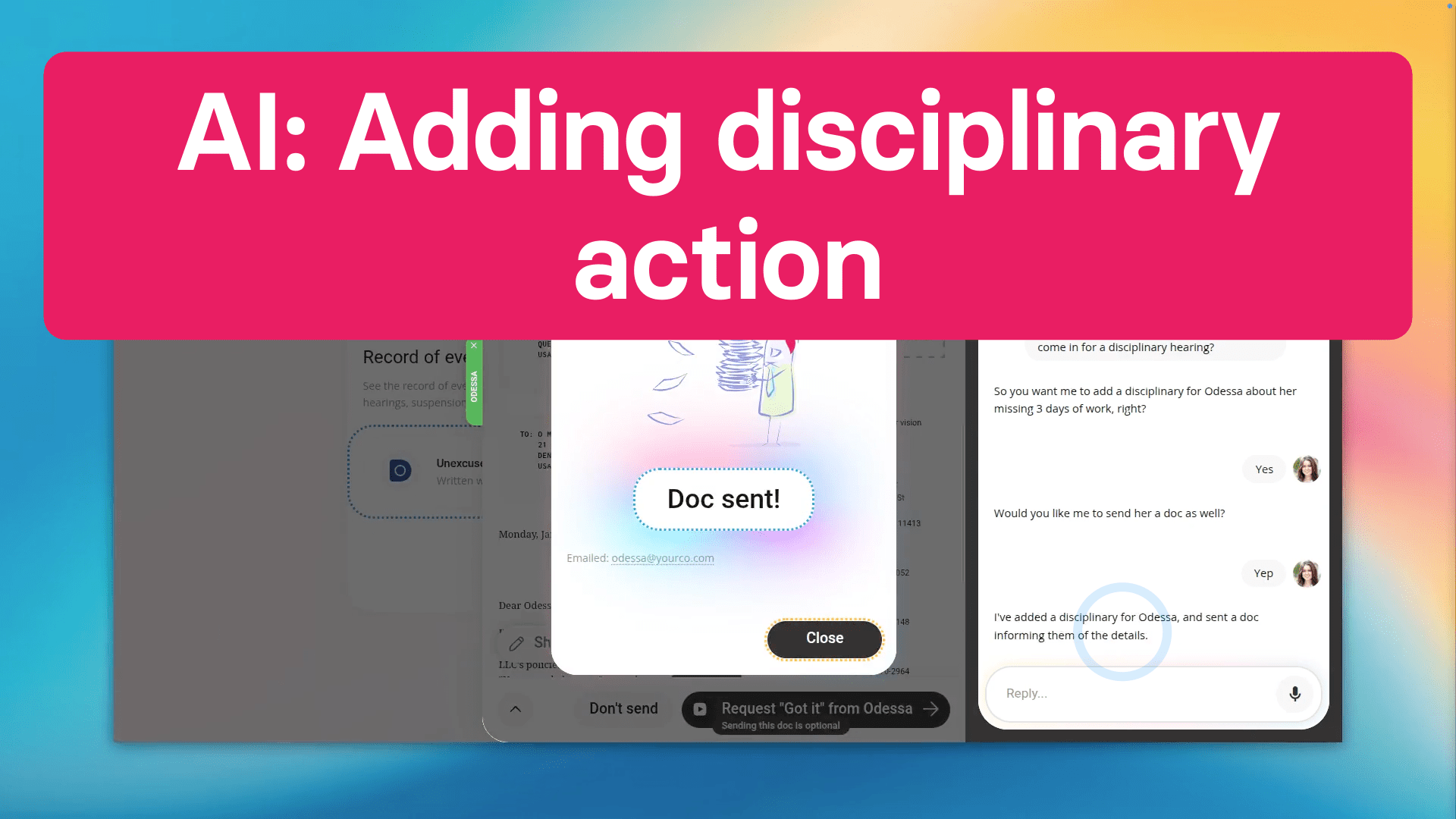
Hey, Odessa's missed 3 days of work in the last month. Can you ask her to come in for a disciplinary action hearing?
So you want me to add a disciplinary action for Odessa about her missing 3 days of work, right?
Yes.
Would you like me to send her a doc as well?
Yes.
Got it, adding it now.
Now, as you watch the gray taps, the disciplinary action is being added 100% by Ask AI.
I've finished adding Sonia's disciplinary action and I've sent her a doc.
And now Sonia's disciplinary action has been successfully added in 18 seconds.
And you can see Sonia's been emailed a disciplinary action doc confirming the details of her disciplinary action.
Normally, by hand, this would probably take at least 3 to 5 minutes, so Ask AI is at least 5 times faster!
So now, you can step into a more efficient future with only your voice! Big things are happening at 1st Money, so check back soon!
Using Ask AI to add an expense claim?
 1:07
1:07
Using Ask AI to add an expense claim
First, open Ask AI.
Next, tell it your request:
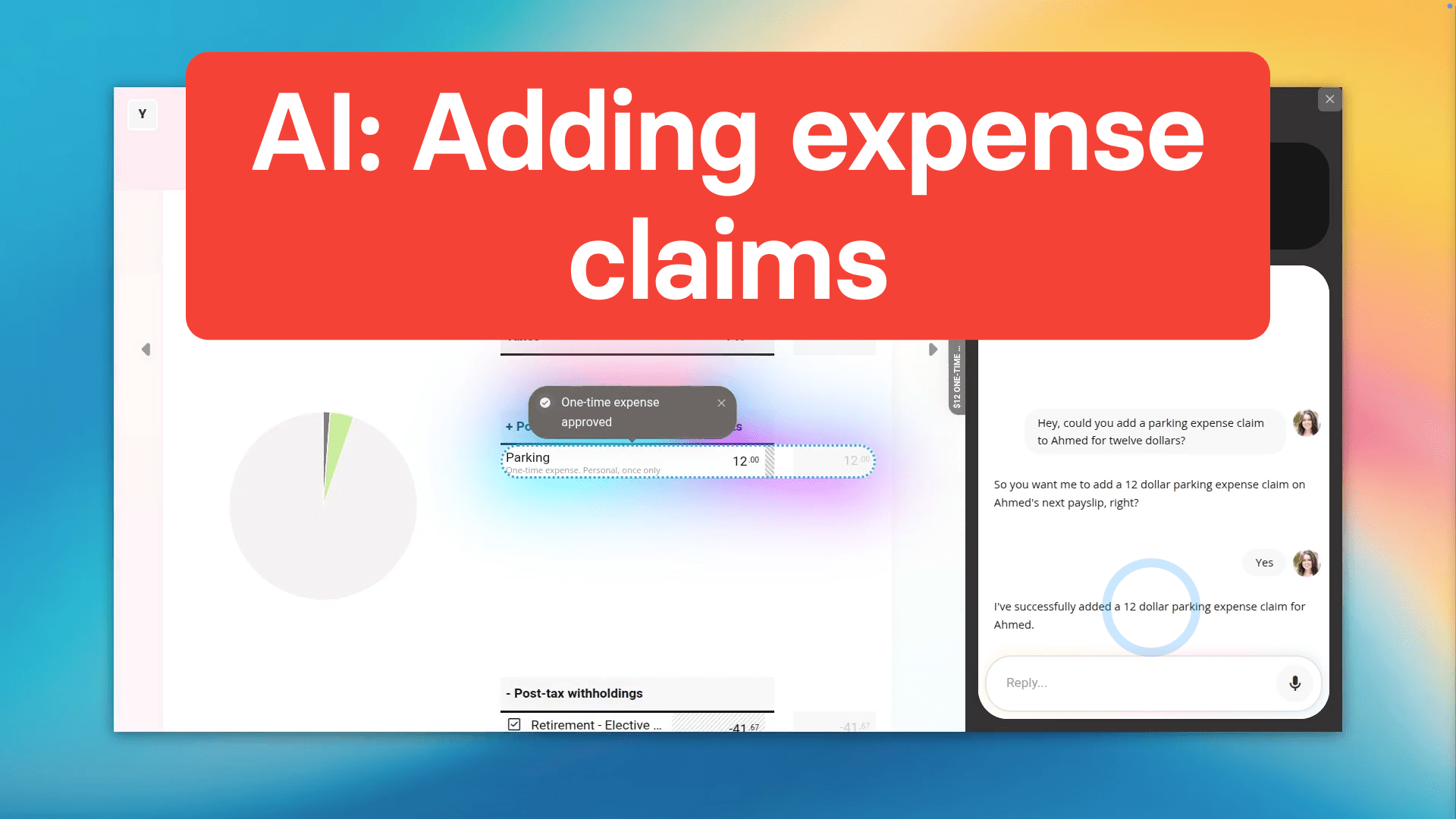
Hey, could you add a parking expense claim to Ahmed for 12 dollars?
So you want me to add a 12 dollar parking expense claim on Ahmed's next payslip, right?
Yes.
Got it, adding it now.
Now, as you watch the gray taps, the expense claim is being submitted 100% by Ask AI.
I've finished adding Ahmed's expense claim.
And now Ahmed's expense claim's been successfully submitted in 13 seconds.
Normally, by hand, this would probably take at least 2 to 5 minutes, so Ask AI is at least 5 times faster!
So now, getting things done is now as simple as starting a conversation! Get ready, 1st Money's full release of Ask AI is coming soon!
Using Ask AI to add a sick leave?
 1:25
1:25
Using Ask AI to add a sick leave
First, open Ask AI.
And now just tell it what you want to do:
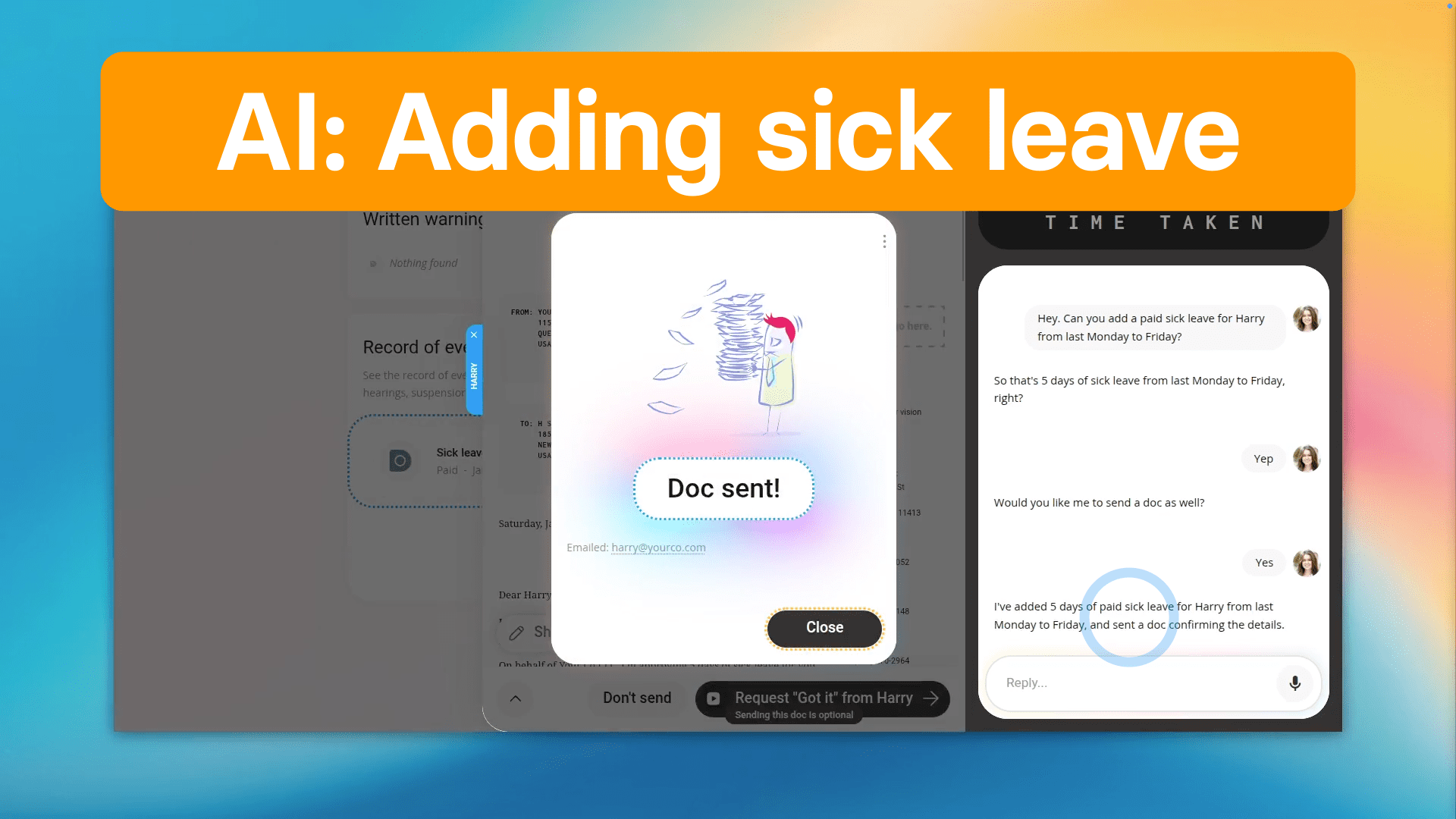
Hey! Can you add a paid sick leave for Harry from last Monday to Friday?
So that's 5 days of sick leave from last Monday to Friday, right?
Yep.
Would you like me to send a doc as well?
Yes.
Got it, adding it now.
Now, as you watch the gray taps, the sick leave is being added 100% by Ask AI.
Harry's sick leave's been successfully added.
And now Harry's sick leave's been successfully added in 18 seconds.
And you can see Harry's been emailed a sick leave doc confirming the details of his sick leave.
Normally, by hand, this would probably take at least 3 to 5 minutes, so Ask AI is at least 5 times faster!
So now, there's no complicated menus, and there's no learning curve! You're going to love what we're cooking at 1st Money! Ask AI is coming soon!
Using Ask AI to change a person's pay rate?
 1:21
1:21
Using Ask AI to change a person's pay rate
First, open Ask AI.
And speak your request:
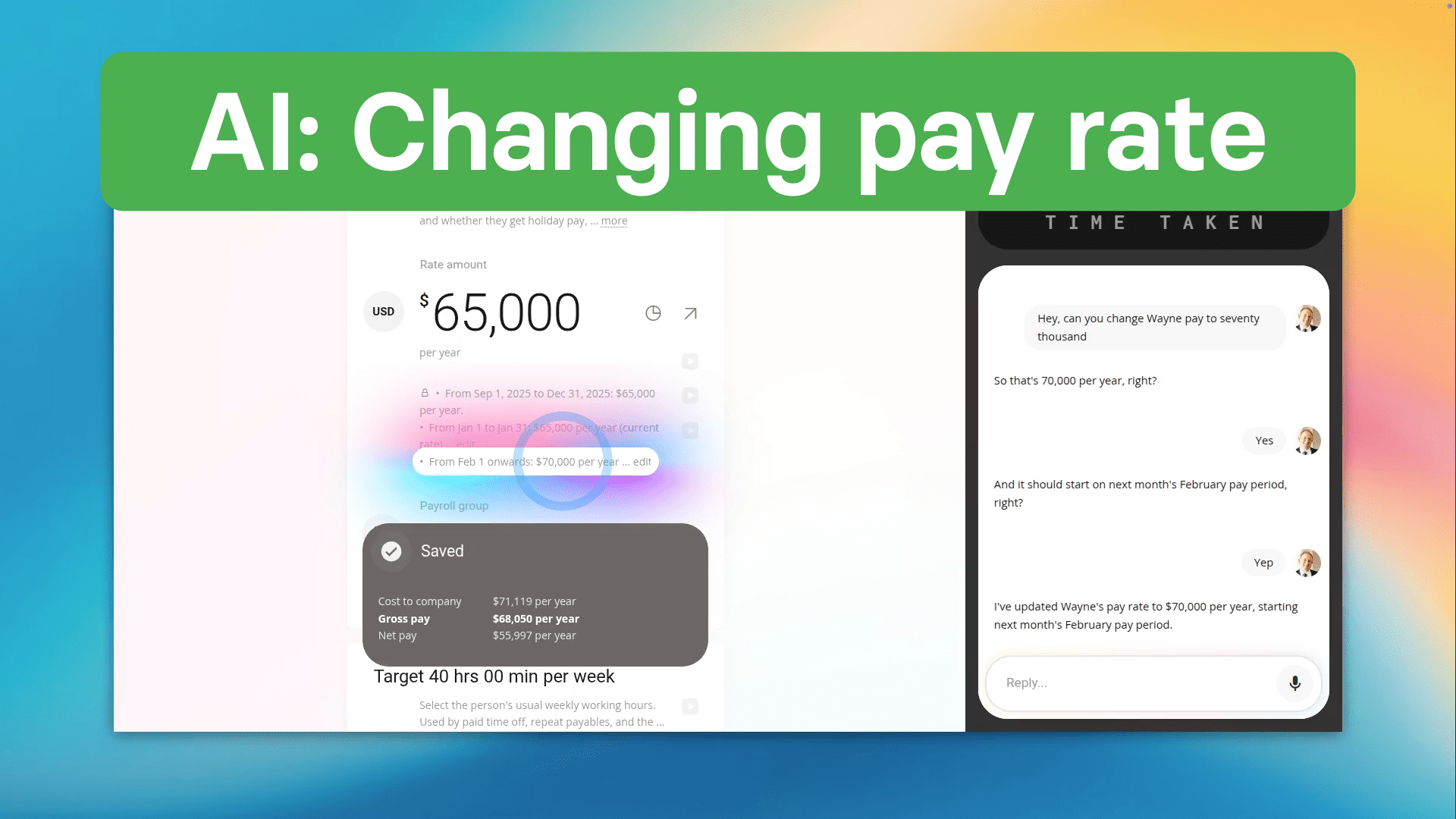
Hey! Can you change Wayne's pay rate to 70,000?
So that's 70,000 per year, right?
Yes.
And it should start on next month's February pay period, right?
Yep.
Got it, doing it now.
Now, as you watch the gray taps, the pay rate change is being updated 100% by Ask AI.
Wayne's pay rate is now set to 70,000 per year.
And now Wayne's pay rate from February onwards has been successfully changed by Ask AI in 10 taps, in just 12 seconds.
Normally, by hand, this would probably take at least 1 to 2 minutes, so Ask AI is at least 5 times faster!
So now, as you've just seen, productivity really never has been this easy! ... Get ready for the future with 1st Money! Ask AI is launching soon!
Using Ask AI to tell me about my upcoming paid holidays?
 0:48
0:48
Using Ask AI to tell me about my upcoming paid holidays
First, open Ask AI.
Then you can ask it your question:
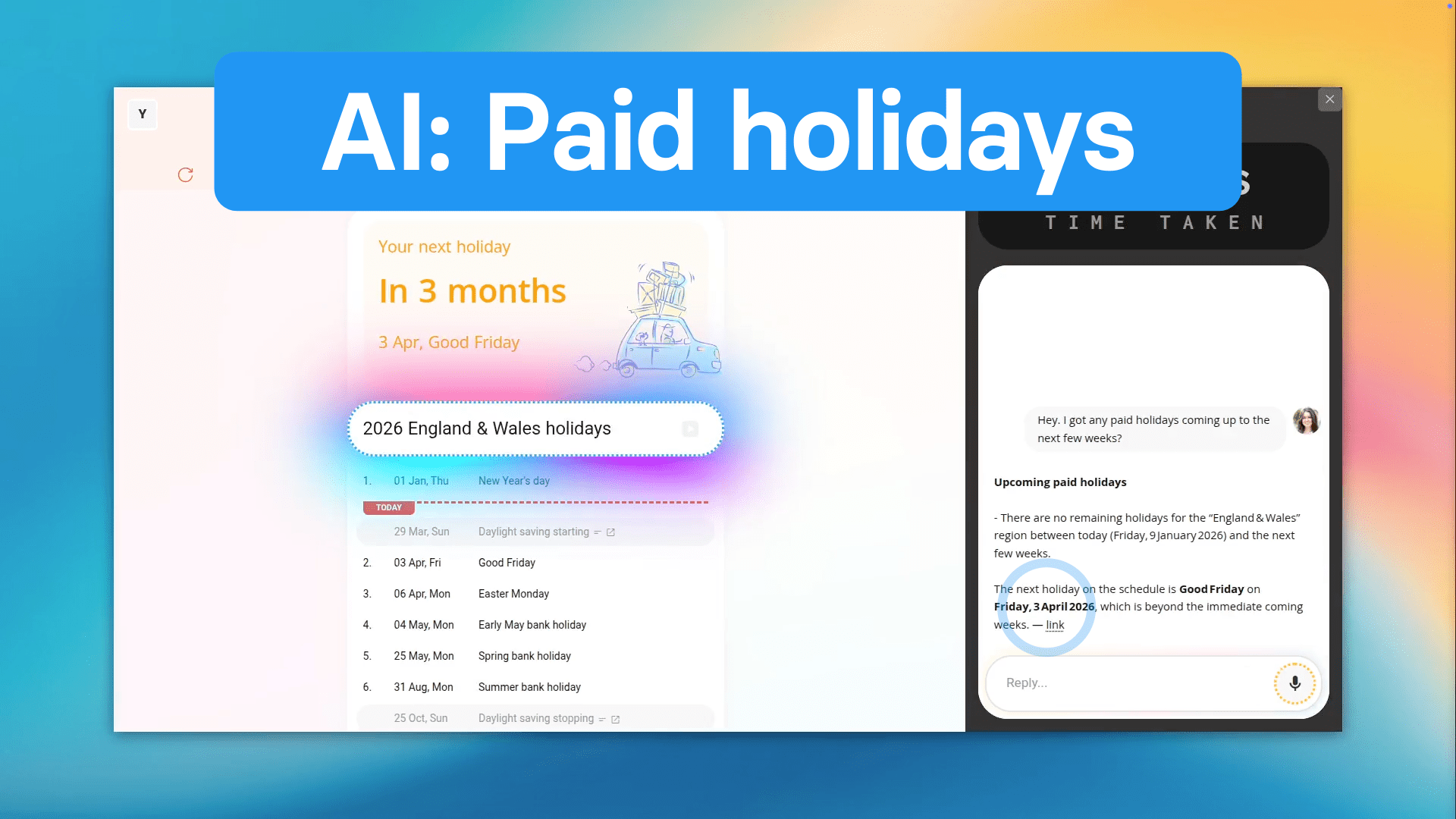
Hey! Have I got any paid holidays coming up in the next few weeks?
And now, in less than 2 seconds, you can see your next upcoming paid holiday.
Normally, by hand, this would probably take at least 1 to 2 minutes, so Ask AI is at least 5 times faster!
So now, as long as you can say what you want, Ask AI can go ahead and do what you want! But what you're seeing here's only a glimpse! Check back soon for the full release of Ask AI!
Using Ask AI to terminate employment?
 1:40
1:40
Using Ask AI to terminate employment
First, open Ask AI.
Next, ask it your question:
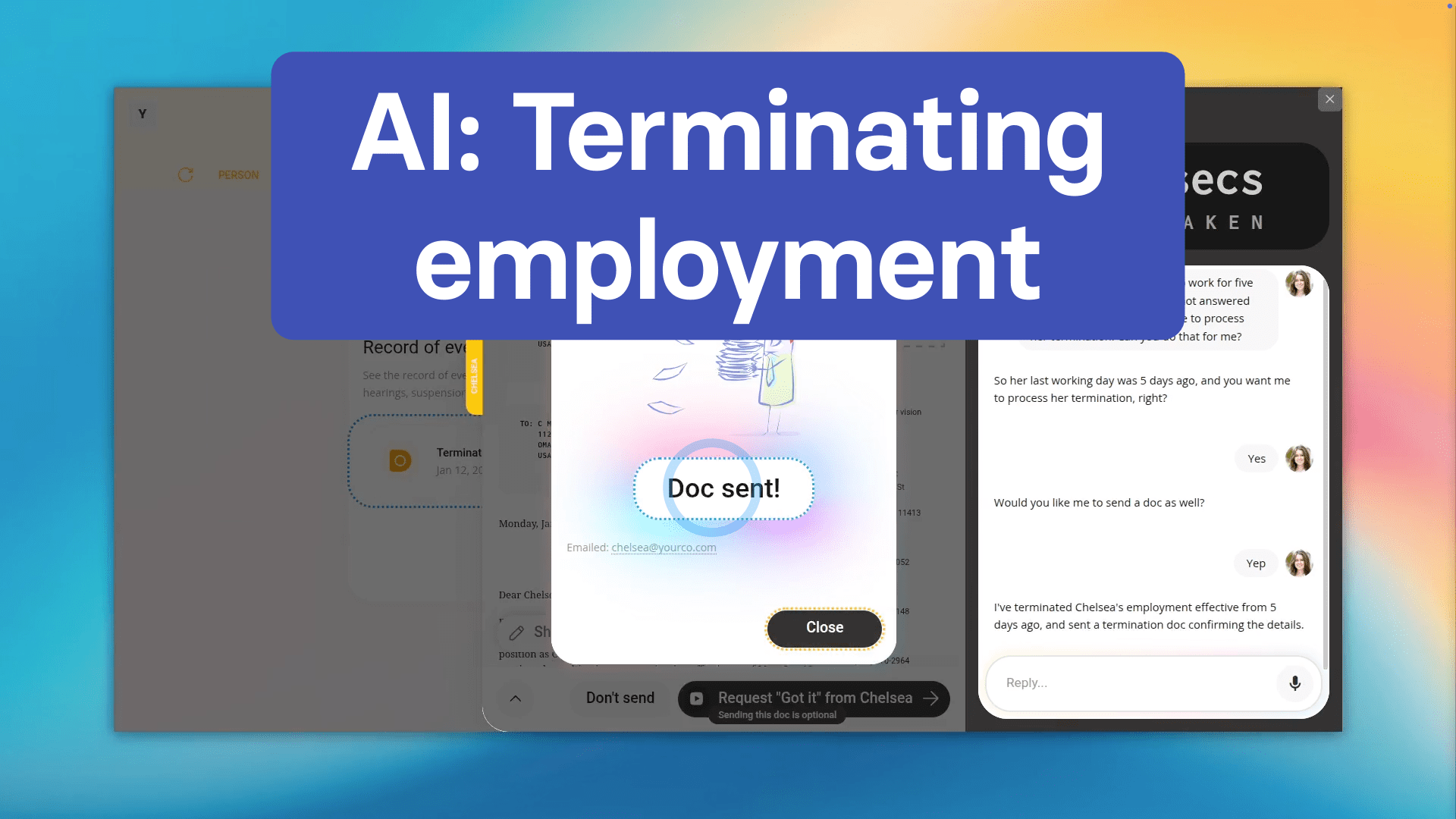
Hey! Chelsea hasn't come in to work for 5 days straight now, and she's not answered any of my calls. I think it's time to process her termination. Can you do that for me?
So her last working day was 5 days ago, and you want me to process her termination, right?
Yes.
Would you like me to send a doc as well?
Yep.
Got it, processing it now.
Now, as you watch the gray taps, the termination is being processed 100% by Ask AI.
I've finished processing Chelsea's termination and I've sent her a doc.
And now Chelsea's been successfully terminated in 23 seconds.
And you can see Chelsea's been terminated in full compliance with local regulations, and she's been emailed a doc confirming the details of her termination.
Normally, by hand, this would probably take at least 3 to 5 minutes, so Ask AI is at least 5 times faster!
So now, we welcome you to the future of productivity at 1st Money! Hold tight. Ask AI is almost here!
Using Ask AI to un-delete a person?
 1:01
1:01
Using Ask AI to un-delete a person
First, open Ask AI.
And now for the prompt:
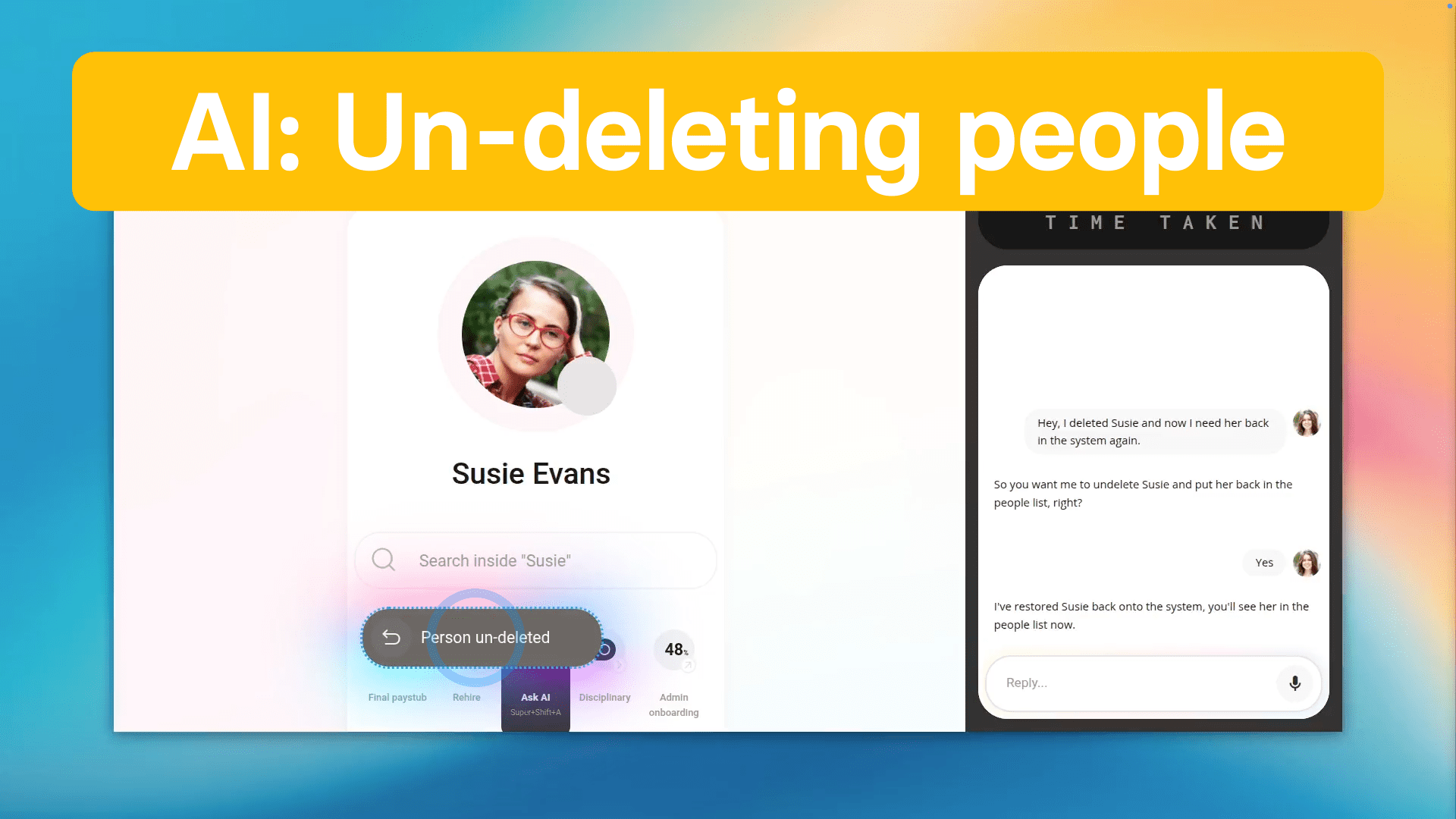
Hey I deleted Susie and now I need her back in the system again.
So you want me to un-delete Susie and put her back in the people list, right?
Yes.
Got it, adding her back now.
Now, as you watch the gray taps, the un-deletion is being done 100% by Ask AI.
I've finished un-deleting Susie.
And now Susie's been successfully un-deleted in 6 seconds.
Normally, by hand, this would probably take at least 1 to 2 minutes, so Ask AI is at least 5 times faster!
So now, effortless productivity is just a few words away! Brace yourself for the future with 1st Money! Ask AI is coming soon!
www.1st.money/uk/help/Ask_AI/