2. How does Ask AI help?

 2:48
2:48
"How does Ask AI help?"
At 1st Money, we prioritise your need for support by making Ask AI readily available.
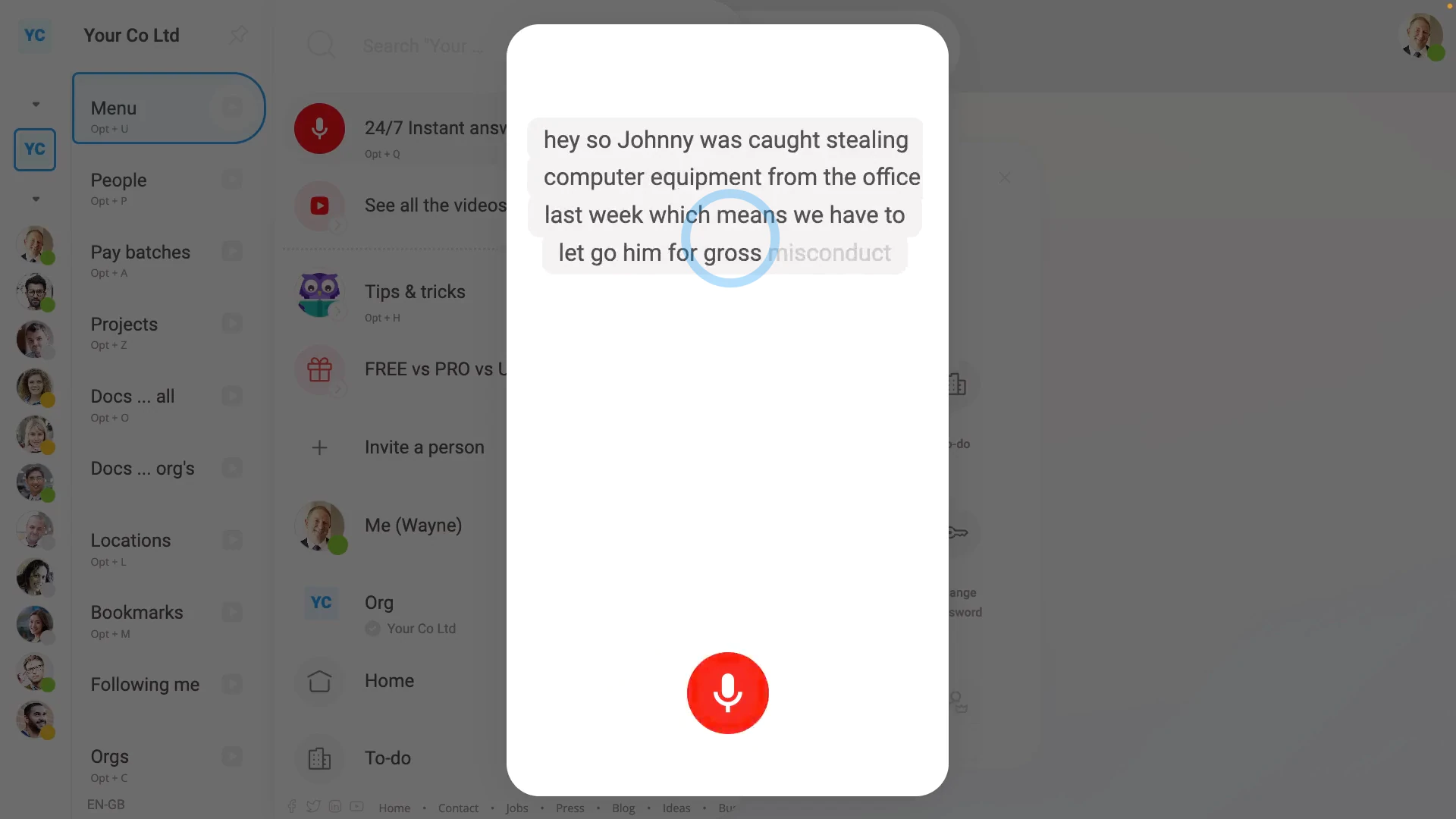
To see Ask AI in action:
- First, look for the microphone button (at the bottom of your screen).
- As soon as your microphone's connected, Ask AI switches to "Listening" and you can start talking.
- As you talk, you'll see whatever you say appear on-screen. Usually it's best to ask full questions with as much detail as possible.
- Once you stop talking, Ask AI answers your question and may also show you a product video.
- Below the answer that's playing, you'll still see the grey microphone button.
- At any time, you may feel the answer isn't what you're after, or may want to move on to your next question. You can interrupt at any time and tap the grey microphone button again.
- And ask your follow-up question.
- You can continue to ask as many questions as you like.
- And finally, when you're done, you can tap off.

For advanced usage:
- As you use Ask AI more and more, you may find it useful to try the keyboard shortcut: Super+Shift+Q
To search for answers by hand:
- First, go to: "Menu", then "How-to videos"
- And start typing your keywords into the search box.
- As soon as you start typing, you'll start seeing search results.
- The more keywords you type, the better your search results get.
- Once you see a result that seems like a match, tap it, to see it.
- And finally, to do another search, scroll to the top of the page, tap into the search box, and try again.
Currently, as of October 2026, there's a total of 1,500 answers in our collection.
Our team's always working to enhance, refine, and expand the answers provided. Making Ask AI an excellent resource for learning how to make the most of 1st Money.
To learn more:
- About how to make the most of our collection of product videos, watch the video on: How-to videos
- To learn about how to ask us questions, watch the video on: Live chat support
- To learn about how to book an appointment with us, watch the video on: Booking a live demo
- And to learn about how to vote on upcoming features, watch the video on: Ideas voting
 How-to videos
And that's it! That's everything you need to know about using Ask AI!
www.1st.money/uk/help/5._Support/2._How_does_Ask_AI_help