4. How do I book a live demo?

 2:35
2:35
"How do I book a live demo?"
Booking a live demo gives you the chance to talk one-on-one with a 1st Money expert. You can use your live demo time:
- To see a full demo of 1st Money's features.
- Ask all your questions.
- Get help migrating your payroll over.
- Or anything else!
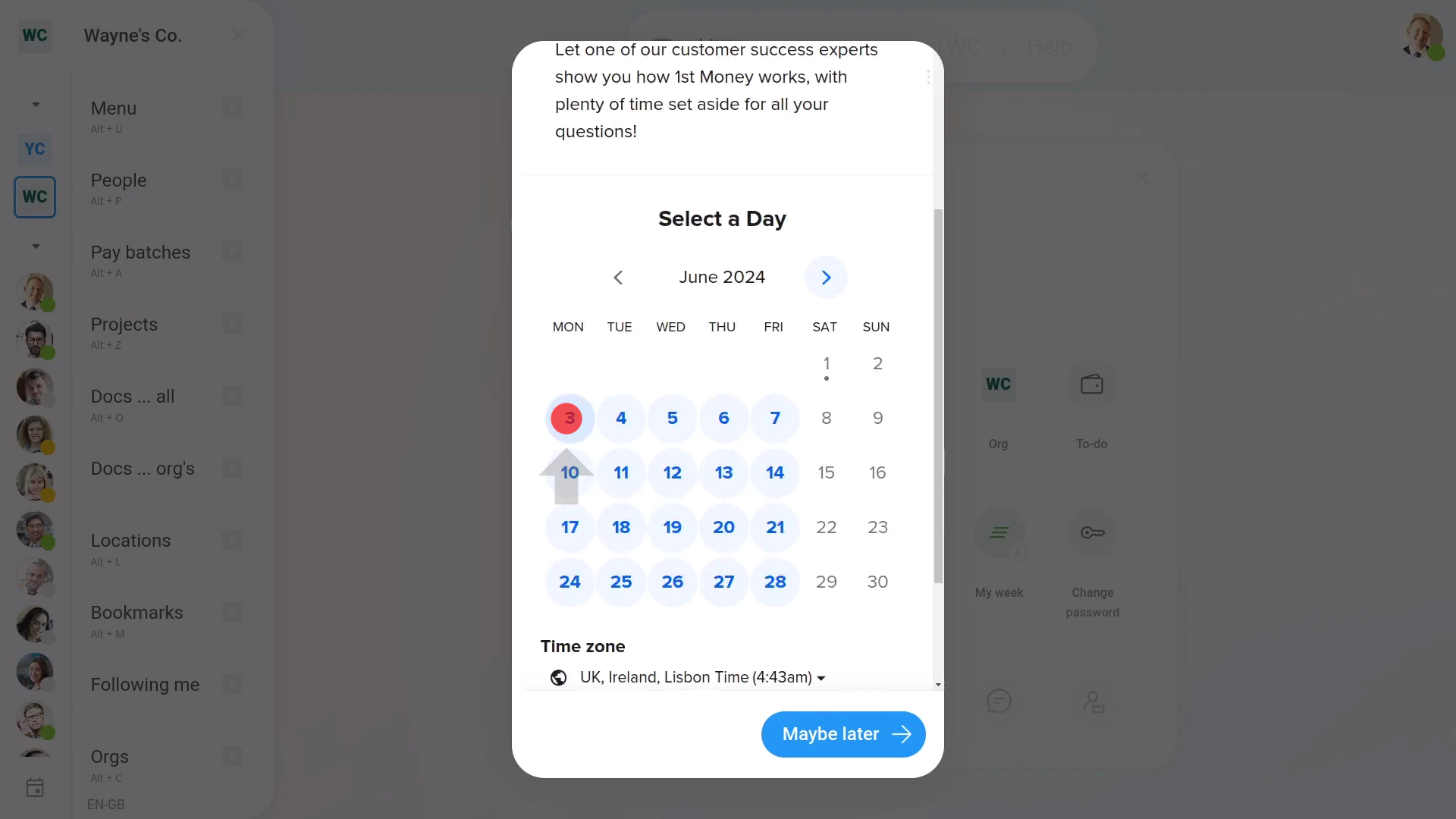
To book a live demo:
- First, open the menu and look for the calendar button: (at the bottom)
- Next, select the date that you'd like to book for your live demo.
- And then select the time. Then tap: Next
- Make sure that your name and email are correct.
- And select how you'd like to meet, including: Zoom, Google Meet, and Microsoft Teams.
- Then tap Schedule Event, and you're all booked!
- In seconds, you'll see your scheduled confirmation.
- With a note telling you that a confirmation's also been sent to your email.
- And finally, tap: Close
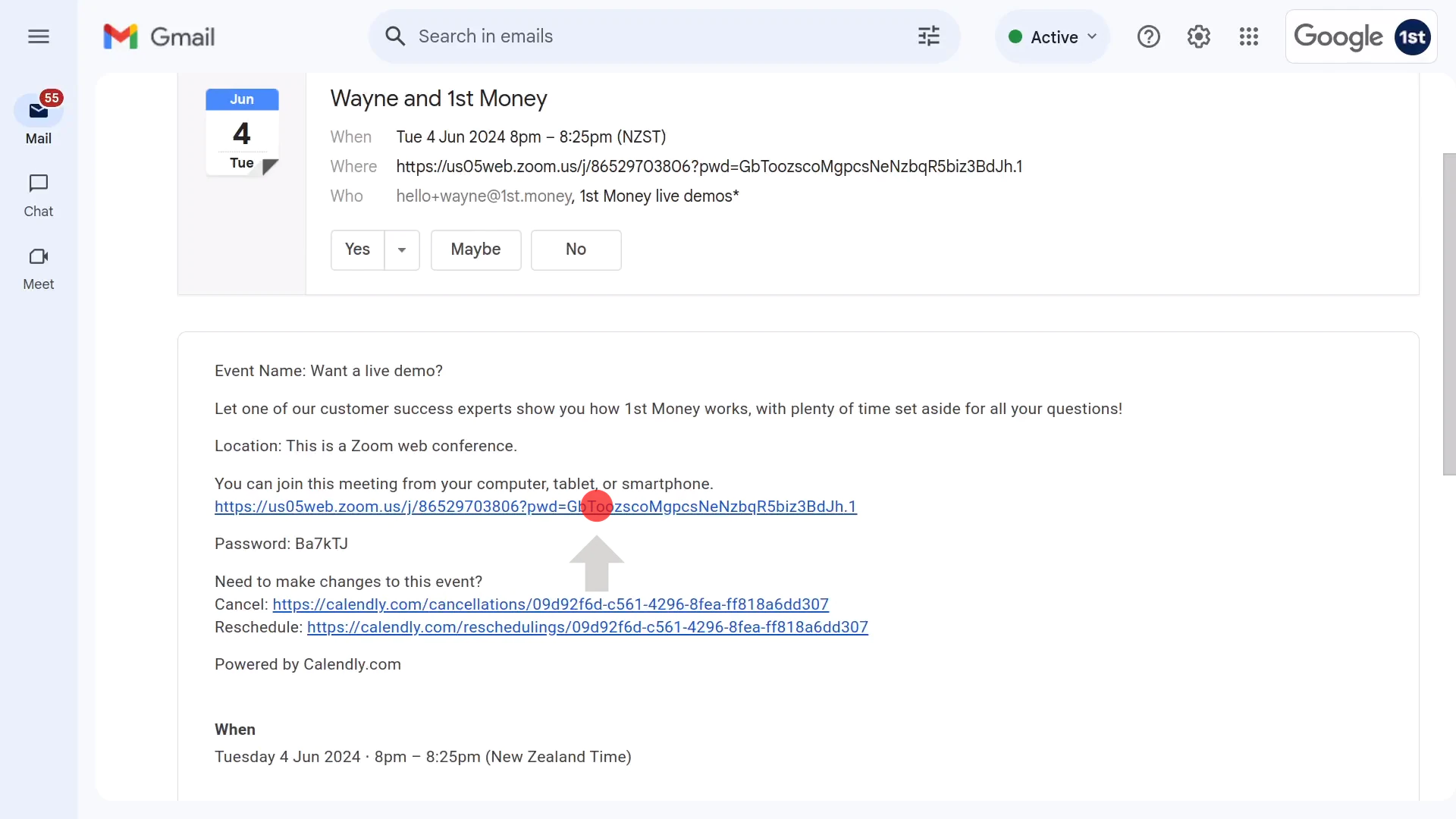
To attend your live demo booking:
- First, on the date and time of your booking, open the booking email, and tap the first link in the email.
- Then once it opens, you'll soon be connected with a 1st Money expert.
- And finally, you'll have a full conversation, one-on-one, with a 1st Money expert, and get answers to all your questions.

Keep in mind that:
- The default length of a live demo booking is 25 minutes long.
- If you need more time, it may be possible to extend (if the next booking slot hasn't been taken).
- Or, alternatively, you can always book another live demo, and continue later with the rest of your questions.
- Also, if it turns out that you ever need to cancel your booking, hit reply to the email, as early as possible, and let us know.
To learn more:
- About how to make the most of our collection of product videos, watch the video on: How-to videos
- To learn about how to find answers anytime, watch the video on: AI Answers
- To learn about how to ask us questions, watch the video on: Live chat support
- And to learn about how to vote on upcoming features, watch the video on: Ideas voting
 How-to videos
And that's it! That's everything you need to know about booking a live demo!
www.1st.money/uk/help/5._Support/4._How_do_I_book_a_live_demo