2. How do I immediately send payslips to my accounting package?

 2:30
2:30
"How do I immediately send payslips to my accounting package?"
Normally a payroll group's payday debits and credits are automatically sent to your accounting package every midnight.
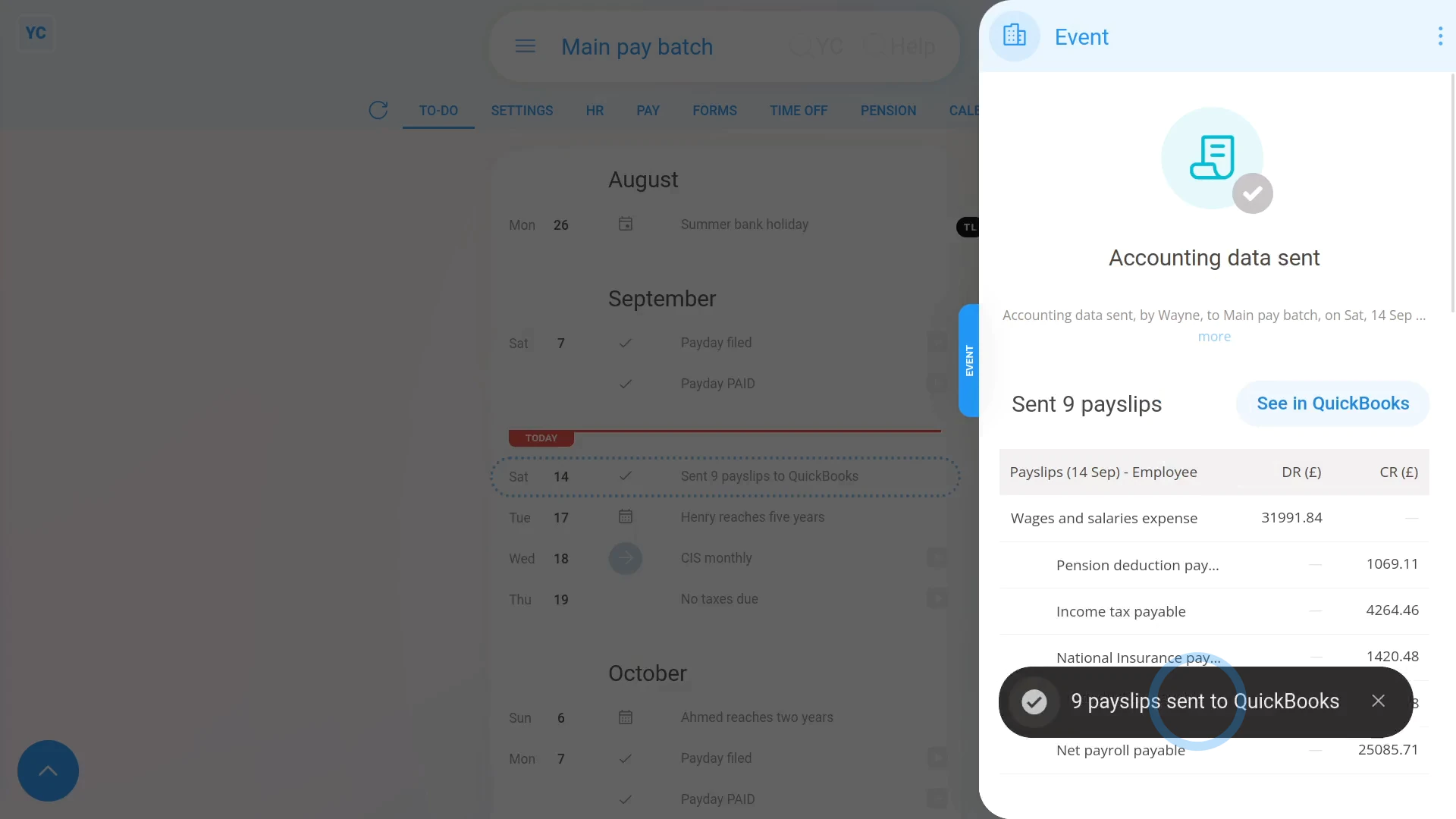
To send a payroll group's payday debits and credits to your accounting package right now (instead of waiting 'til midnight):
- First, select the payroll group on: "Menu", then "Payroll groups"
- Then tap: "To-do"
- As long as you've filed some payslips sometime today, the link shows, and you can tap the grey "Auto-sending payslips to accounting at midnight" reminder link.
- Then once the transactions have loaded on the side, you can scroll down to see all the details of what you'll be sending.
- Then once you're ready, scroll to the top and tap Send now, then: Yes ... send now
- And all your payslips are now sent to your accounting package, and you'll see a grey "Sent" confirmation.
- Then if you ever need to see the transactions again, you can always tap the grey "Sent" confirmation.
- And finally, if you want to see the transactions in your accounting package, tap: See in...

Keep in mind that:
- All transactions are automatically scheduled to be sent at midnight.
- As long as you're happy to wait 'til midnight, there's no need to send the transactions yourself.
- But if you do decide to send them yourself, you can immediately see them in your accounting package.
- And, of course, 1st Money cancels the scheduled midnight send, so the transactions aren't sent twice.
You may notice:
- That the grey "Auto-sending payslips to accounting at midnight" reminder link only shows if you've connected an: "Accounting package"
- And the link only shows if you've paid a payday sometime today.
- Or, in other words, it only shows if there's at least some transactions that haven't yet been automatically sent at midnight.
To learn more:
- About connecting an accounting package such as QuickBooks, watch the video on: Connect to QuickBooks
- And to learn about paying a payday, watch the video on: Processing payroll
 Connect to QuickBooks
And that's it! That's everything you need to know about immediately sending payslips to your accounting package!
www.1st.money/uk/help/Accounting/2._How_do_I_immediately_send_payslips_to_my_accounting_package