What are pension assessments?

 2:03
2:03
"What are pension assessments?"
The Pensions Regulator, in the UK, has asked that all employees and zero-hour workers be regularly assessed for their eligibility for pension contributions.
To see a person's pension assessments:
- First, select the person on: "Menu", then "People"
- Then tap: "Pay", then "Pension"
- Then below the pension status, tap the "Assessment" link.
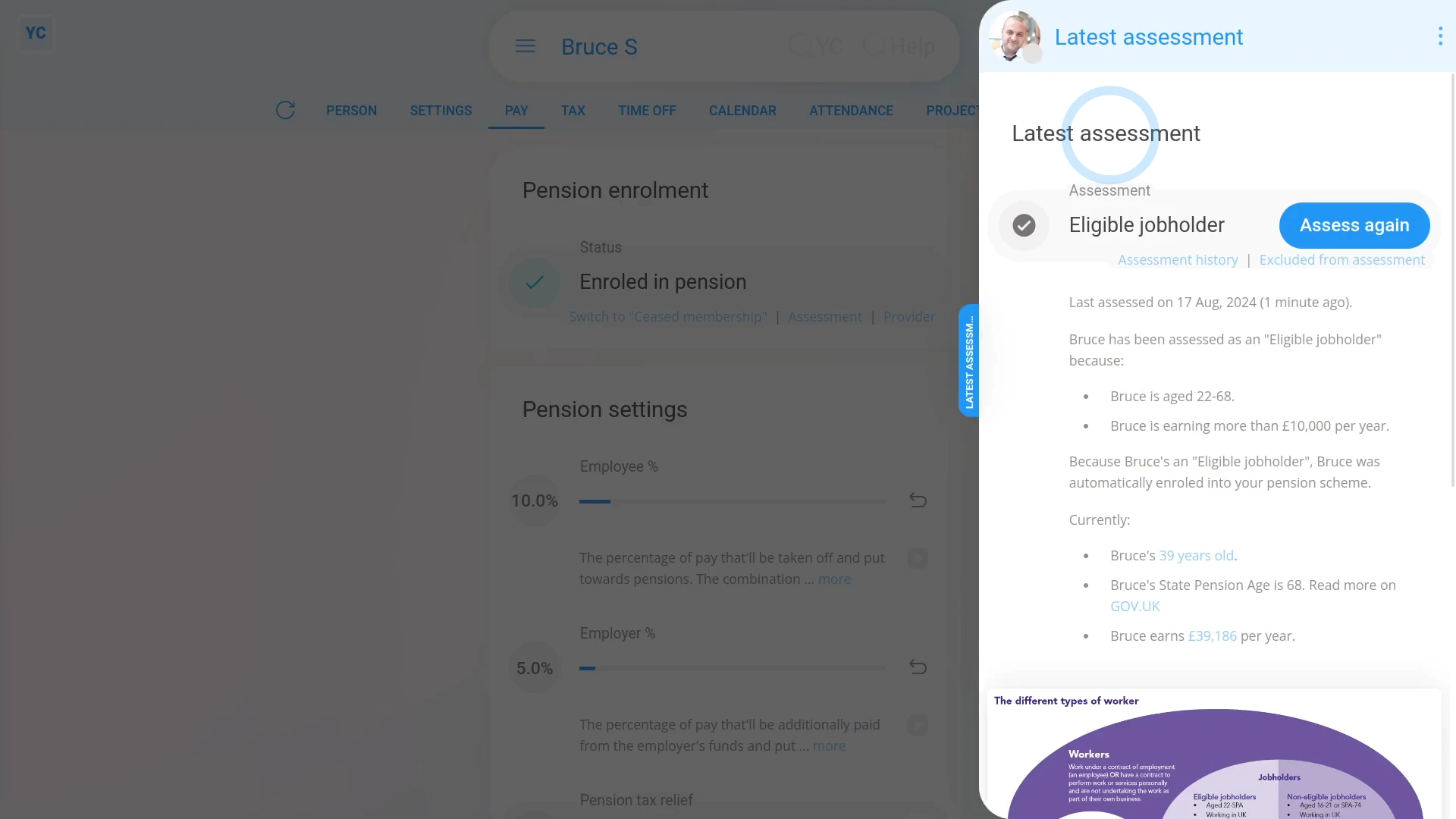
- And you'll now see the person's "Latest assessment" slide out from the right.
- Which includes the person's current pension assessment.
- And a description, below, with all the details of how the current pension assessment was reached.
- At any time, you can tap Assess again, and you'll instantly see an updated pension assessment, based on the person's current employment.
- To see a history of all pension assessments over time, tap the "Assessment history" link.
- And you'll see the person's "Assessment history" slide out from the right. Including a record of all pension assessments that were ever done for the person.
- And finally, you can tap any row in the "Assessment history" to see the details of the person's pension assessment on that date.

Keep in mind that:
- A fresh pension assessment is automatically run for each person, in the background, every time the person's paid.
- If there's ever a change of assessment detected, additional steps, like auto-enrolment, are also automatically run for the person.
- Which may result in notification emails being automatically sent to the person.
- Everything's automatic. There's nothing that you've got to do.
And that's it! That's everything you need to know about a person's pension assessments!
How do I set pension percentages on a payroll group or personWhat are the three pension tax relief types
www.1st.money/uk/help/Pensions/What_are_pension_assessments