1. What's the difference between a letter and a doc?
 3:56
3:56
"What's the difference between a letter and a doc?"
Both letters and docs have a number of differences.
To understand some advantages of a letter, compared to a doc:
- First, to make a new letter, tap: "Menu", "Docs ... all", then "New doc"
- And then select: New letter
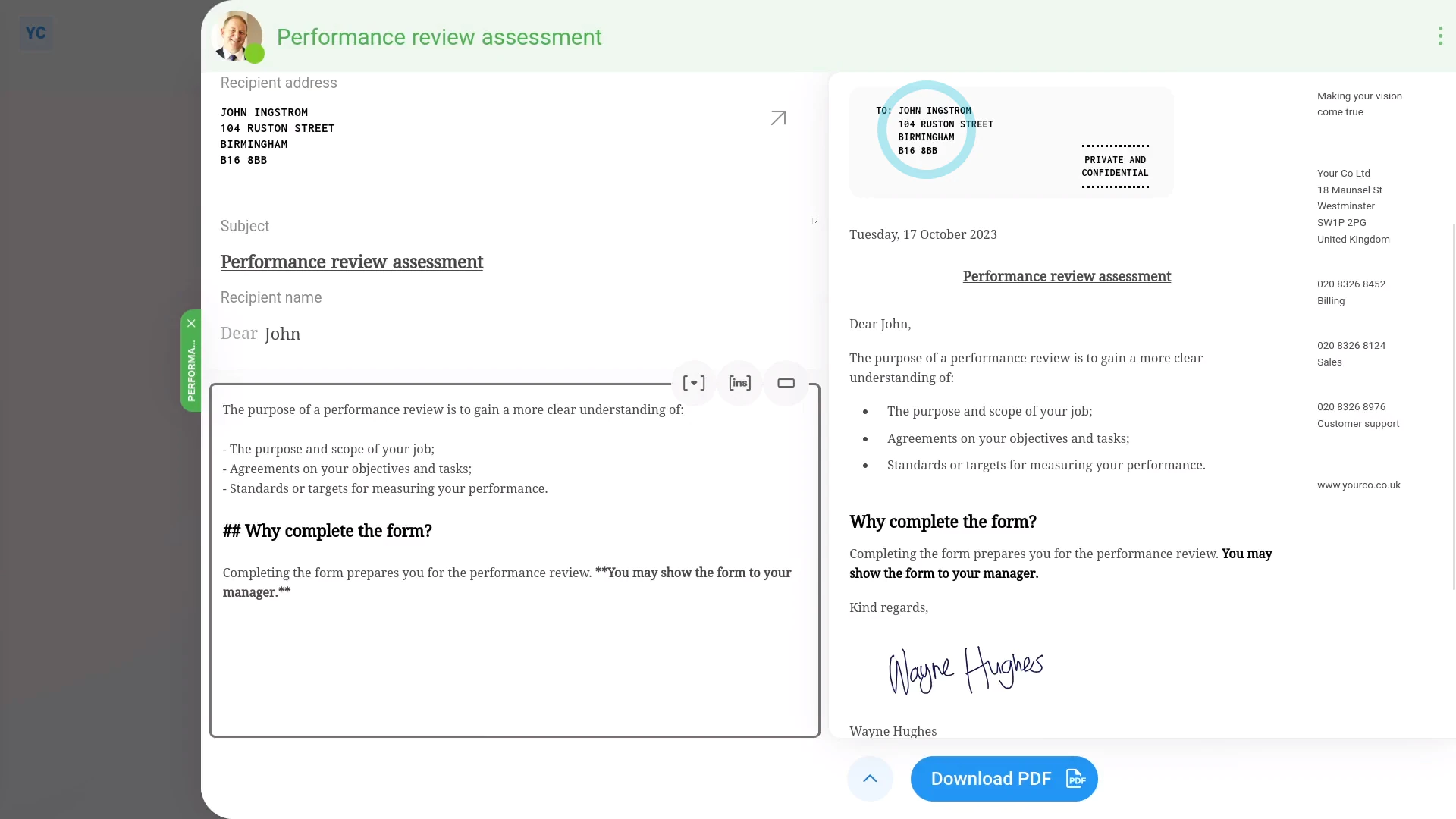
- Once it slides out on the right, you can set the "Subject" and contents of your letter to whatever you like.
- You'll see that by filling in a few things on the left.
- That, on the right, you'll have a nicely formatted preview of a letter. Including: the address, date, subject, greeting, letter body, signature, logo, and letterhead.
- Then to download your letter as a PDF, tap: Download PDF (at the bottom)
- The download takes a few seconds while it generates a PDF that includes your company's letterhead on the side of the first page.
- Once it's downloaded, tap the downloaded PDF to see it.
- And finally, when printed, the "To" address is perfectly positioned for windowed envelope posting.
To understand some advantages of a doc, compared to a letter:
- First, to make a new doc, tap: "Menu", "Docs ... all", then "New doc"
- And then select: New doc
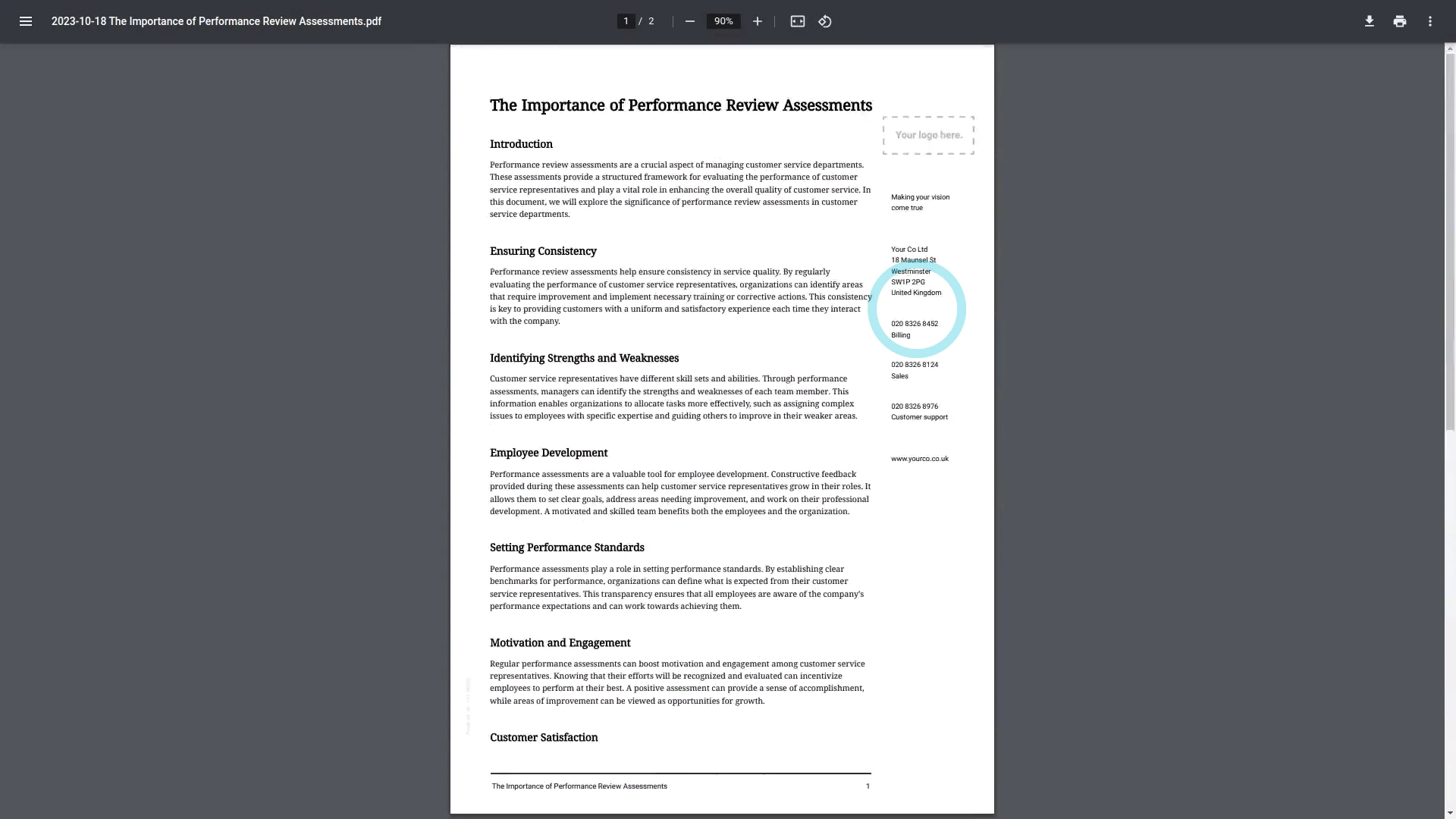
- Some advantages of a doc, compared to a letter, is that a doc doesn't add any extra formatting to the top or bottom of the page.
- Instead, it gives you a large blank area to work with.
- Once it slides out on the right, you can set the "Document name" and contents of your doc to whatever you like.
- Once you've entered your document name, a useful way to create the doc body is to tap the round "Copy for AI" button (at the top)
- Then go to your preferred AI site, like ChatGPT, and paste what's copied.
- Feel free to type in more info to tell ChatGPT more about what you want.
- But keep the note about "markdown format" on the end.
- Once ChatGPT's generated your doc body, tap: Copy (at the bottom)
- And then back in 1st Money, paste it into the doc body.
- Also, you may want to delete the duplicate heading (at the top).
- Then to download your doc as a PDF, tap: Download PDF (at the bottom)
- The download takes a few seconds while it generates a PDF that includes your company's letterhead on the side of the first page.
- And finally, once it's downloaded, tap the downloaded PDF to see it.

Keep in mind that:
- Both of the "New letter" and "New doc" options show your letterhead on the right side of the first page.
- But after the first page, the letterhead isn't shown any more.
- Also, for both of the "New letter" and "New doc" options, nothing about your doc or letter is stored on 1st Money's servers.
- Once you download your PDF, and tap Close & discard your doc or letter is gone from 1st Money's servers forever.
If a feature's not showing:
- If "Docs" isn't showing in the menu, it means your org hasn't turned on the docs feature yet.
- To turn on the docs feature, watch the video on: Turning on HR Docs
 Turning on HR Docs
And that's it! That's everything you need to know about any differences between letters and docs!
www.1st.money/uk/help/HR_Docs/1._What's_the_difference_between_a_letter_and_a_doc