How do I change who I'm sending a doc to?
 1:37
1:37
"How do I change who I'm sending a doc to?"
If you've got a doc open to send to a person, but you accidentally picked the wrong person, you can change who it's sent to.
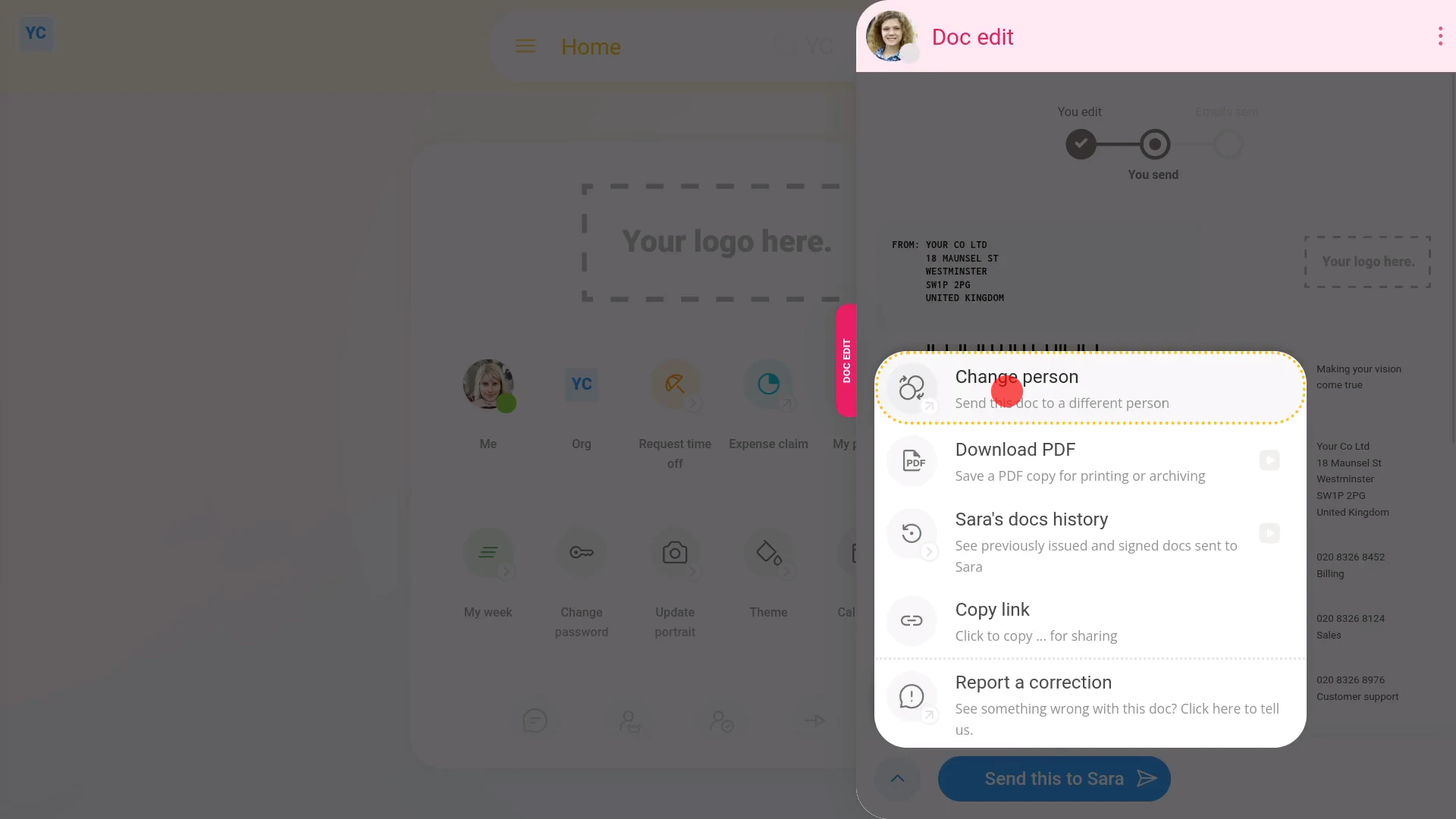
To change which person you're sending a doc to:
- First, select the doc on: "Menu", then "Docs ... all"
- And select a doc.
- Then select the person to send the doc to.
- Once the doc's send page slides out on the right, to change who the doc's sent to, open the bottom menu:
- Then tap: Change person
- If the name of a person's greyed out, it means that you don't have permission to sent a doc to the person.
- Next, from the names that aren't greyed out, select the new person to send it to.
- And you'll see that the doc's reloaded, and has now been updated with the details of the new person instead.
- And finally, if you're ready to send the doc, tap: Send this... (at the bottom)

Keep in mind that:
- Usually you need to be an org admin, manager, or supervisor to send a doc to another person in your org.
If a feature's not showing:
- If "Docs" isn't showing in the menu, it means your org hasn't turned on the docs feature yet.
- To turn on the docs feature, watch the video on: Turning on HR Docs
 Turning on HR Docs
And that's it! That's everything you need to know about how to change which person you're sending a doc to!
How do I add my own employment agreement templatesHow do I copy or clone a doc to add my own changes
www.1st.money/uk/help/HR_Docs/How_do_I_change_who_I'm_sending_a_doc_to