How do I use suggested departments?

 2:02
2:02
"How do I use suggested departments?"
Suggested departments are a way to standardise the department names used in your org. Rather than having inconsistent spellings or capitalization of department names, instead set your org's official list once. Then your admins can pick department names from the list.
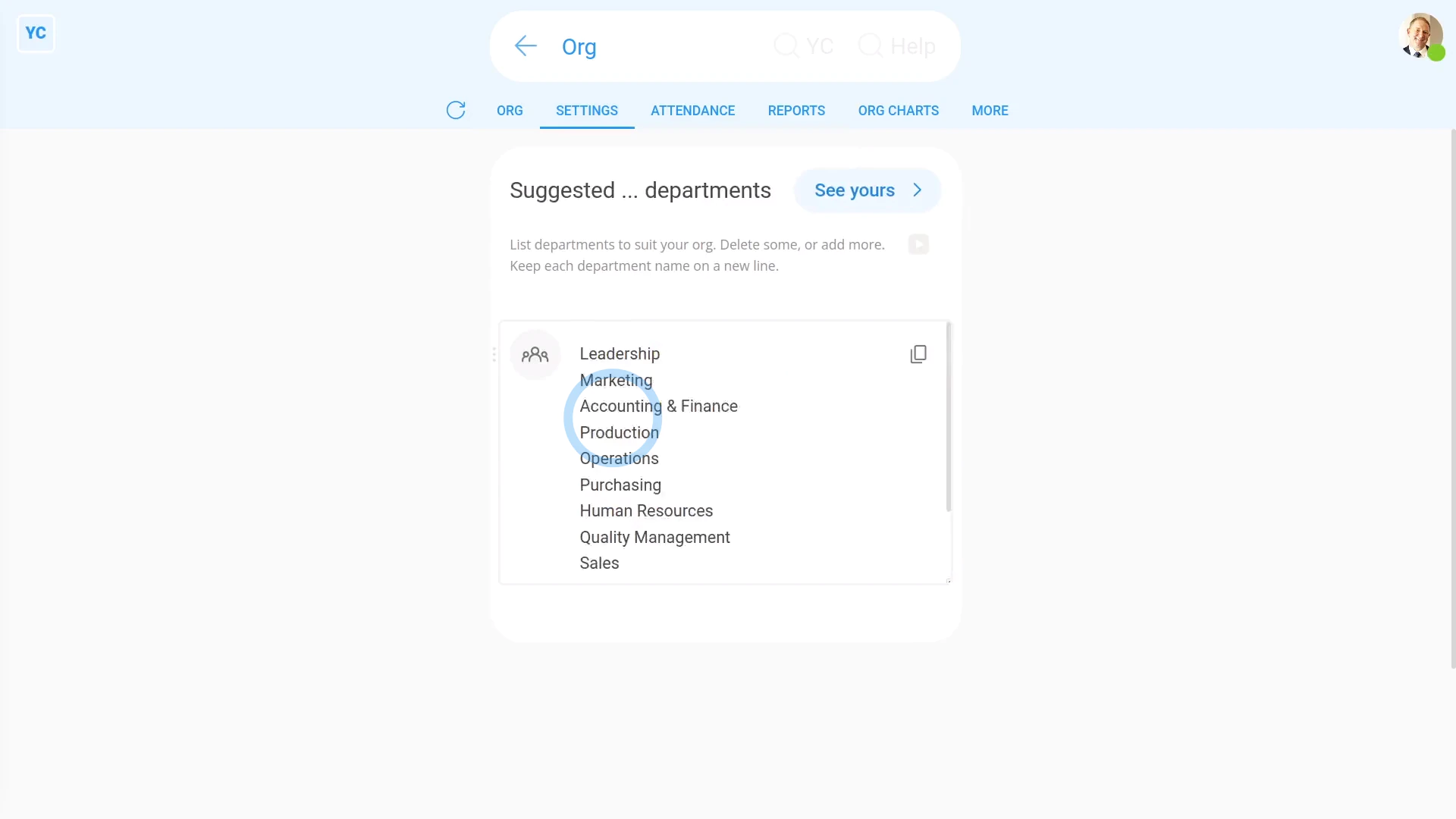
To change your org's existing suggested departments:
- First, go to your org on: "Menu", then "Orgs"
- Then tap: "Settings", then "Suggested ... departments"
- You'll now see a list of the default department names.
- Next, delete out all the existing default department names.
- Then type in the department names that your org would actually use.
- And check that each department name is on a different line.
- Once you're happy with your list of suggested department names, tap: Save
- And finally, to see your new suggested departments, scroll to the top and tap See yours, and then tap: Suggest
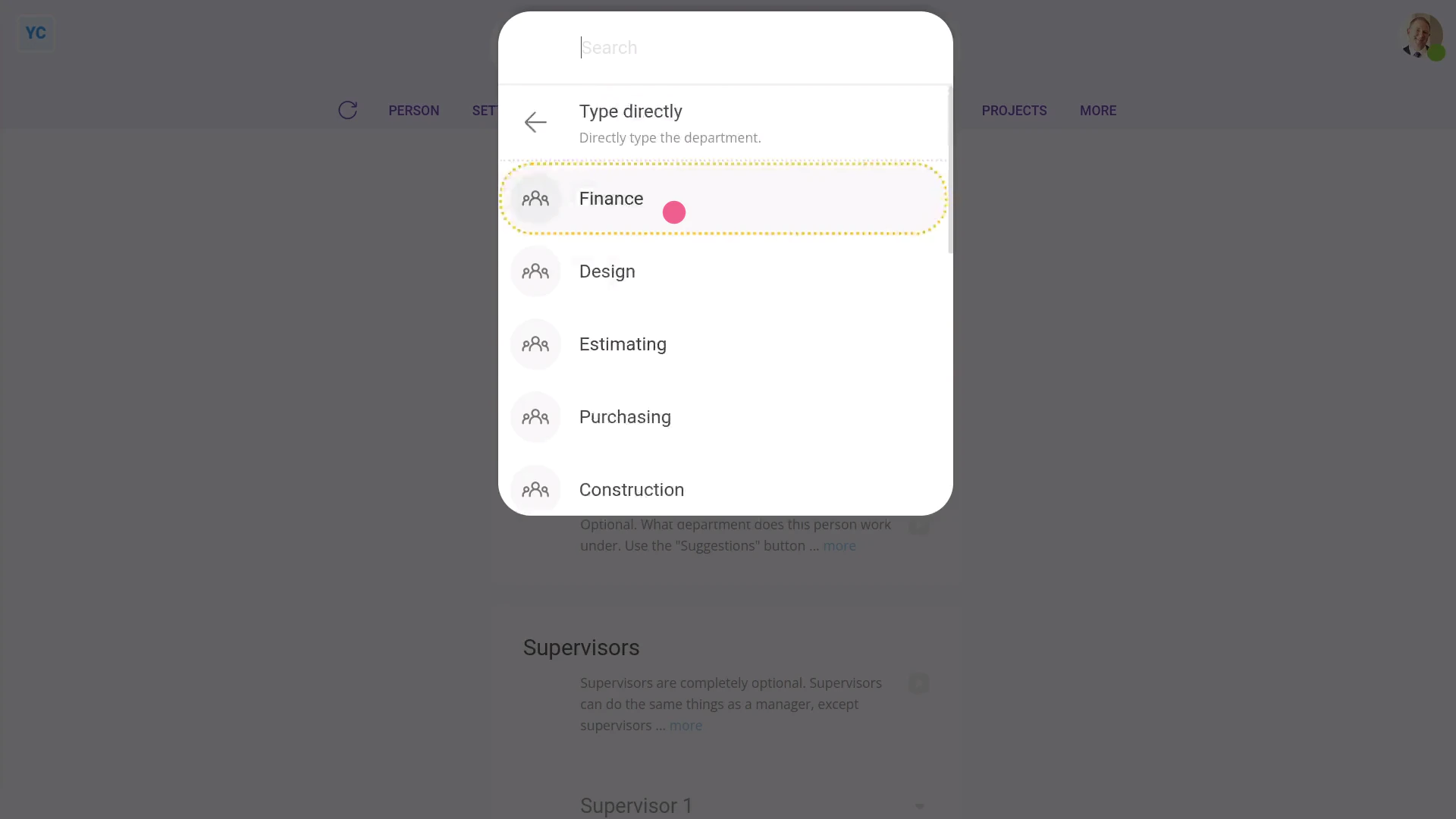
To set another person's department:
- First, select the person on: "Menu", then "People"
- Then tap: "Settings", "Job settings", then "Department"
- Then next to "Department", tap Suggest, and select their new department.
- And finally, tap: Save

Keep in mind that:
- Changes to a person's department are applied instantly.
- And departments can always be seen by everyone inside your org.
- Also, departments have no effect on people's pay, permissions, or anything else.
And that's it! That's everything you need to know about using suggested departments!
www.1st.money/uk/help/Org/How_do_I_use_suggested_departments