How do I get a printable PDF of filed payslips?
 1:34
1:34
"How do I get a printable PDF of filed payslips?"
The two ways that people receive their payslip on payday are either by email, or by you printing a printable PDF of them all.
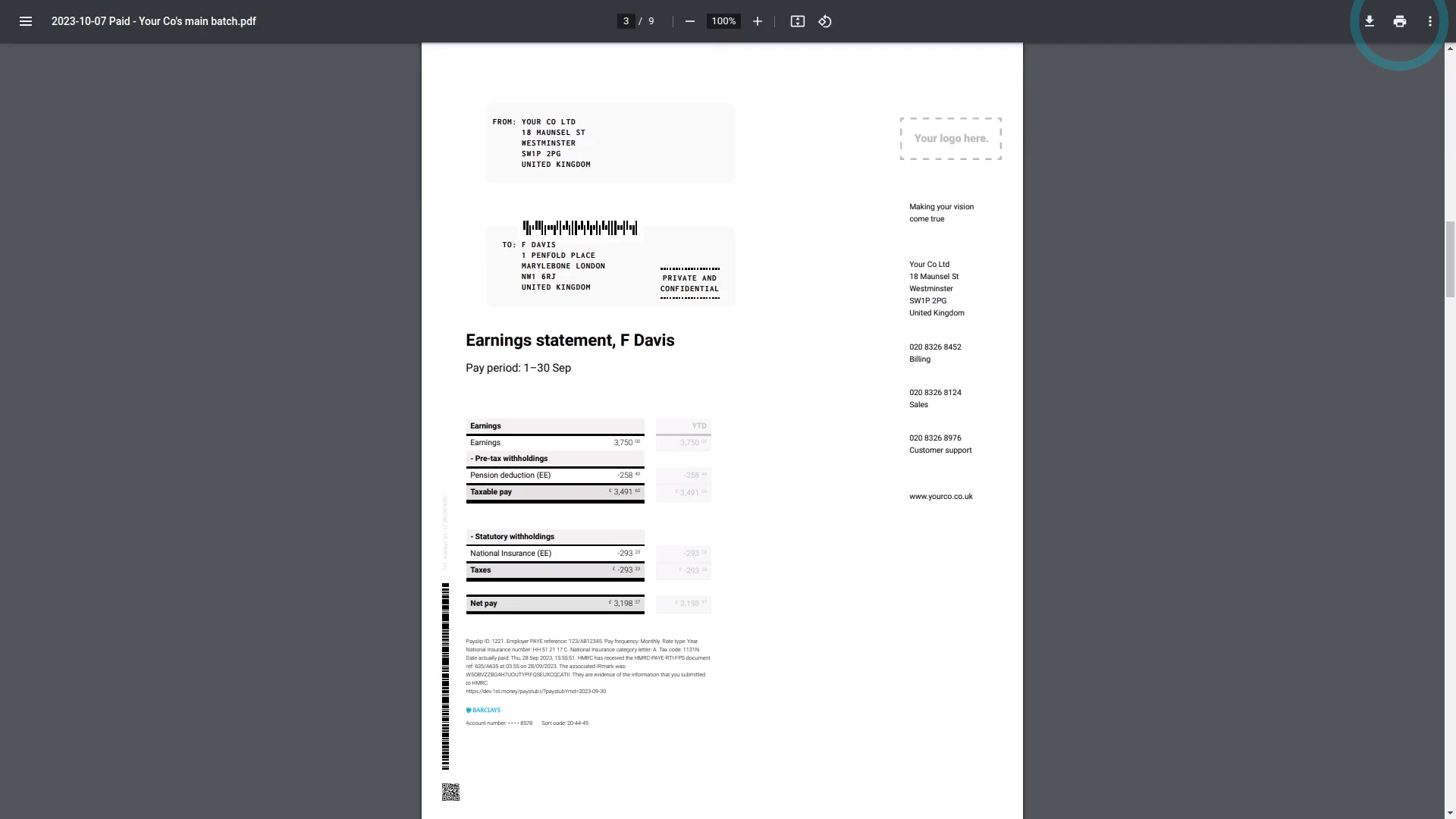
To download a printable PDF for a selection of filed payslips:
- First, select the payroll group on: "Menu", then "Payroll groups"
- Then tap: "Pay", then "Paid payslips"
- First, tick the payslips you'd like to print.
- However, to print all the payslips, you can instead tap: All
- Then tap:
" Show settings", then "Get payslips for printing" - After a few seconds your PDF is automatically downloaded.
- When you open the PDF and scroll down, you'll see it's got all the payslips you ticked.
- Each payslip starts on its own printable page, as expected.
- And finally, when you're ready to print it, tap the "Print" button:

To learn more:
- About how to change the "PDF paper size", watch the video on: Changing PDF paper size
- And if you'd like to see how to automatically get a printable PDF on each payday, watch the video on: Sending payslips
 Changing PDF paper size
And that's it! That's all you need to do to download a printable PDF for a selection of filed payslips!
3. How do I set a person's target hoursHow do I make a one-off manual adjustment to a person's hours
www.1st.money/uk/help/Payroll/How_do_I_get_a_printable_PDF_of_filed_payslips