1. Why would I want to make use of projects?
 2:50
2:50
"Why would I want to make use of projects?"
Projects give you better tracking of people's clocked-in timesheet time, and gets you more "Attendance" reports.
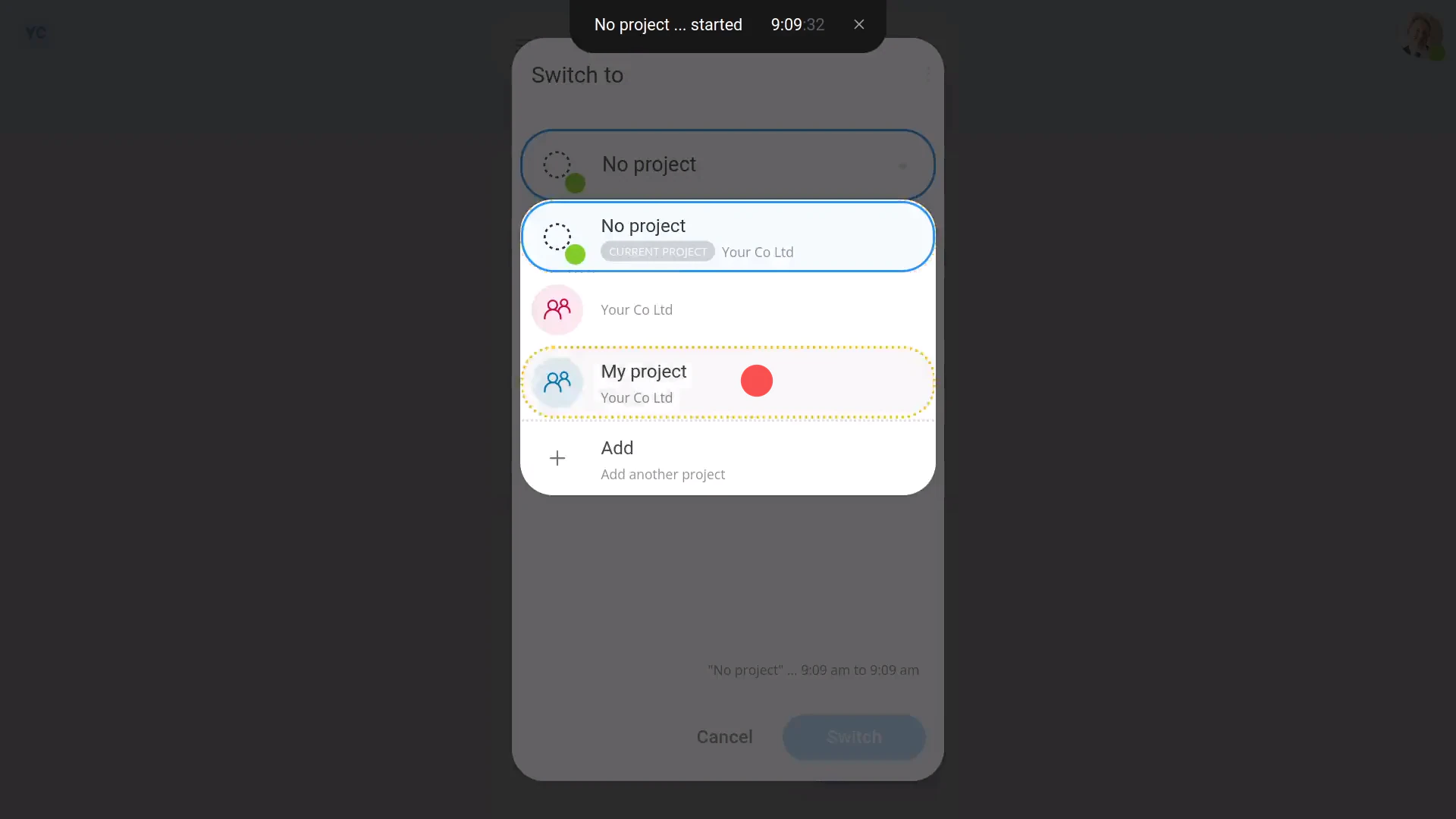
To see "Attendance" reports on how people spend their clocked-in timesheet time:
- First, to create a project, tap: "Menu", "Projects", then "New project"
- Next, to add some people to the project, scroll down and tap: Add worker
- Then have the people tap: "Work-time menu", then "Start"
- And then have them switch to the project you created, using: "Work-time menu", then "Switch projects"
- And finally, from now on, each time the people start their clocked-in timesheet time, by default, the button remembers the person's last selected project.
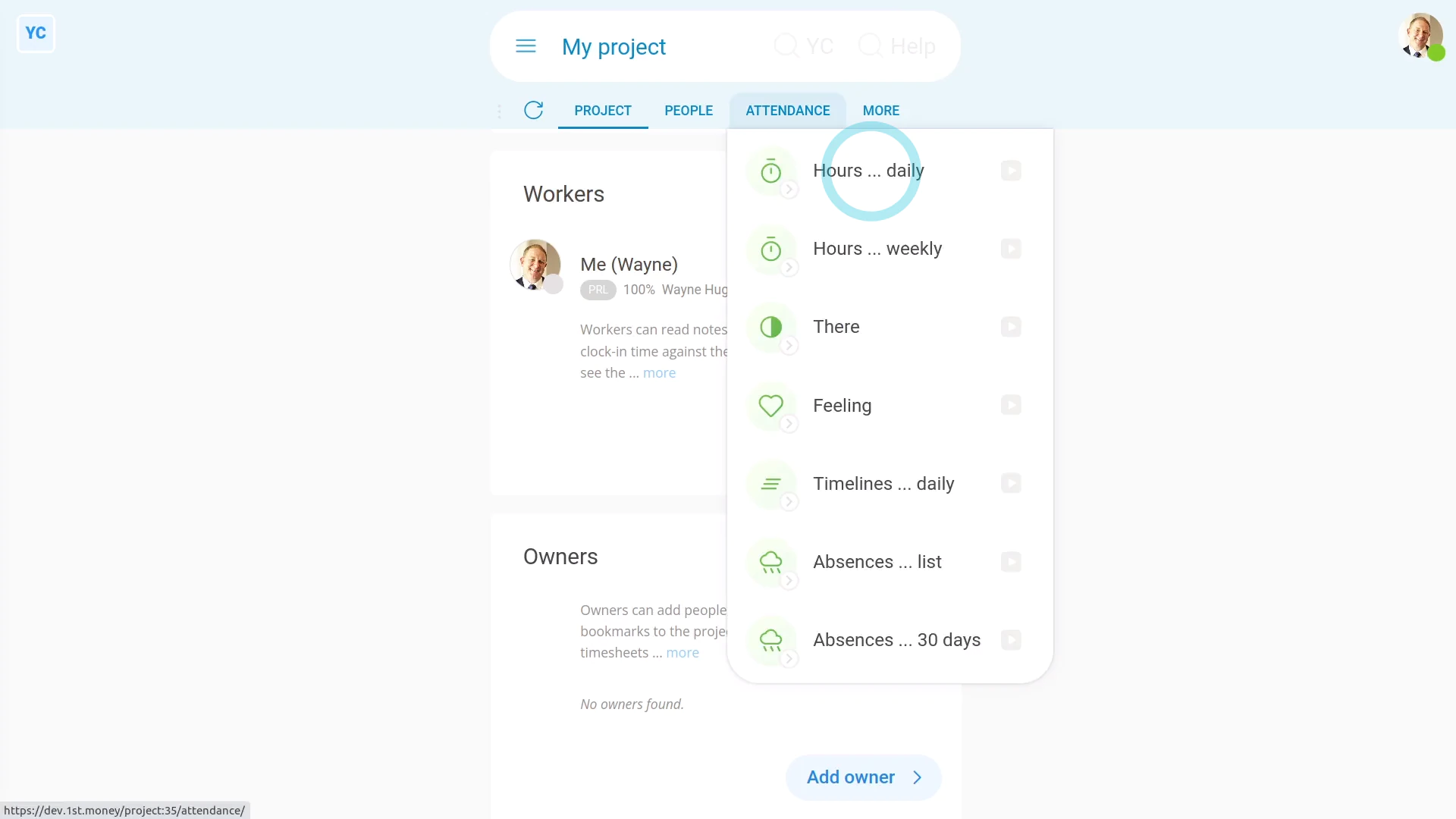
To see a project's "Attendance" reports:
- First, while you're inside the project, tap: Attendance (at the top)
- You'll see "Attendance" reports like the "Hours daily" report.
- And you'll see many others.
- And finally, The "Attendance" reports can be seen by people who've got "Full org admin" permissions, plus by project owners, and project observers.

Keep in mind that:
- You can create as many projects as you want.
- And your people can switch projects as many times as needed, throughout their working day.
- Each time your people switch projects, their clocked-in timesheet time is accurately stored in the project that's been switched to.
You may notice:
- By default, a person who's a worker can't see the project's "Attendance" reports.
- If you need them to see the project's "Attendance" reports, add them as an observer on the project. Observers can see the hours worked by everyone else on the project.
- Even without the observer setting, however, every person can still see their own "Attendance" reports.
For advanced usage:
- You could make a project for each of your clients, and then track everyone's time spent on each specific client.
- You could then use the "Hours daily" report (in grid mode), to count the billable hours for each client.
If a feature's not showing:
- If "Projects" isn't showing in the menu, it means your org hasn't turned on the timesheets feature yet.
- To turn on the timesheets feature, watch the video on: Turning on timesheets
 Turning on timesheets
And that's it! That's everything you need to know about using projects!
www.1st.money/uk/help/Projects/1._Why_would_I_want_to_make_use_of_projects