How do I delete a doc, if I no longer need it?

 1:41
"How do I delete a doc, if I no longer need it?"
Deleting a doc removes it from the docs listing, and makes it unavailable for anyone to send it from now on.
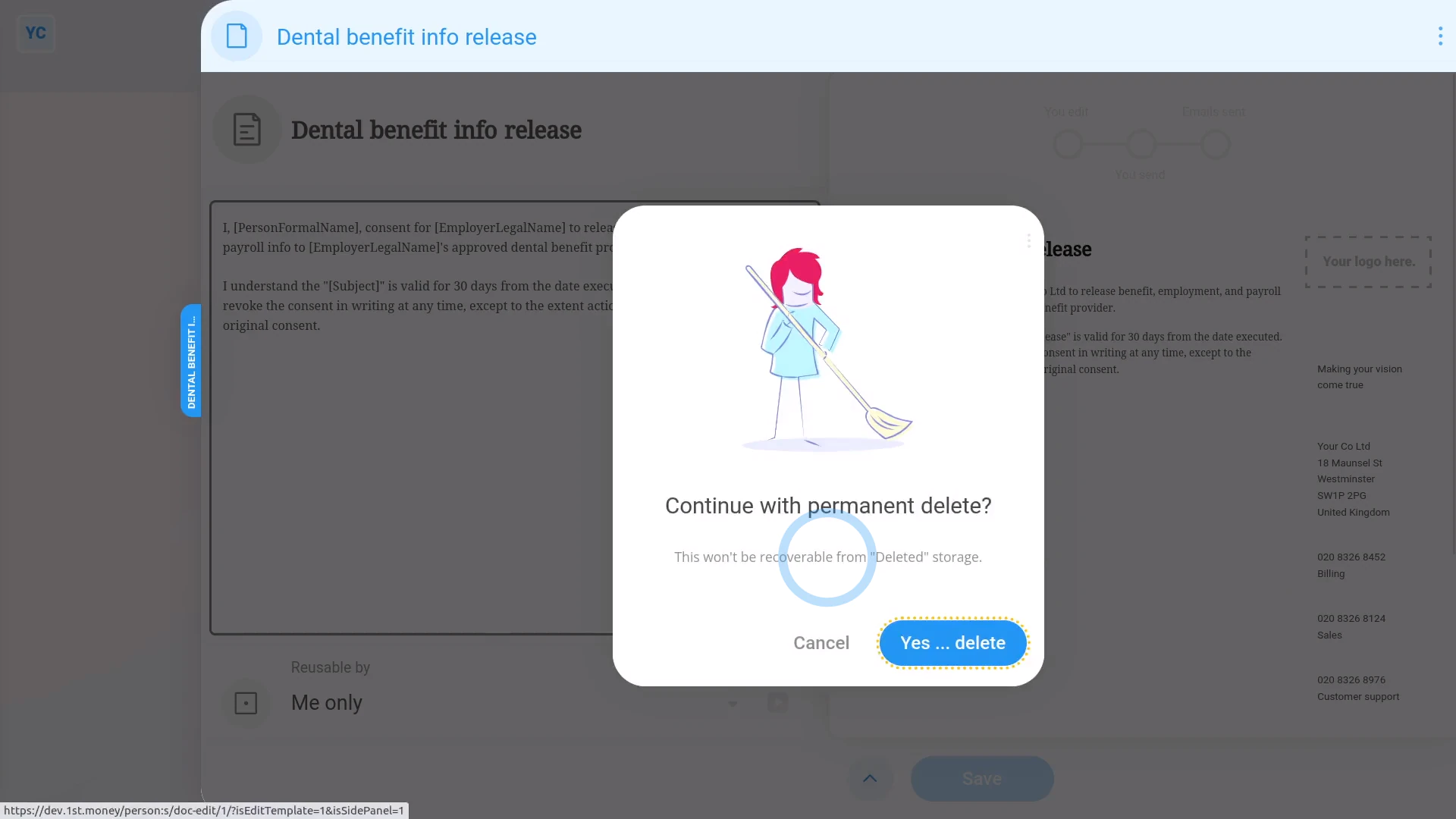
To delete a doc:
- First, to find the doc you want to delete, tap: "Menu", then "Docs ... org's"
- Then hover your mouse over the doc you're deleting, and tap: Edit (on the right)
- Once the doc slides out on the right, open the bottom menu:
- Then tap: Delete
- You'll see a warning that once deleted, your doc won't be recoverable from "Deleted" storage.
- Then tap: Yes ... delete
- And finally, when you go back to "Docs ... org's", your doc isn't listed anymore.

You may notice:
- That many of the docs in "Docs ... all" have been created by 1st Money, which means those 1st Money docs can't be deleted.
- However, all the other docs listed in "Docs ... org's", which have been made by the people in your org, can be deleted.
Keep in mind that:
- Once you delete a doc, it can't be un-deleted.
- Deleted docs aren't stored in the deleted bin.
If a feature's not showing:
- If "Docs" isn't showing in the menu, it means your org hasn't turned on the docs feature yet.
- To turn on the docs feature, watch the video on: Turning on HR Docs
 Turning on HR Docs
And that's it! That's everything you need to know about deleting a doc!
How do I decide which people are allowed to reuse my saved docHow do I password protect the PDFs you email me
www.1st.money/help/HR_Docs/How_do_I_delete_a_doc,_if_I_no_longer_need_it