How do I send corrections or errors that I spot in a doc?

 2:01
"How do I send corrections or errors that I spot in a doc?"
When you're using a doc supplied by 1st Money, if you spot an error, please send your suggested correction to 1st Money.
To send a correction for a doc to 1st Money:
- First, select the doc on: "Menu", then "Docs ... all"
- And select the doc that needs a correction.
- Then select any person to send the doc to.
- Once it slides out on the right, to send a doc correction, open the bottom menu:
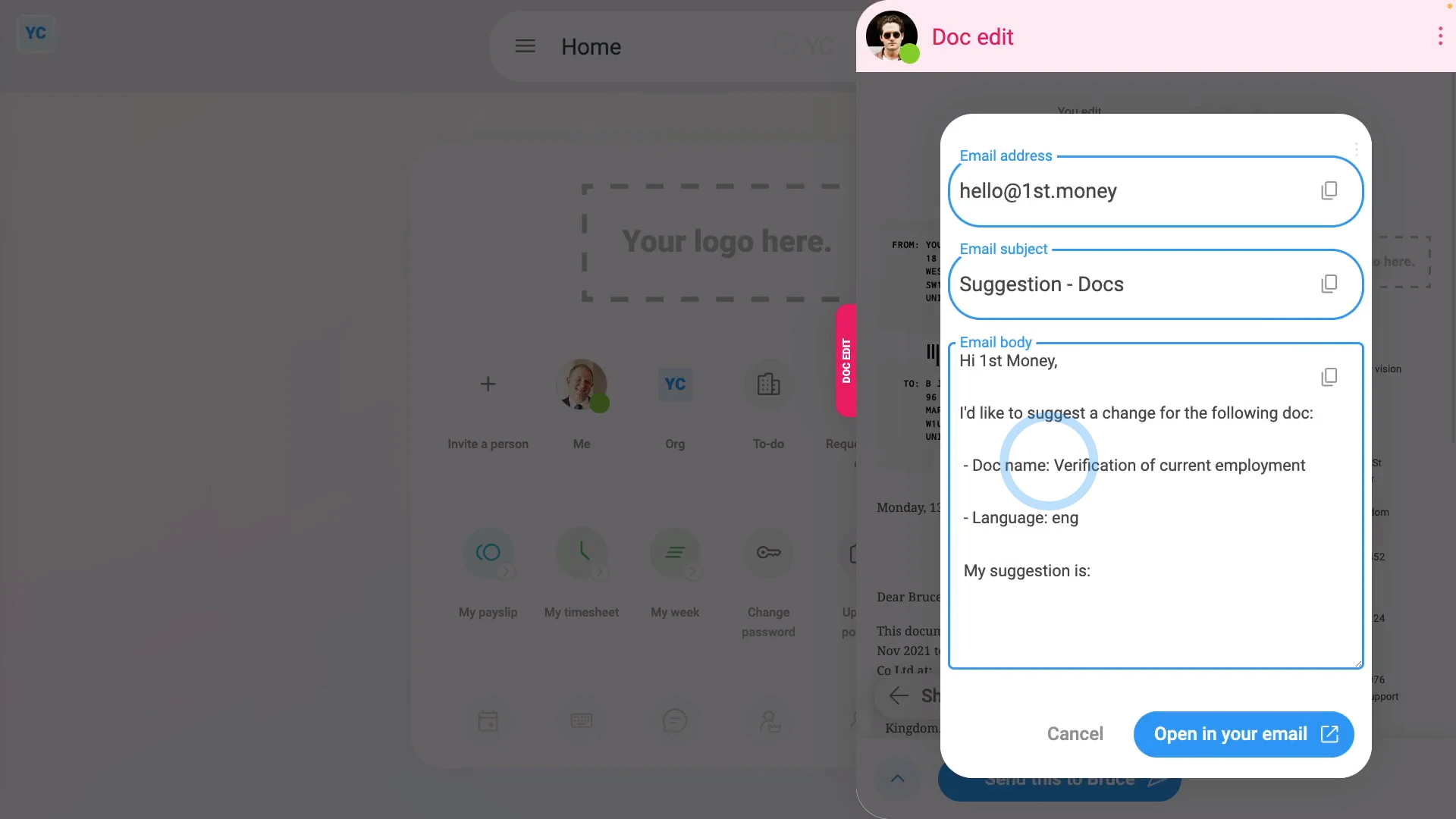
- Then tap: Report a correction
- Next, you'll see a preview of the email wording to make it straightforward for you to send the doc correction.
- Then tap: Open in your email
- And you'll see an email automatically started for you.
- On some devices, depending on what software's installed, the Open in your email button may not work.
- If it doesn't open an email automatically, you can instead copy and paste the text from each box into an email.
- Then type in all the other details about your correction.
- And finally, tap send.

Keep in mind that:
- It's a huge help to the entire community when you send 1st Money your corrections and suggestions.
- Every improvement 1st Money makes to the default set of docs is instantly available to all other orgs. So everyone benefits.
If a feature's not showing:
- If "Docs" isn't showing in the menu, it means your org hasn't turned on the docs feature yet.
- To turn on the docs feature, watch the video on: Turning on HR Docs
 Turning on HR Docs
And that's it! That's everything you need to know about reporting a correction for a doc to 1st Money!
www.1st.money/help/HR_Docs/How_do_I_send_corrections_or_errors_that_I_spot_in_a_doc