What if I forgot to stop my clocked-in timesheet time?
 1:40
1:40
"What if I forgot to stop my clocked-in timesheet time?"
If you're paid using "Per hour ... clocked-in timesheets", you'll need to stop your clocked-in timesheet time each day, when you stop working. If you went on break, and forgot to stop it, do the following.
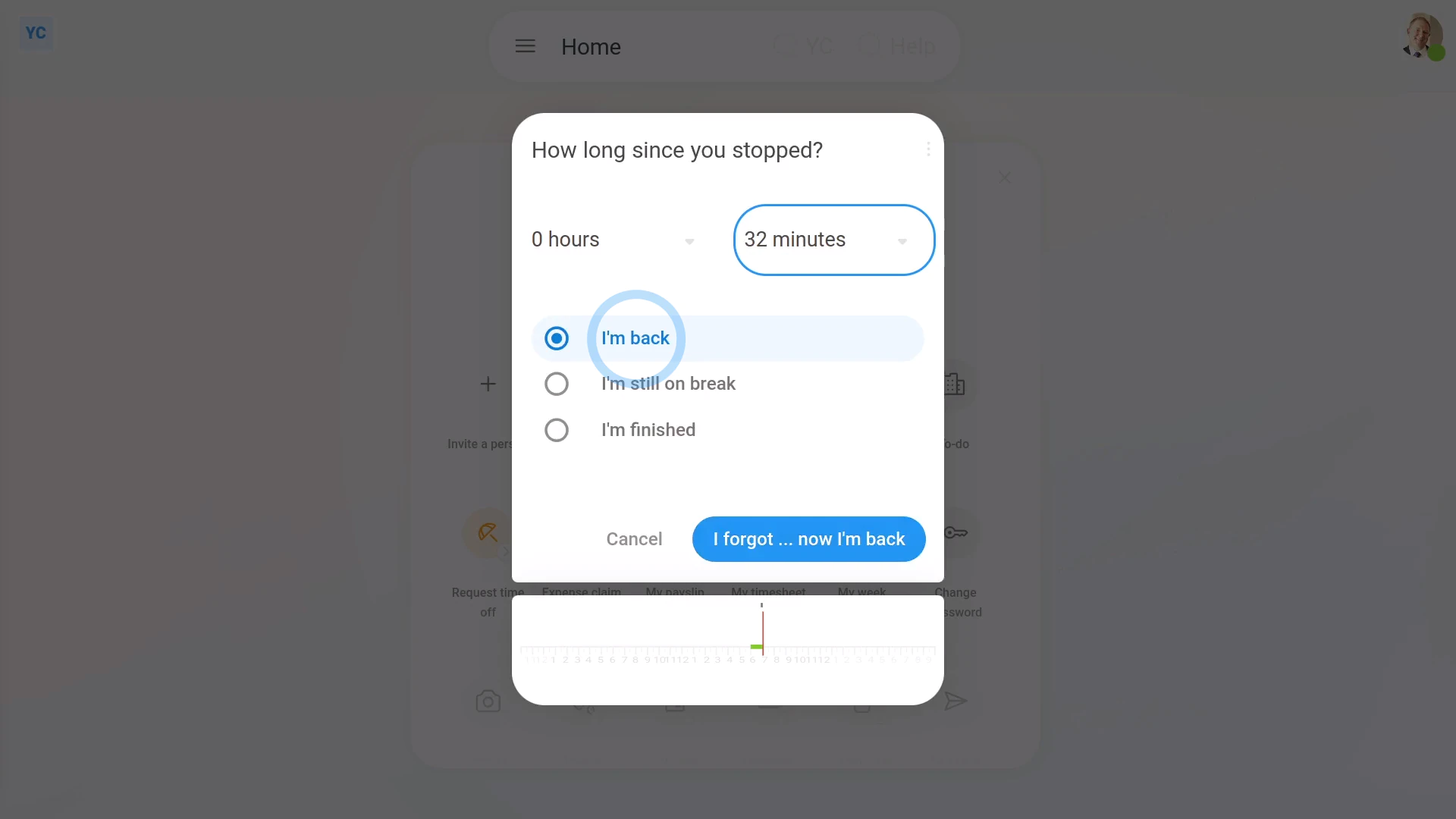
To correct your clocked-in timesheet time when you went on break and forgot to stop it:
- First, once you're back, tap: "Work-time menu", then "I forgot"
- Set how long it's been since you stopped working, and started your break.
- Next, decide if you're back to working, if you're still on break, or if you're finishing your working day.
- And finally, tap: I forgot

Keep in mind that:
- The "I forgot" feature is only for when you missed entering a stop time. Or, in other words, you finished working, but accidentally left your clocked-in timesheet time still started.
- If, instead, you missed entering a start time, ask your admin to do a manual adjustment.
If a feature's not showing:
- If the "I forgot" option isn't showing in the menu, it means your org hasn't turned on the timesheets feature yet.
- To turn on the timesheets feature, watch the video on: Turning on timesheets
 Turning on timesheets
And that's it! That's all you need to do to correct your clocked-in timesheet time, if you forgot to enter a stop when you went on break!
www.1st.money/uk/help/Timesheets/What_if_I_forgot_to_stop_my_clocked-in_timesheet_time